In this business app, you can manage emails, calendars, and contacts efficiently. Includes features such as quick actions, app launcher, and secure file sharing.
AppRecs review analysis
AppRecs rating 1.6. Trustworthiness 67 out of 100. Review manipulation risk 23 out of 100. Based on a review sample analyzed.
★☆☆☆☆
1.6
AppRecs Rating
Ratings breakdown
5 star
8%
4 star
4%
3 star
5%
2 star
10%
1 star
72%
What to know
✓
Low review manipulation risk
23% review manipulation risk
⚠
Mixed user feedback
Average 1.7★ rating suggests room for improvement
⚠
High negative review ratio
82% of sampled ratings are 1–2 stars
About BlackBerry Work
Take care of business simply, elegantly and securely with BlackBerry Work. Stay on top of your business email, schedule and join meetings, and manage your contacts with an easy to use, all-in-one app.
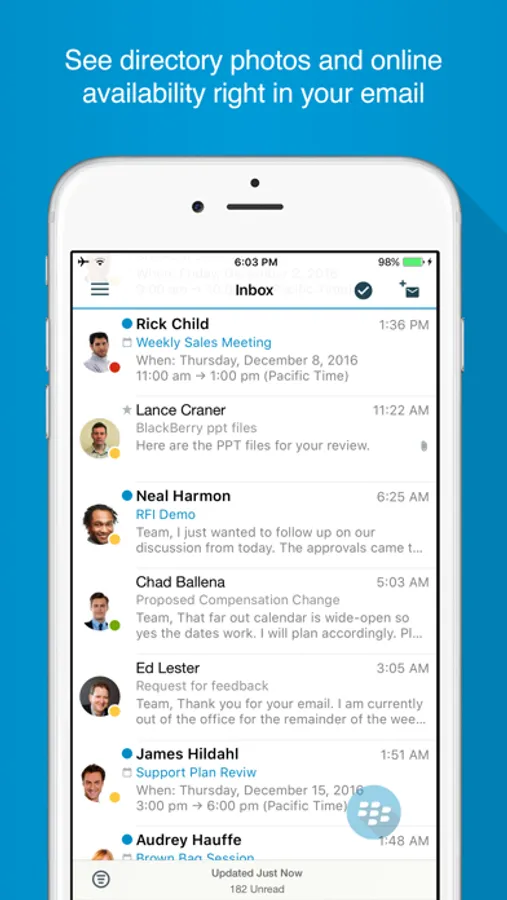
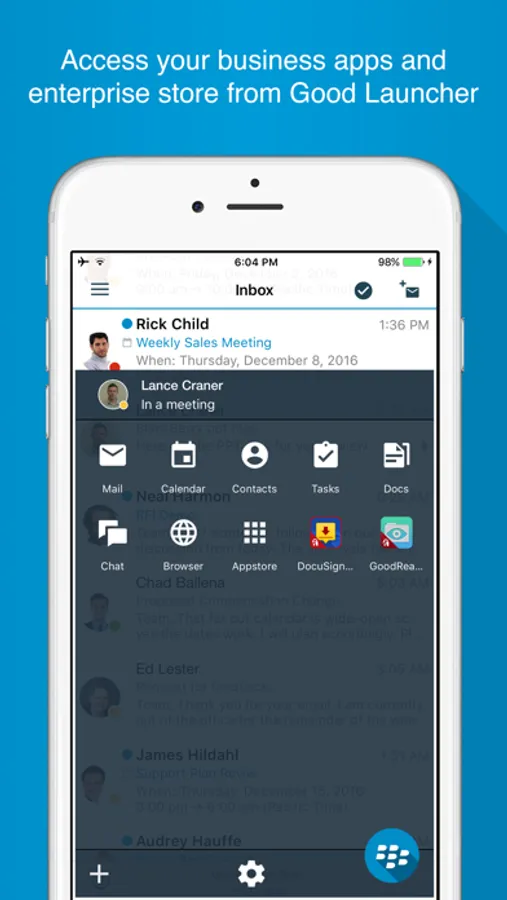
BlackBerry Work delivers a personalized business experience. See your colleagues’ photos in your email. View online availability to chat everywhere you work - in email, a calendar event and on their contact card – a capability unique to BlackBerry. Quickly navigate among your business apps using Launcher. Switch easily between composing an email, adding a contact, or scheduling a calendar event with quick action buttons. And always know that your personal privacy is protected without intrusive geo-location capabilities.
Simple app navigation:
• Launcher: Simplify multi-tasking and app navigation with easy switching between your email, calendar, contacts, app settings and other BlackBerry apps.
• Quick actions: Work smarter with quick action buttons to compose an email, schedule a meeting or add a contact.
• Contextual file actions: Choose the right actions for your documents – edit, annotate, save, print, sign, etc. based on the other BlackBerry-secured apps installed on your device
Improve productivity:
• Email: Manage your inbox on the go! Check and respond to email, move messages to a folder, and take and attach photos.
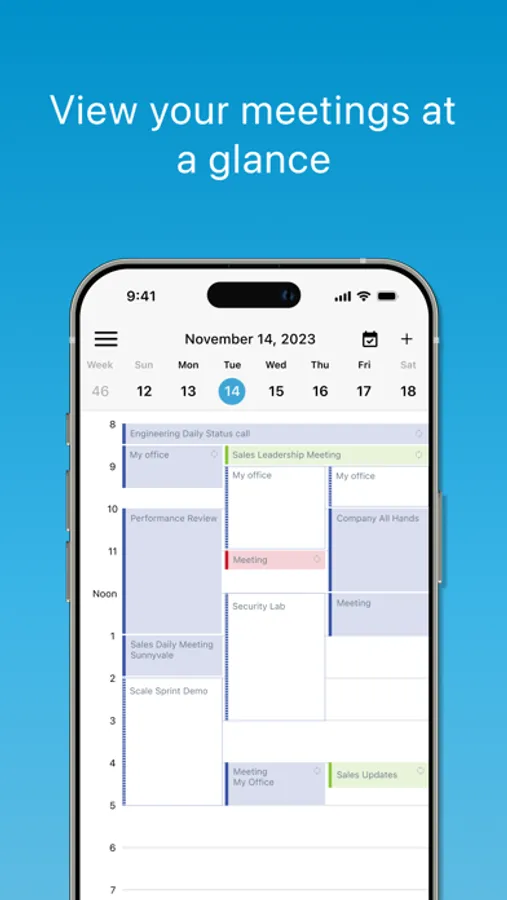
• Calendar: Stay in touch with your colleagues, customers and partners wherever you are. Join meetings or schedule new ones. Even send a quick reply message if you are running late.
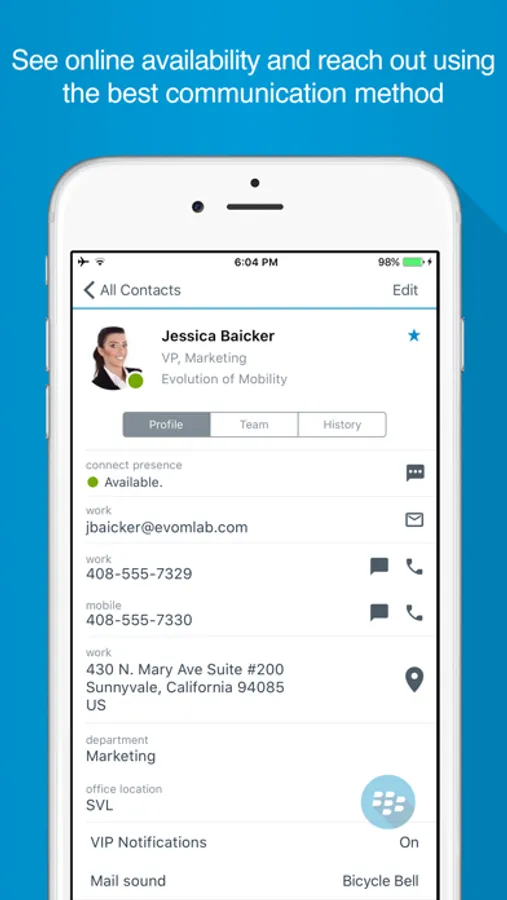
• Contacts: See all of your Outlook contacts, personal and work. Add additional information to the contact card or get the caller ID by sync’ing the contacts to the device.
Personalize your experience:
• Directory Photos: Your inbox, calendar and contacts now displays photos from your global address list so you can now enjoy more effective social interactions
• People centric collaboration: Choose the best way to reach your colleagues based on their online availability status. Initiate a call, an email, an IM or an SMS from within the app them based on their availability.
Quick notifications:
• Badges: See how many unread email you have right on your device home screen without opening the app. .
• VIP notifications: Never miss an important message. Set VIP status for key contacts to be notified via custom alerts when they send you an email.
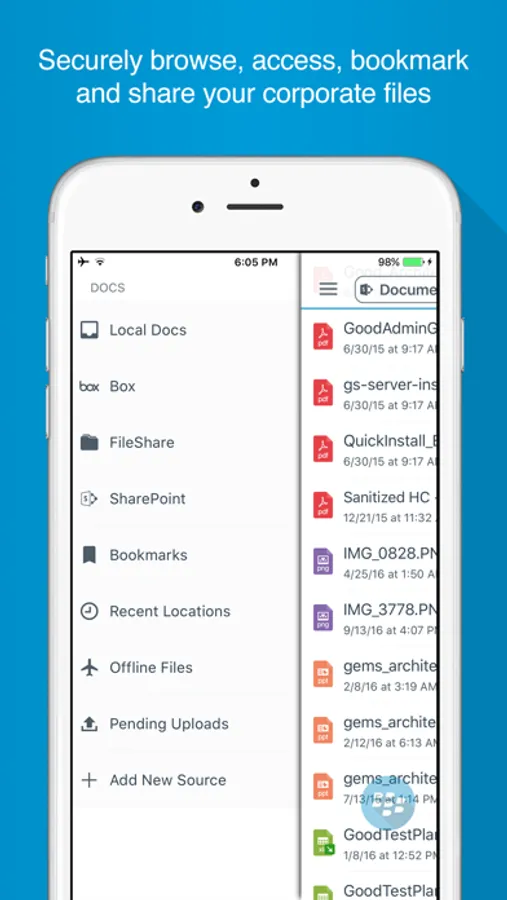
BlackBerry Work Screenshots
Tap to Rate:
Reviews for BlackBerry Work
angrycheese
Great — if your IT aren’t monkeys
I used this at my old job and it never ever worked right. New job, guess what “we use BB Work”… great… BUT it works so much better here that I have to give the five stars. I asked why and they said the server has to be set up right, when notifications and stuff don’t work it’s the IT’s fault.
Emoney707
You’ve got mail
Consistently gives me the wrong number of unread emails. Turn notifications off.