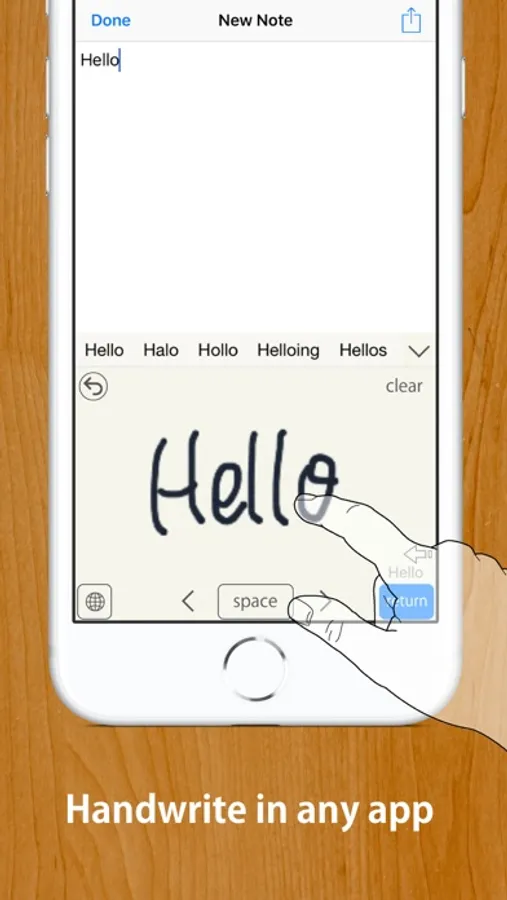
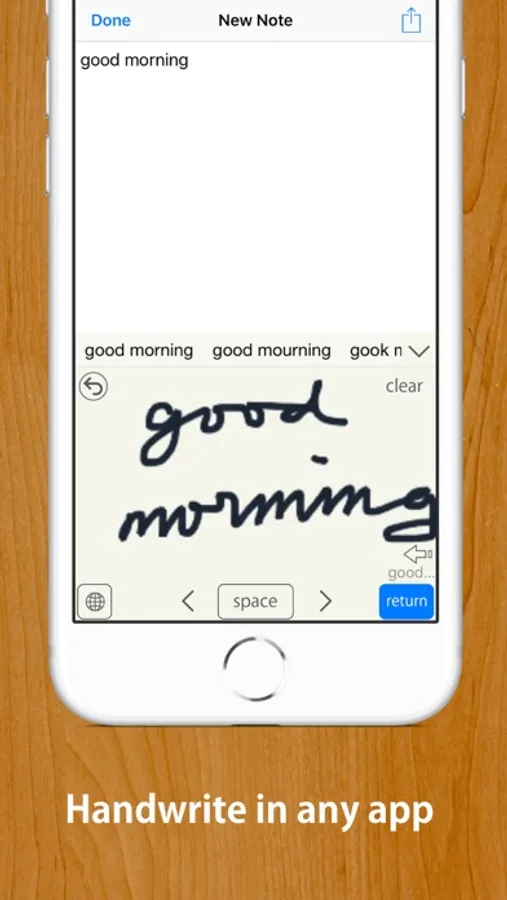
In this handwriting keyboard app, you can convert handwritten input into typed text in any app using your finger or Apple Pencil. Includes customizable settings, language support for English and Japanese, and offline operation.
AppRecs review analysis
AppRecs rating 4.2. Trustworthiness 80 out of 100. Review manipulation risk 20 out of 100. Based on a review sample analyzed.
★★★★☆
4.2
AppRecs Rating
Ratings breakdown
5 star
50%
4 star
27%
3 star
7%
2 star
2%
1 star
14%
What to know
✓
Low review manipulation risk
20% review manipulation risk
✓
Credible reviews
80% trustworthiness score from analyzed reviews
✓
Good user ratings
77% positive sampled reviews
About Handwriting Keyboard
Works with any app, such as Safari, Mail, Notes, etc.
MyScript® engine converts your handwriting to typed text in any app.
Works offline. No need to be online to use or activate online.
Compatible with Apple Pencil if your device supports it.
【HOW TO USE】
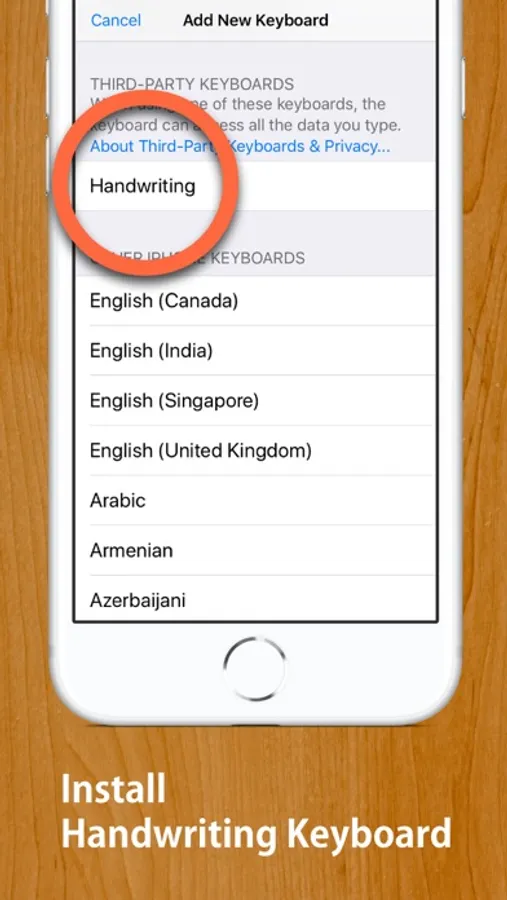
STEP 1: Install this Handwriting Keyboard (U.S. English or Japanese, or both) from "Keyboard" section in "Settings" app.
Open Settings App ▶ Handwriting(This app's settings section) ▶ Keyboards ▶ Turn "English (US)" on.
…or
Open Settings App ▶ General ▶ Keyboard ▶ Keyboards ▶ Add New Keyboards... ▶ Choose "Handwriting" ▶ Turn "English (US)" on.
STEP 2: When inputting, such as when writing a mail message, long-press "Globe Button" on the keyboard to switch to this Handwriting Keyboard.
(Tap "Globe Button" to switch to a next keyboard, long-press "Globe Button" to show keyboard list.)
* When inputting password, the iOS keyboard automatically switches to default keyboard.
【Note】
• For some apps that have original inputting area, such as "Slack", disable inline inputting.
• If you have enabled "Scribble", the button to activate a keyboard has a bug. Please tap "3 times" to activate this keyboard from Scribble.
Functionalities: [Tap gear button on the keyboard to customise]
• Auto enter after customsed delay
• Choose input area size from three sizes
• Choose enter button location from three options
• 2 finger scroll or 2 finger cursor move gesture
• Supports Apple Pencil with finger touch rejection
• Option to disable inline inputting
• Choose three line widths, four background color
• Supports Text Replacement
• Supports iOS13's dark mode and floating keyboard
Supported Languages:
• English (U.S.)
• Japanese (including hiragana to kanji conversion)
This app does not recognize other languages than U.S. English and Japanese. This app does not recognise UK English. Diese App erkennt kein Deutsch. Esta aplicación no reconoce español. Este aplicativo não reconhece português. Denna app känner inte igen svenska. Cette application ne reconnaît pas le français. 이 응용 프로그램은 한글을 인식하지 않습니다.
MyScript® is a trademark of MyScript
Handwriting Keyboard Screenshots
Tap to Rate:
Reviews for Handwriting Keyboard
Sojourner42
Almost good, but falls short
First and most importantly, the input panel does not open in all apps (specifically the settings app). Although handwriting recognition works well, and gestures are intuitive, input can be glitchy. Or more specifically the lack of input. Opening the keyboard may retain previously cleared input, tapping in a text region may input the last input which gets annoying when you're trying to move the cursor to the end of the line and it keeps inserting words in the middle of other ones, With the last update 3 years ago and no refund available I fear the app isn't even in maintenance mode anymore and I've just wasted my money.
QueAquila
Almost as good as the GB oard one
At first, I worried about paying money for this app, but it was only $4 so I bought it. I do a lot of writing and cursive is far faster for me than typing or using an on-screen keyboard. Plus, it feels more natural to me to write. I have used this for years, long before its last update. Of which, I doubt I will see any more updates, but this app works well enough for me. The app has a bit of a learning curve but a little practice and paying attention to issues, it is easy to compensate. Other than the issue others have mentioned about the random capitalization, It has issues with cursive capital G and cursive lowercase z, but writing them in Manuscript will fix this issue. For some reason, it likes to switch lowercase r with n and vice versa. Plus, it likes to make sure words you write are actual words, which can be a pain when writing weird names. Most of the time writing the names in manuscript will fix This issue. Occasionally, when writing single words, or fixing an incorrect word, the app gives me total gibberish. To fix this, I write extra letters or extra words and it corrects itself. Sometimes, it likes to totally change words, but the best you can do is erase then rewrite the words. Its final issue is that it does not like to count spaces randomly and decides to join your words together. By leaving an extra large space when this happens will fix the issue. It may seem difficult to compensate for the app's issues but I have used this app so much that it is second nature to do it now. All-in-all this is the best app I have found to turn your hand writing to text for the iPad. Thanks to the creator of this app to make my life easier. It is awesome !