In this budgeting app, you can forecast your cash flow and set bill reminders. Includes balance forecasting, automatic syncing, and financial calculators.
AppRecs review analysis
AppRecs rating 2.6. Trustworthiness 82 out of 100. Review manipulation risk 24 out of 100. Based on a review sample analyzed.
★★☆☆☆
2.6
AppRecs Rating
Ratings breakdown
5 star
25%
4 star
10%
3 star
10%
2 star
18%
1 star
37%
What to know
✓
Low review manipulation risk
24% review manipulation risk
⚠
Mixed user feedback
Average 2.7★ rating suggests room for improvement
⚠
High negative review ratio
55% of sampled ratings are 1–2 stars
About Budget Calendar
Great for individuals or business owners to maintain a healthy budget. After you see how much you can save, you will change your spending behaviors. 70k users from previous versions is our testimony.
You wont need another finance app after Budget Calendar. If you are unhappy with your purchase we will give you your money back.
Budget Calendar comes with:
Balance and Cashflow Forecaster
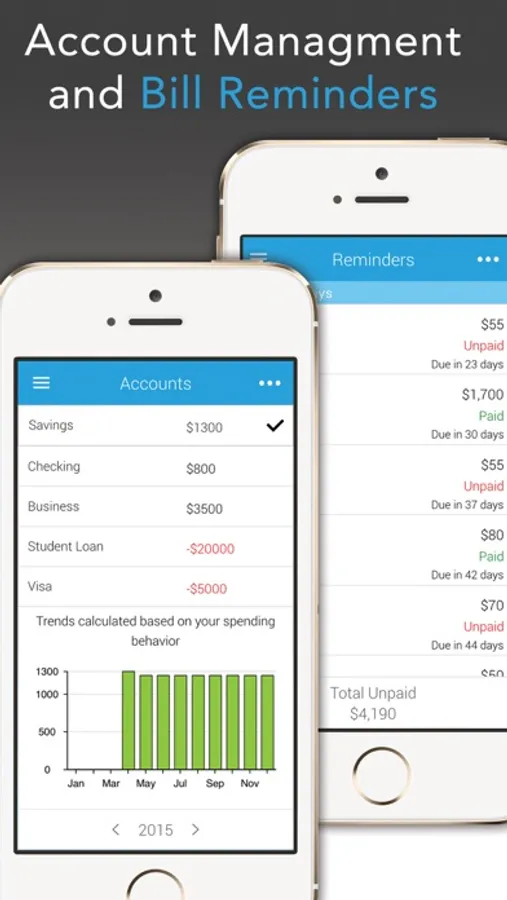
Bill Reminders
Multiple Account Handler
Custom Categories
Automatic Sync, Backup, and Restore between Android and IOS devices
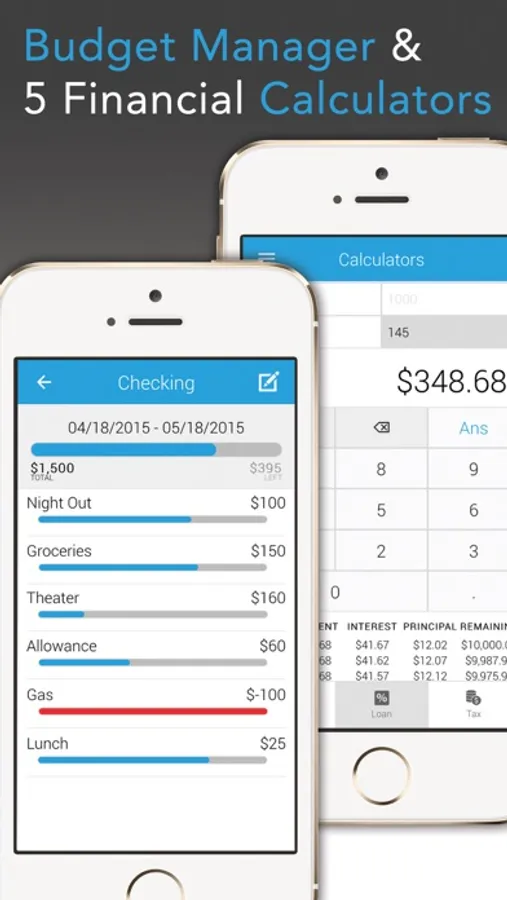
Daily, Weekly, Monthly Budget tool
5 financial calculators
Overdue and Recurring reports
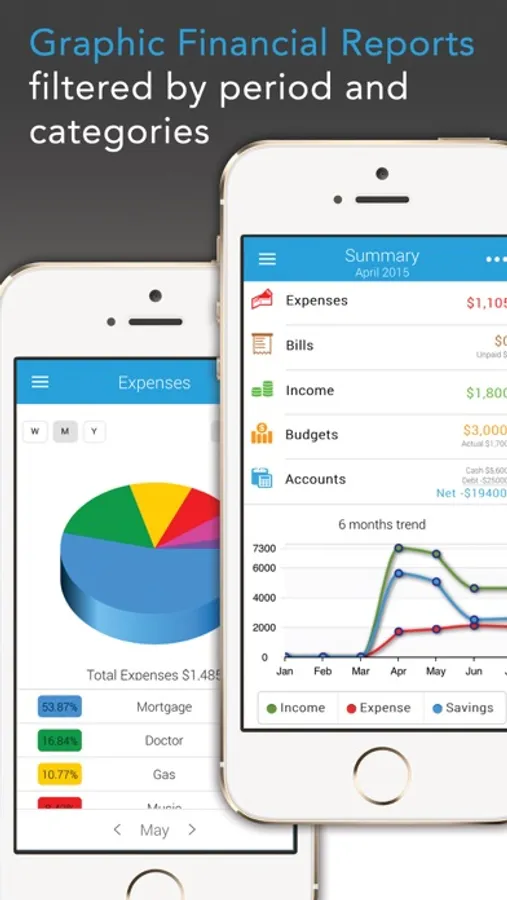
Graphs, Reports, and Trends
and many more.
Know in advance when you will be out of funds. Budget Calendar is the only app that helps you forecast your balance on a calendar and sync your budget between your family, friends and partners on their iPhone, iPod & iPad.
BC distinguishes itself from the other budget apps because of its unique Balance Forecast System and more than 15 finance tools packed on it.
Summary:
BALANCE FORECAST
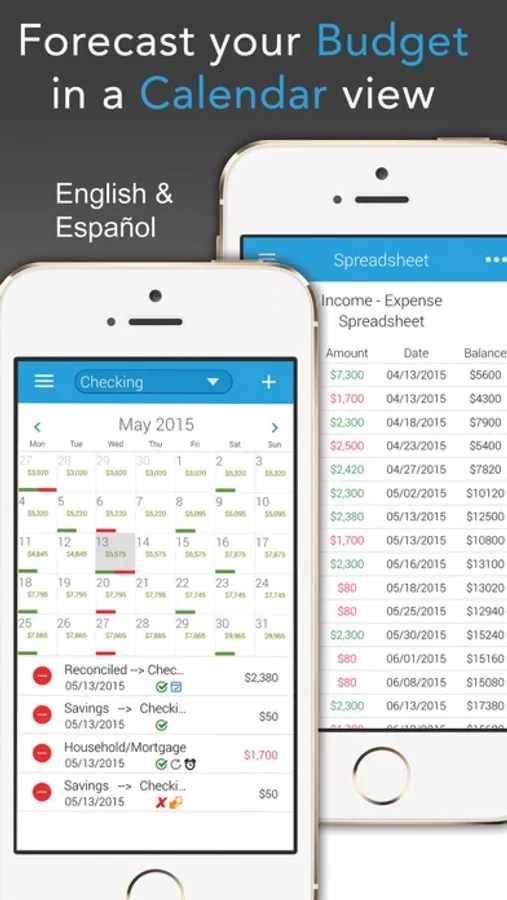
No more overdraft fees. No more guessing when your balance will be negative. BC will display your balance in a calendar view so you know exactly how much money you will have on any particular day, week or month.
AUTOMATIC SYNC, BACKUP, RESTORE (auto renewal subscriptions)
Sync your budget between your friends and family on their iPad, iPhone, or iPod with our new syncing add-on. Auto renewal subscriptions will be paid to iTunes at 12.99 for 6Months, 19.99 for a year. This is an OPTIONAL SERVICE, NOT MONTHLY CHARGED. And can be turn of at any time.
MONEY TRANSFERS
Now you will be able to move money from one account to the other by just selecting transfer.
BUDGET TRACKING
Our new budget tool will help you set a goal and maintain your expenses under budget. It will also show you how much money you are saving each month.
SPREADSHEET
This tool will help you browse through all your transactions 6 months in advance, and all within one screen.
BILL REMINDERS
You will be able to assign reminders to your bills and receive notifications for when they are due; this will help you avoid late fees.
5 CALCULATORS
Ever wonder how much will your total be after sales tax/ discounts, not to mention the tap on a restaurant? With our 5-in-1 calculator (Tip, Sales Tax, Discount, Mortgage, and Loan calculator with amortization table) you will be in control of your expenses.
TRANSACTION SCHEDULING
No more remembering or writing a pay bill list. No more figuring out what expenses are on auto pay or recurring. With BC you will be able to schedule your income, expenses, and bills based on date and frequency of your choice and know exactly how much money you have on any given day.
CHARTS & REPORTS
Would you like to know what expenses are the ones taking most of your income? BC analyzes your data and builds pie charts and bar charts by category and amount, plus 8 more: Income vs. Expenses, Accounts, Bills, Reminders, Not Paid, Recurring, Expenses and Spreadsheet.
ACCOUNT MANAGEMENT
Checking, Savings, Credit Cards, IRA, Investments, you name it.
TRANSACTION FEATURES
Sometimes we forget where we spend our money, and having the word utility or restaurant just doesn’t help us remember. With our new “write notes and memos feature” you won’t need to remember. You will also be able to create your own category and icon using your device camera.
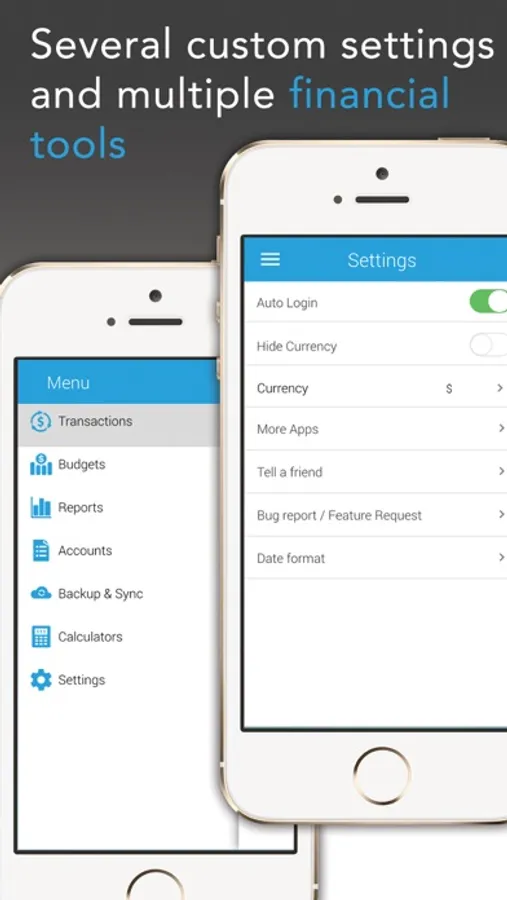
CUSTOMIZABLE SETTINGS
Pass code protection, Account management, Currency Selector, Date Format, Push notifications, and more.
LANGUAGES
English & Spanish, more to come.
Note: account creation needed.
Budget Calendar Screenshots
Tap to Rate:
Reviews for Budget Calendar
Dubsterkitty
Calendar view should be standard
I’ve tried a LOT of budget apps, while simple and minimal in features, this one is hands down the best. Can be a little glitchy or slow to start, but absolutely worth it for the calendar view. It simply speaks to my brain and makes my money something I can visualize and understand.
Budget queen13
Loved the app when it works
I previously had this with my android and I loved it. I was happy to find it on Apple but I can’t log in or sign up. I paid the 3 dollars and I can’t even use it.