AppRecs review analysis
AppRecs rating . Trustworthiness 79 out of 100. Review manipulation risk 26 out of 100. Based on a review sample analyzed.
★
AppRecs Rating
Ratings breakdown
5 star
20%
4 star
20%
3 star
0%
2 star
0%
1 star
60%
What to know
✓
Low review manipulation risk
26% review manipulation risk
✓
Credible reviews
79% trustworthiness score from analyzed reviews
⚠
Mixed user feedback
Average 2.4★ rating suggests room for improvement
About DLNA Browser
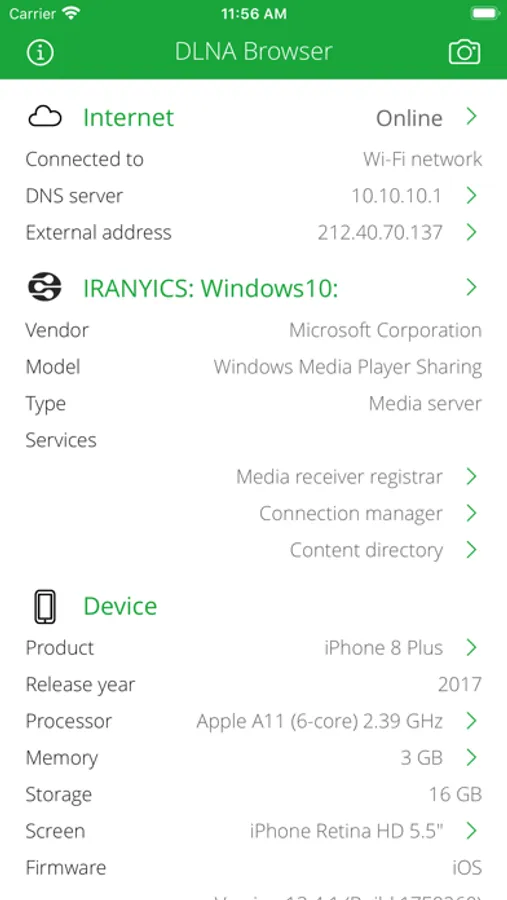
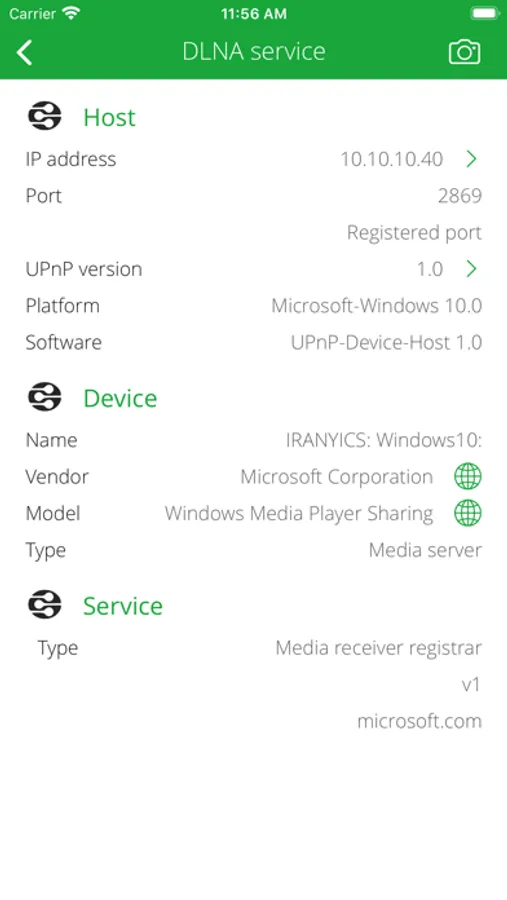
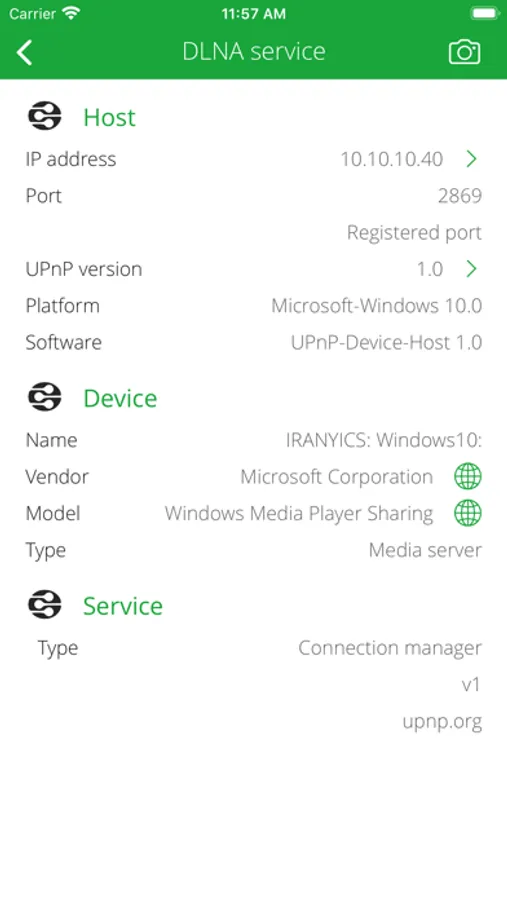
Discover and explore your local network. Search for DLNA compatible devices like media servers, TVs, wireless speakers, printers, security cameras, home sensors, lights, HVAC thermostats, LAN/WAN network devices and so on...
DLNA Browser is a very powerful tool for discover the available DLNA (UPnP) capable devices on your home or office local network.
ABOUT DLNA
Digital Living Network Alliance (DLNA) is a nonprofit collaborative standards organization established by Sony and Intel in June 2003, that is responsible for defining interoperability guidelines to enable sharing of digital media between multimedia devices. DLNA uses Universal Plug and Play (UPnP) for media management, discovery and control. UPnP defines the type of device that DLNA supports ("server", "renderer", "controller") and the mechanisms for accessing media over a network.
Typical DLNA (UPnP) devices:
• Media servers (PS3, Xbox, Plex, Serviio, Twonky, Mediatomb, WMC, stc.)
• Media renderers: TV, display, wireless speaker.
• Network device: LAN/WAN router, Wi-Fi access point.
• Home automation elements: solar protection blind, light, HVAC thermostat, home sensors.
• Printer, scanner, feeder.
• Remote access client, server, agent.
• Telephony client, server.
• BMLinks device (Japanese office devices: printer, scanner).
• Personal message receiver.
• Media Center.
• Quality of Service (QoS) device.
SERVICE BROWSING
• Search for available and currently running DLNA (UPnP) root and embedded devices and services.
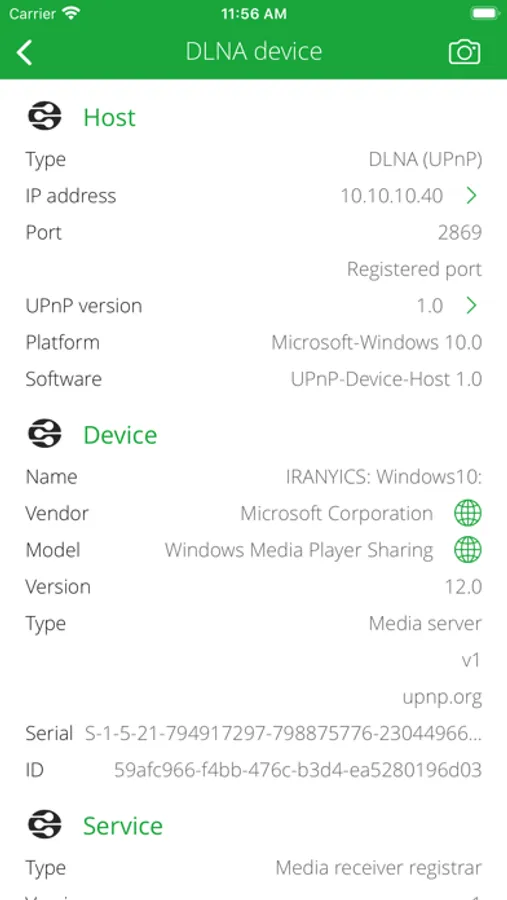
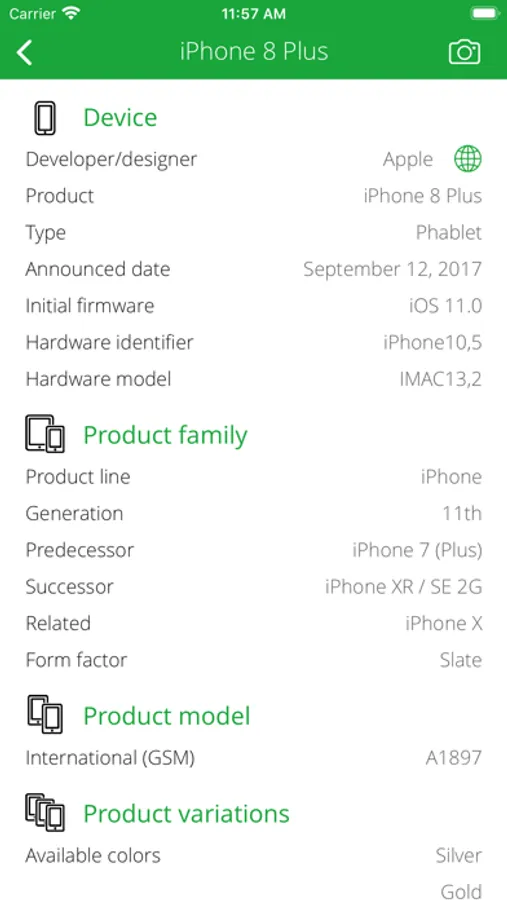
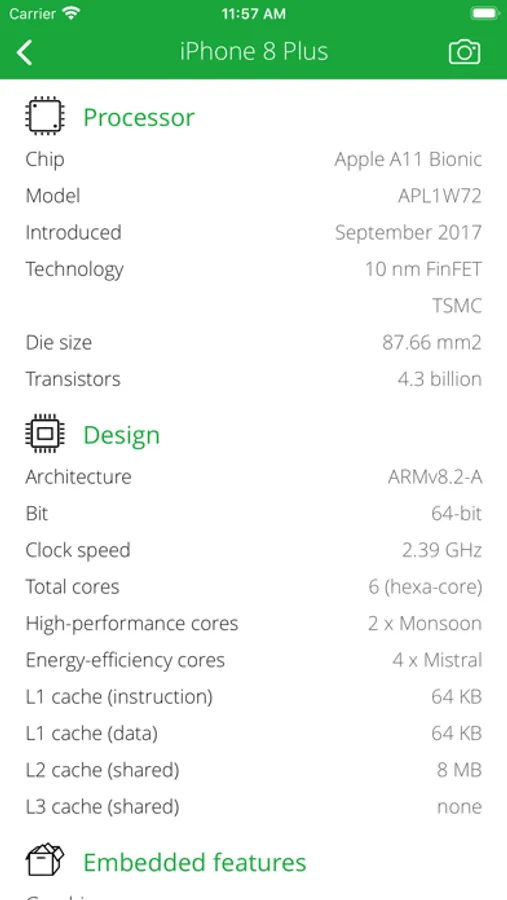
• Analyze and describe device name, manufacturer, model, type, version, serial number, UPC code, etc.
• Determine operating system/version and UPnP server product and version.
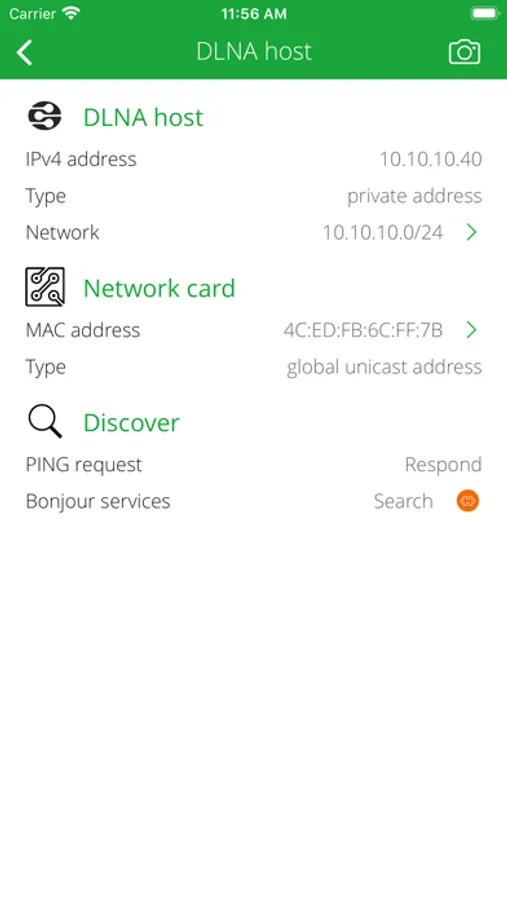
• Show DLNA host IP address, port number, UPnP version, local name, domain name, MAC address (with vendor information), PING capability.
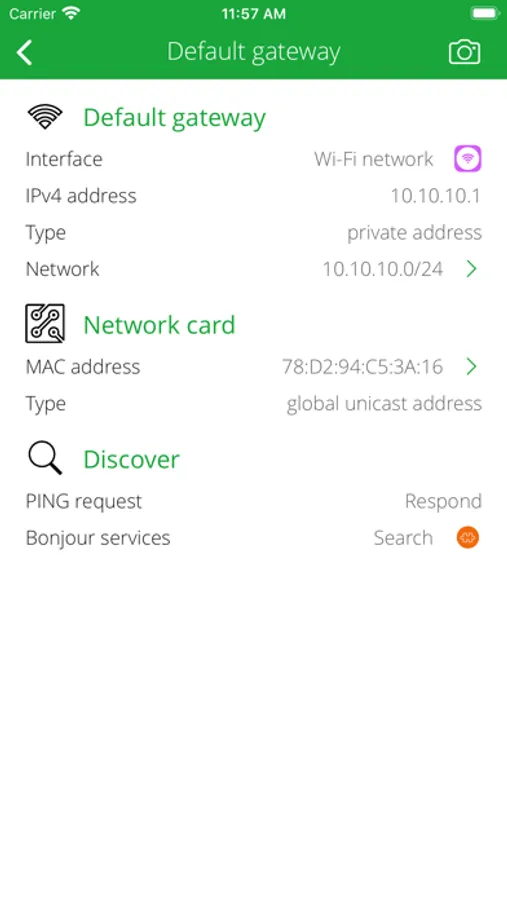
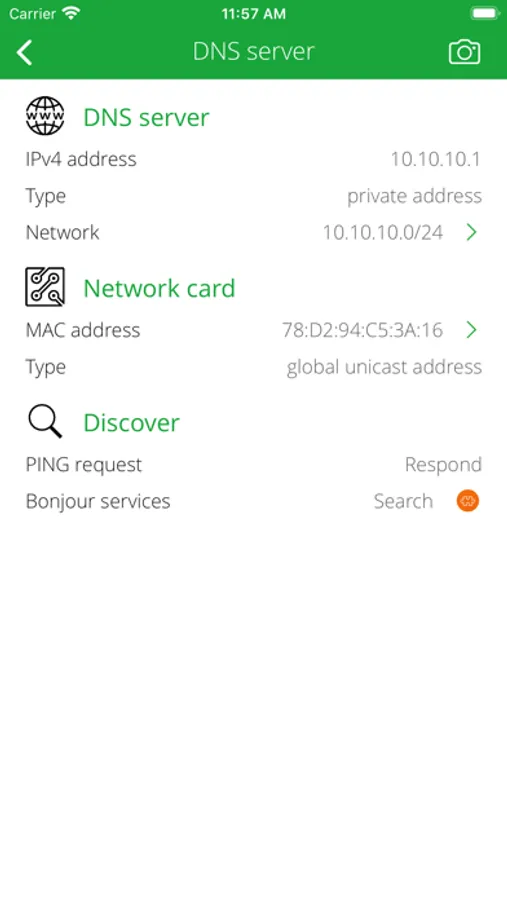
INTERNET INFO
• Show default gateways, IP addresses, networks.
• Show DNS servers, search domain names, local MAC addresses, host name resolve.
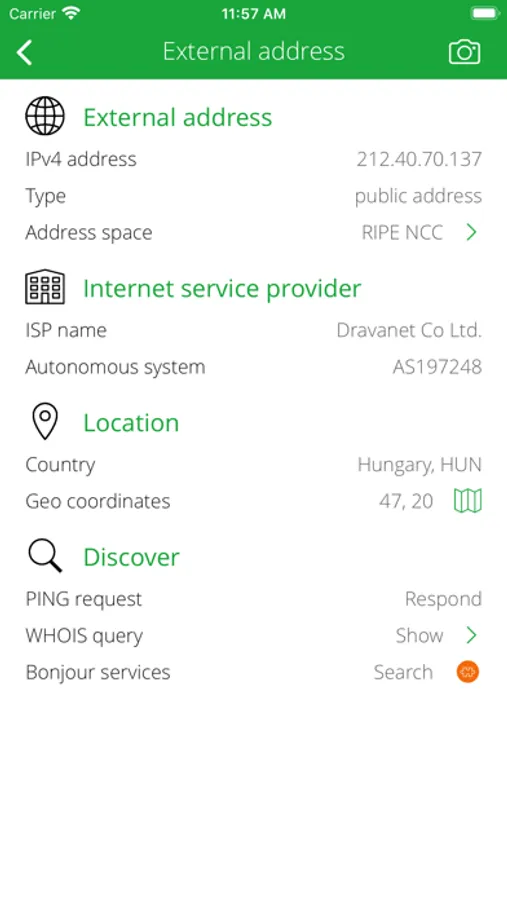
• Depth external address analysis: ISP name, autonomous system name, whois, ping, regional internet registry info.
• Full offline MAC vendor database.
REACH UI FEATURES
• Info menu with feedback and privacy settings
• Use the camera icon (upper-right corner) to create and print/send/share a screenshot from the entire page.
• Pull down with your finger to refresh the information.
• Long press on a cell to copy/print/send/open as/share the cell value.
• Shake your device to refresh the information.
DLNA Browser is a very powerful tool for discover the available DLNA (UPnP) capable devices on your home or office local network.
ABOUT DLNA
Digital Living Network Alliance (DLNA) is a nonprofit collaborative standards organization established by Sony and Intel in June 2003, that is responsible for defining interoperability guidelines to enable sharing of digital media between multimedia devices. DLNA uses Universal Plug and Play (UPnP) for media management, discovery and control. UPnP defines the type of device that DLNA supports ("server", "renderer", "controller") and the mechanisms for accessing media over a network.
Typical DLNA (UPnP) devices:
• Media servers (PS3, Xbox, Plex, Serviio, Twonky, Mediatomb, WMC, stc.)
• Media renderers: TV, display, wireless speaker.
• Network device: LAN/WAN router, Wi-Fi access point.
• Home automation elements: solar protection blind, light, HVAC thermostat, home sensors.
• Printer, scanner, feeder.
• Remote access client, server, agent.
• Telephony client, server.
• BMLinks device (Japanese office devices: printer, scanner).
• Personal message receiver.
• Media Center.
• Quality of Service (QoS) device.
SERVICE BROWSING
• Search for available and currently running DLNA (UPnP) root and embedded devices and services.
• Analyze and describe device name, manufacturer, model, type, version, serial number, UPC code, etc.
• Determine operating system/version and UPnP server product and version.
• Show DLNA host IP address, port number, UPnP version, local name, domain name, MAC address (with vendor information), PING capability.
INTERNET INFO
• Show default gateways, IP addresses, networks.
• Show DNS servers, search domain names, local MAC addresses, host name resolve.
• Depth external address analysis: ISP name, autonomous system name, whois, ping, regional internet registry info.
• Full offline MAC vendor database.
REACH UI FEATURES
• Info menu with feedback and privacy settings
• Use the camera icon (upper-right corner) to create and print/send/share a screenshot from the entire page.
• Pull down with your finger to refresh the information.
• Long press on a cell to copy/print/send/open as/share the cell value.
• Shake your device to refresh the information.
DLNA Browser Screenshots
Tap to Rate:
Reviews for DLNA Browser
Peachstonepro
Junk
Don’t waste your money
Lanman2006
Doesn’t do anything but show you DLNA machines
I should have read better on it, I would have thought it would at least let you browse the folders, no it only shows you machines with the open port. Not worth the money!