Found 20 search results.
Split Screen- Dual Window
Split Screen - Dual Window For Multitasking is the amazing application for Divide the screen in dual screen. After splitting the screen you can use different applications on both screens at a time. You can add the floating button on the home screen to easily open the app and also change the color of

Split Screen Shortcut
The Android Oreo shortcut to activate split-screen mode by long pressing the overview AKA recent apps button was removed in Android Pie. This app fixes that. This app adds optional shortcuts to toggle Android's split-screen mode like: • long pressing the home button • long pressing the back button
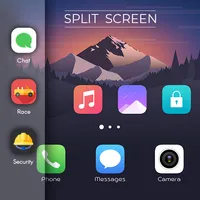
Split Screen Multi Window
A Royal Bug always brings best for its users and here is another one Split Screen Multi Window : Split Screen Multi Window provides you the functionality to use multiple apps on your device and made easier to switch between tasks. User can also add their favorite apps on the list which will shown
Split Screen
Launch two apps on the phone screen The split screen feature allows users to open two applications at once. Now, the split screen function can be run for all devices through the app. Unfortunately, so far, the split-screen function can only be run on applications that support it. This is really to
Link to Windows
You love your phone. So does your PC. Get instant access to everything you love on your phone, right from your PC. To get started, install the Link to Windows app on your Android phone and connect it with the Phone Link app on your Windows PC. Link your Android phone and PC to view and reply to tex

Double Tap Screen On/Off
Double Tap Screen On/Off is an easy to use application, by which you can double tap on Home Screen to on/off the screen instead of pressing power button. Double Tap Screen On/Off will help you to minimize the usage of power button. Features are: a. Double Tap to Screen On b. Double Tap to Screen Of
Split Screen: Multitasking
If you want to work with two different apps at the same time then you can do it using the Easy Split Screen app. This app creates dual windows on your phone screen so you can do multitasking. To split your screen into two parts first you have to enable split-screen service from the app. Then there
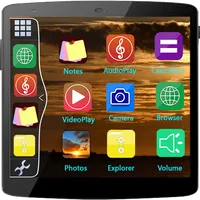
Multi Window
Multi Window Multi Window is the app by which we can use floating apps in given apps multiple window tray. And by clicking on these apps, You can easily use another app in popup windows like float on screen. Extra Features :: # No root required # Long press and Drag Drop Icons On Screen For Open A
Double Double - Make Money
Double Double is the only app where you can make real money playing video games! We have already given away tens of thousands of dollars to lucky players just like you! It's very simple, every draw we are sharing back a portion of our advertising revenue with one lucky winner. The larger our u
Screen On/Off With Double Tap
Screen On/Off with Double Tap is a handy Android app designed to make it easier for users to turn on/off their device's screen. This application has a unique feature that allows users to turn on/off their device screen by just double tapping. This feature is especially useful for those who find it i
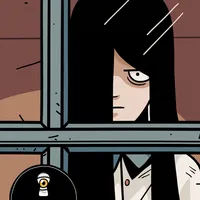
The Girl in the Window
The town of Hidden Town is scared. Very strange things are happening. Villagers claim to have seen the figure of a girl who looks out from the window of one of the houses. Which is very strange, because that house has been abandoned for 20 years. The Girl in the Window is the first point and click

Double Tap Screen On and Off -
Double Tap Screen On and Off is the best app for Double Tap Screen On and Double Tap Screen Off. Additional feature like Shake Screen Lock and wake, Volume Screen On or wake while device is locked are also available. Features available on app are : Double Tap Screen Lock Double Tap Screen On
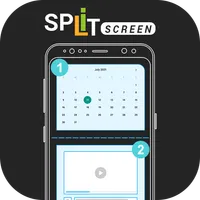
Easy Split Manage Split Screen
Split screen mode or dual screen can only be used on certain smartphones. This split screen feature allows users to open two applications at once. Now the split screen feature can be run for all devices through the application. The Android Oreo shortcut to activate split-screen mode by long pressin
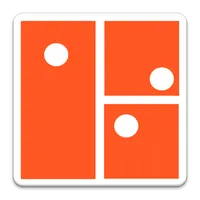
Split
Draw vertical and horizontal lines to split the balls into smaller spaces. Once the balls are contained, you get to move on to the next level.
Split Multitasking Dual Screen
This is simple app that converts your single screen to dual screen. The split screen can allow you to use 2 apps simultaneously. Also get predefined apps like - calculator, file manager, video player, etc, to perform multitask quickly. Features of Split Screen: - Add Two apps from app list. - Launc

Double Good
Double Good is a fundraising platform that helps youth sports teams and organizations raise the funds they need to do what they love. Whether you're raising funds for travel, new uniforms or competitions, you'll earn 50% profit selling the most ridiculously delicious gourmet popcorn made by Double G

Split Camera
It's never been easier to clone yourself or your friend. - Take two photos - Adjust split and blending - Share the pic anywhere you want Self-timer makes cloning easy and because of the blender, the shots don't need to be perfectly aligned. The square picture format is perfect for online sharing.

Double Tap
We provide you a easy way to turn on and turn off screen without power button. It's very useful if your phone is broken power button or you don't like using hard key. FEATURES * Double tap home screen to turn off screen * Double tap home button to turn off screen * Press volume bu

Double Tap Screen On or Off
Double Tap Screen On or Off app gives you the flexibility to lock your device when you double tap on Home Screen or anywhere in the device or when you shake the device. The app also support to wake the device when you shake the device. Double Tap Screen On and Off reduces the usage of power button.

Double Tap Screen on and off
Double Tap Screen On and Off is an easy and best application, through which you can Double Tap on the Home Screen to on or off the mobile screen rather than tapping power button. Double Tap Screen On and Off will help you to reduce the usage of power button to a great extent. Features are: a. Doub