LTE Cell Info: Network Status
Master Network Tools s.r.o.
2.0 ★
151 ratings
$0.99
With this network status app, you can view details about your cellular connection, including carrier information and supported speeds. Includes carrier identification, connection mode detection, and cellular frequency info.
AppRecs review analysis
AppRecs rating 2.1. Trustworthiness 70 out of 100. Review manipulation risk 26 out of 100. Based on a review sample analyzed.
★★☆☆☆
2.1
AppRecs Rating
Ratings breakdown
5 star
16%
4 star
6%
3 star
7%
2 star
4%
1 star
68%
What to know
⚠
Pricing complaints
Many low ratings mention paywalls or pricing
⚠
Mixed user feedback
Average 2.0★ rating suggests room for improvement
⚠
High negative review ratio
72% of sampled ratings are 1–2 stars
About LTE Cell Info: Network Status
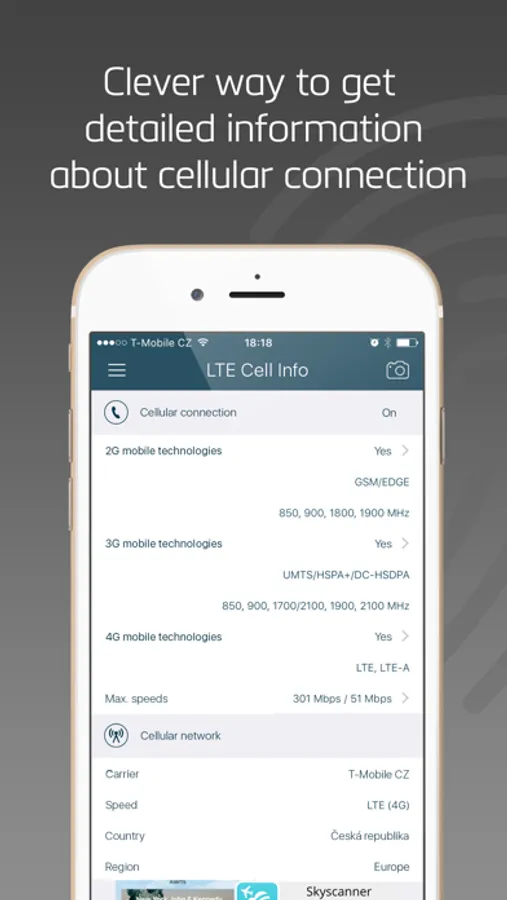
LTE Cell Info is a great multifunctional tool, which helps you to gather all the information you need to know about your cellular connection. It is a clever way how to get all the details about your current carrier, the connection mode or even detect max. physical cellular speeds in the supported mobile technologies.
* Choose from our special app bundles with bonuses *
FEATURES:
CARRIER INFO
• Detect current connected mobile network operator name, country, region.
• Show the carrier identification MCC and MNC codes.
• Detect current cellular connection mode (GPRS, EDGE, UMTS, HSPA, LTE).
• Detect LTE operation bands supported by your carrier.
CELLULAR CONNECTION INFO
• Detect mobile generations and standards supported by your device (2G, 3G, 4G, GPRS, EDGE, UMTS, HSPA, LTE, VOLTE).
• Detect device supported GSM, UMTS and LTE operation frequencies and channels with detailed band information s.
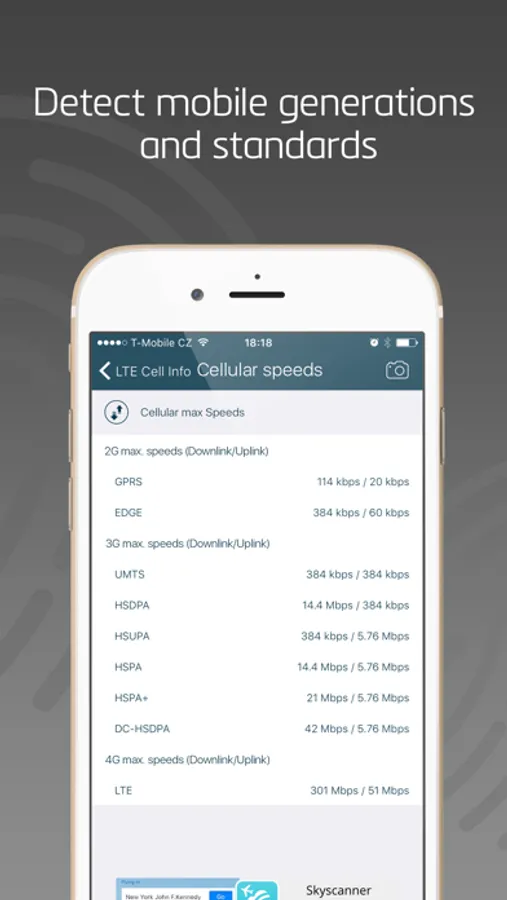
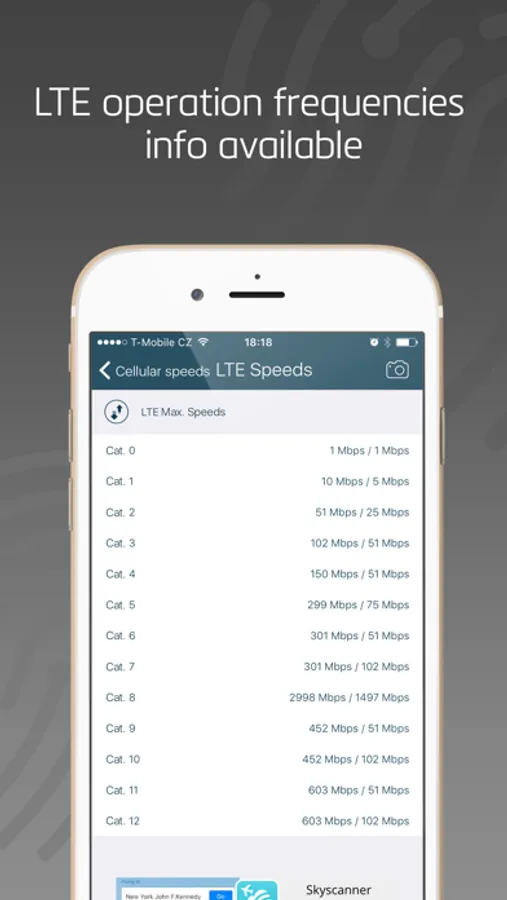
• Detect max. physical cellular speeds in the supported mobile technologies.
REACH UI FEATURES
• Hamburger menu
• Use the camera icon (upper-right corner) to create and print/send/share a screenshot from the entire page.
• Pull down with your finger to refresh the information
* Choose from our special app bundles with bonuses *
FEATURES:
CARRIER INFO
• Detect current connected mobile network operator name, country, region.
• Show the carrier identification MCC and MNC codes.
• Detect current cellular connection mode (GPRS, EDGE, UMTS, HSPA, LTE).
• Detect LTE operation bands supported by your carrier.
CELLULAR CONNECTION INFO
• Detect mobile generations and standards supported by your device (2G, 3G, 4G, GPRS, EDGE, UMTS, HSPA, LTE, VOLTE).
• Detect device supported GSM, UMTS and LTE operation frequencies and channels with detailed band information s.
• Detect max. physical cellular speeds in the supported mobile technologies.
REACH UI FEATURES
• Hamburger menu
• Use the camera icon (upper-right corner) to create and print/send/share a screenshot from the entire page.
• Pull down with your finger to refresh the information
LTE Cell Info: Network Status Screenshots
Tap to Rate:
Reviews for LTE Cell Info: Network Status
Ride with Brunno
Cancel
Doesn’t work. Please cancel
LastNextAfterBefore
Does not show roaming
“Network Code” seems to show SIM card data not current network data.