In this app, users can share pictures, send messages, and view repeater locations on a map. Includes features for transceiver control, message management, and import/export of data.
AppRecs review analysis
AppRecs rating 1.8. Trustworthiness 74 out of 100. Review manipulation risk 25 out of 100. Based on a review sample analyzed.
★☆☆☆☆
1.8
AppRecs Rating
Ratings breakdown
5 star
15%
4 star
4%
3 star
7%
2 star
3%
1 star
71%
What to know
✓
Low review manipulation risk
25% review manipulation risk
⚠
Mixed user feedback
Average 1.9★ rating suggests room for improvement
⚠
High negative review ratio
74% of sampled ratings are 1–2 stars
About RS-MS1I
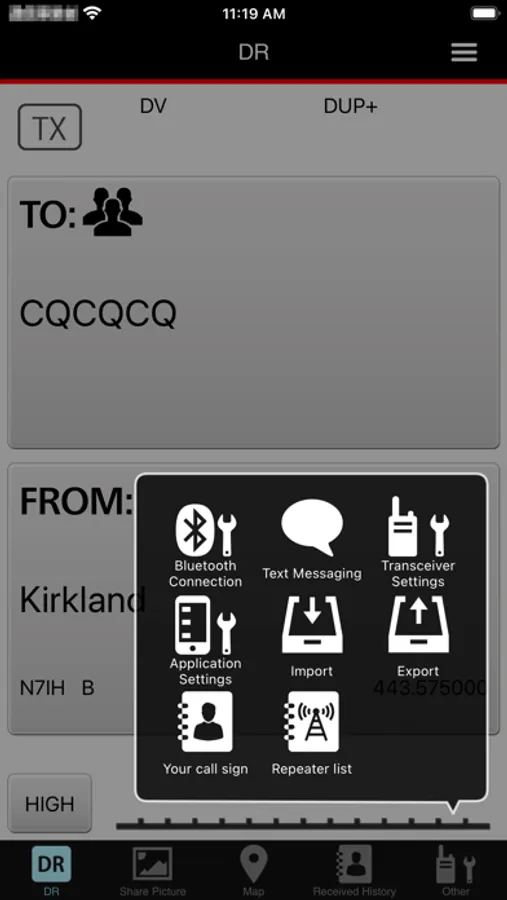
DR functions
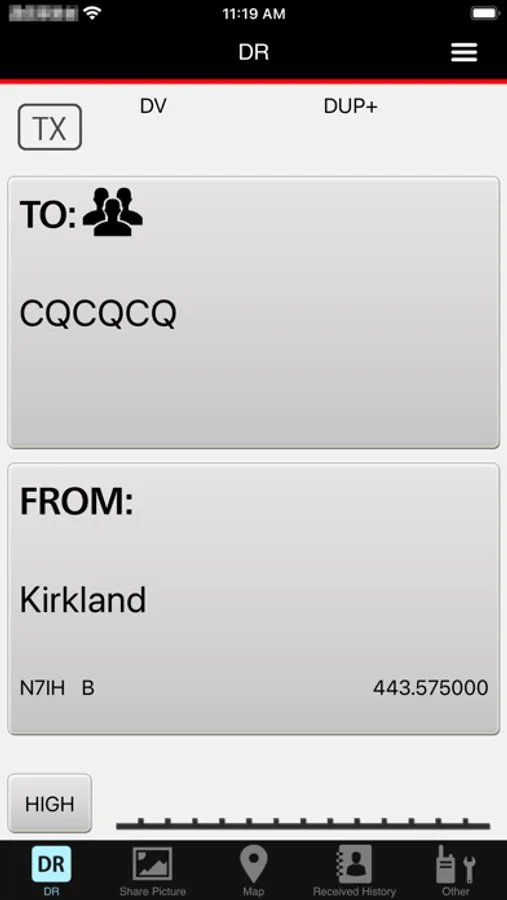
You can use some transceiver’s DR functions.
Share pictures
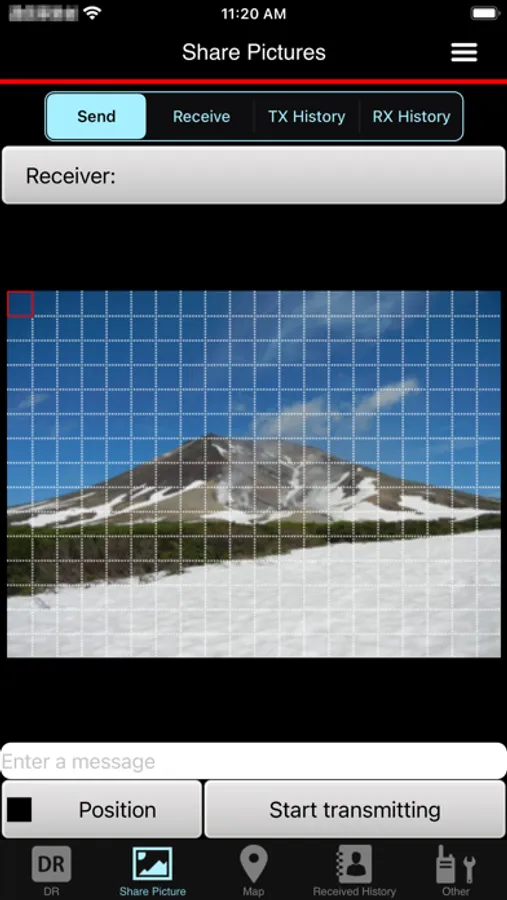
Send and receive voice and pictures.
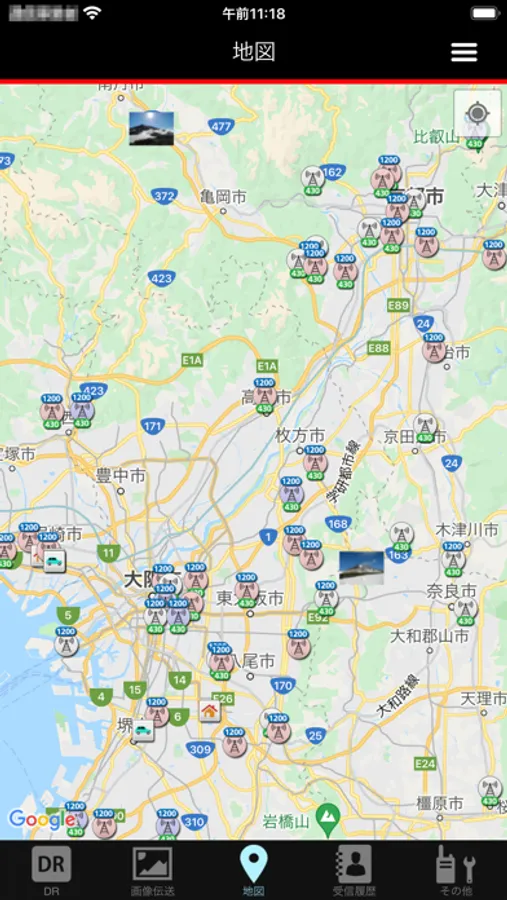
Map
See the location of repeater sites or other stations on a map using received position data, or your transceiver’s repeater list.
Automatically set the transceiver’s “FROM” and “TO” fields by tapping a repeater site or a station on the map.
Receive History
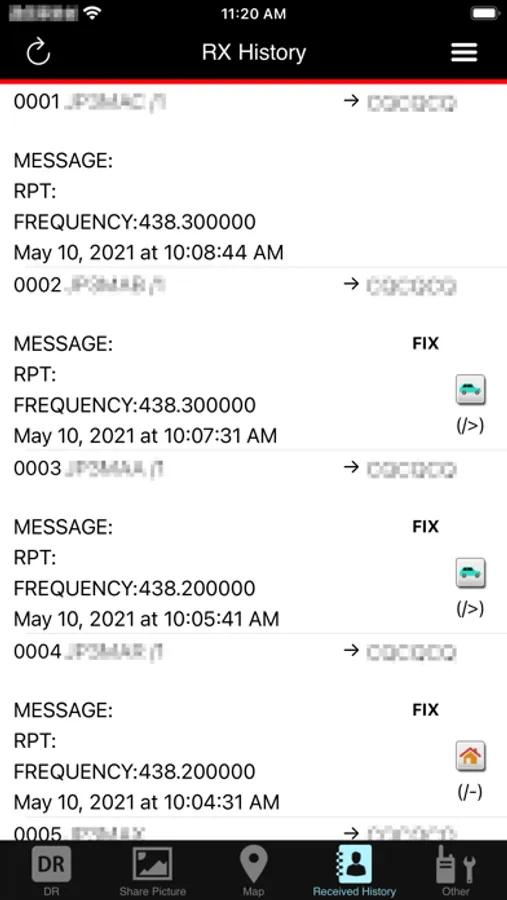
In the DV mode, read and edit the received station’s information.
Download additional information from an Internet database, such as QRZ.com or APRS.fi.
Text messaging
Send and receive text messages.
Call Sign list
Edit call signs and names used in the DR function. Also, you can add a call sign and a name in the Call Sign list.
Repeater list
See the detailed data entered in the Repeater list.
Transceiver settings
Change some of the transceiver’s function settings.
Application settings
Select application software settings.
Import
Import a Repeater list or a Call Sign list.
Export
Export a Repeater list, a Call Sign list, or Receive History.
See the transceiver’s instruction manual for details. The instruction manual can be downloaded from the ICOM web site.
Device requirements
The RS-MS1I operating requirements are as follows:
iOS12 or later
Usable transceivers (As of Nov 2024)
- ID-4100A/E + Bluetooth unit (UT-137)
- ID-52A or ID-52E *1
- ID-52A PLUS or ID-52E PLUS *2
- IC-705 *3
*1 Supported in RS-MS1I Ver.1.1.0 or later.
*2 Supported in RS-MS1I Ver.1.3.0 or later.
*3 Supported in RS-MS1I Ver.1.2.0 or later.
Preparation
To use the RS-MS1I with a supported transceiver, you need an optional Bluetooth unit. See your transceiver’s instruction manual for details.
Transceiver’s settings
Set the following functions as shown below to use the RS-MS1I.
[Function] > [CI-V] > [CI-V Transceive]: ON
[Bluetooth Set] > [Data Device Set] > [Serial Port Function]: CI-V (Echo back OFF)
Note:
- The RS-MS1I may not work with all iPhones or iPads, even if they are one of the tested devices. This is because an application program on your device may conflict with the RS-MS1I.
- The RS-MS1I may not be used, depending on the OS version, installed application, and so on.
- Bluetooth LE is used for the connection with the transceiver, so there may be a time delay between the transceiver’s operation and the display on the iPhone or iPad.
- When sending or receiving pictures using “FAST mode,” the headset audio will be temporarily interrupted because of the transceiver’s Bluetooth unit limitations.
- You may need to connect to the Internet through a Wireless LAN, an LTE network or a 5G network for some functions.
- The RS-MS1I supports only portrait orientation with the iPhone. It does not support Auto Rotate. However, landscape orientation and Auto Rotate are supported with the iPad.
RS-MS1I Screenshots
Tap to Rate:
Reviews for RS-MS1I
garberinc
Almost perfect. App closes when opening the map and moving about. Annoying!
App closes when opening map! Annoying.
davidr42
Fails with ID-52A Plus on iPhone 16 and iPad Pro
Update, 2025-06-05. Got further along but still not staying connected to the app. I was mistakingly trying to pair using the iPhone’s Settings: Bluetooth: Pair. However; just using the ID-52A Plus’s Bluetooth pairing function and then pair in the RS-MS1Ii app. It says paired but then a notification on the iPhone says not connected. Tried numerous iterations of settings from YouTubers but no luck. This app, as advertised by Icom for the ID-52A Plus, does not work for my iPhone 16 Pro and iPad Pro. This is the major reason I upgraded from ID-51A. Bluetooth is a very mature and well understood technology and so there is no excuse for Icom to not fix this ongoing problem.