
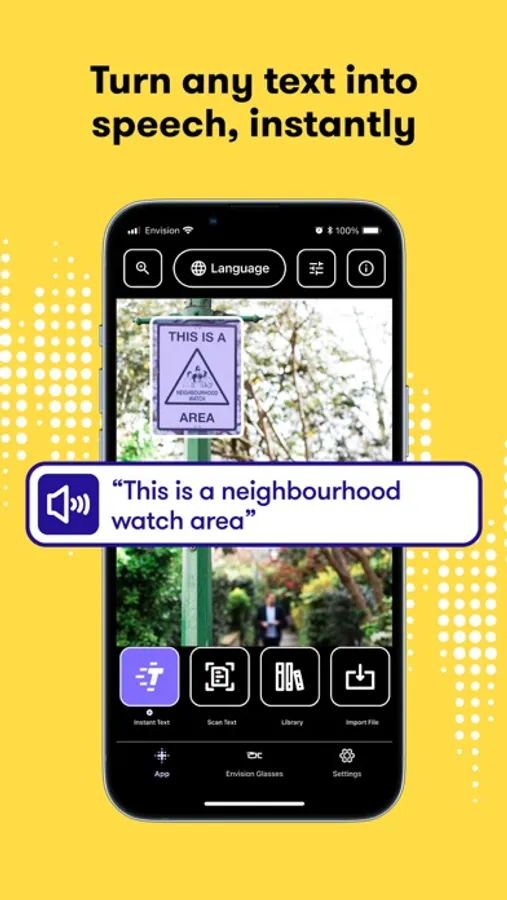
In this OCR app, you can scan text and surroundings using your phone camera while listening to the spoken output. Includes support for multiple languages, document import, and scene descriptions.
AppRecs review analysis
AppRecs rating 4.2. Trustworthiness 80 out of 100. Review manipulation risk 25 out of 100. Based on a review sample analyzed.
★★★★☆
4.2
AppRecs Rating
Ratings breakdown
5 star
62%
4 star
12%
3 star
19%
2 star
2%
1 star
6%
What to know
✓
Low review manipulation risk
25% review manipulation risk
✓
Credible reviews
80% trustworthiness score from analyzed reviews
✓
High user satisfaction
74% of sampled ratings are 4+ stars (4.2★ average)
About Envision AI
Envision is developed for and together with the blind and low vision community. The app is simple, gets things done and brings the best assistive experience to blind and low vision users.
Simply use your phone camera to scan any piece of text, your surroundings, objects, people or products and everything will be read out to you thanks to Envision’s smart artificial intelligence (AI) and Optical Character Recognition (OCR).
_____________________
What Envision users say about the app:
“Easy going text recognition. Text recognition is outstanding. Good for independence. Ease of use is immaculate” - Noahis from Australia
“Amazing. I love it. I'm blind and I love how easy it is to use. Amazing job!!!!” - Matt from Canada
___________________
With full talkback support, Envision enables you to:
Read all kinds of text:
• Instantly read any piece of text in over 60 different languages.
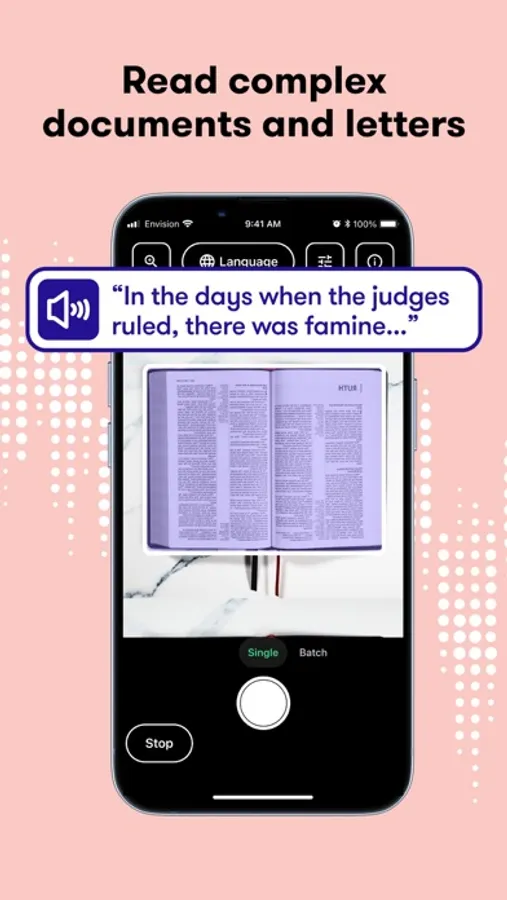
• Easily scan your paper documents (single or multiple pages) with the help of audio-guided edge detection. All content is spoken back to you and is ready for export and edit.
• Import PDFs and images to get a description of the image and recognition of all the text within it.
• Quickly read handwritten postcards, letters, lists and other paperwork.
Know what's around you:
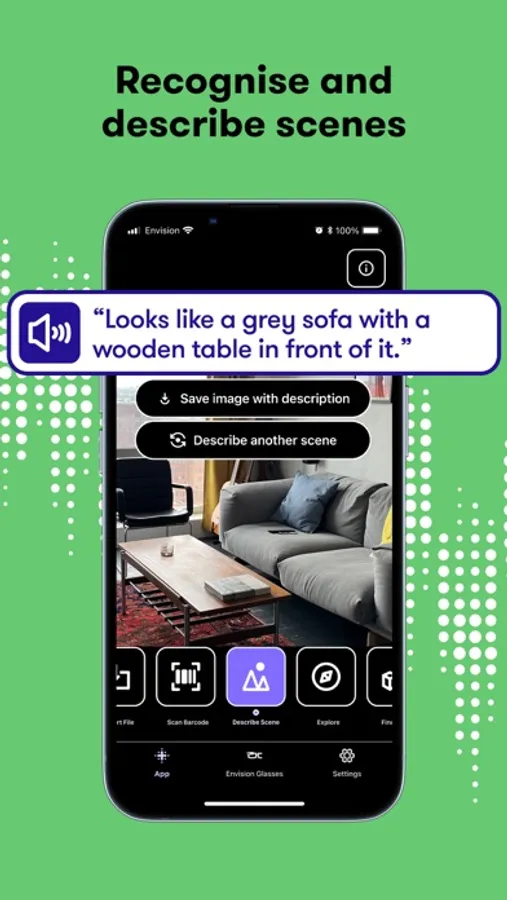
• Effortlessly describe visual scenes around you.
• Detect colour on your clothes, walls, books, you name it.
• Swiftly scan barcodes to get extensive information about the products.
Find what you're looking for:
• Find people around you; the names of your family and friends are spoken out whenever they are in the frame.
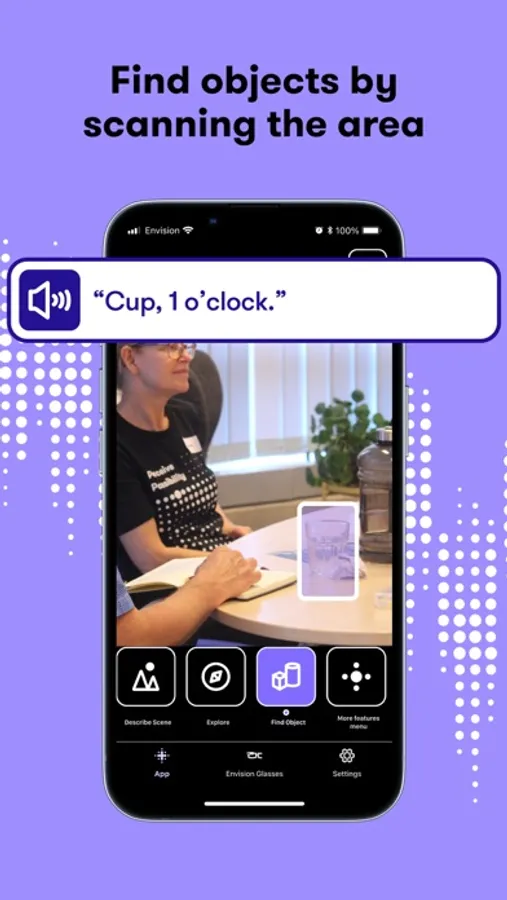
• Find objects around you; selecting common objects from the in-app list to find them.
Share:
• Share images or documents from your phone or other apps like Twitter or WhatsApp by selecting Envision from the share sheet. Envision can then read and describe those images for you.
___________________
Feedback, questions or feature requests?
We welcome everyone to provide their feedback about the Envision app, as we’re constantly improving.
Please email us at support@LetsEnvision.com.
___________________
Please read our Terms of Use & Privacy Policy: https://www.LetsEnvision.com/terms
If you're still reading all the way down here, we'd like to thank you for your diligence, attention to detail and general commitment to finishing something that you started. Just like all the team working at Envision!
Envision AI Screenshots
Tap to Rate:
Reviews for Envision AI
Scotlady
Useless
Even though I have a high quality iPhone, every time the app tries to scan text it is blurry on the screen. No idea why it can’t focus the camera. But consequently the app just spits out nonsense words.
Neighborhood dog mom
lol
No. Robot voices. Endless loop repeat of text - you have to push start button to make it stop before moving to another piece of text. Random different languages intermixed with English.