
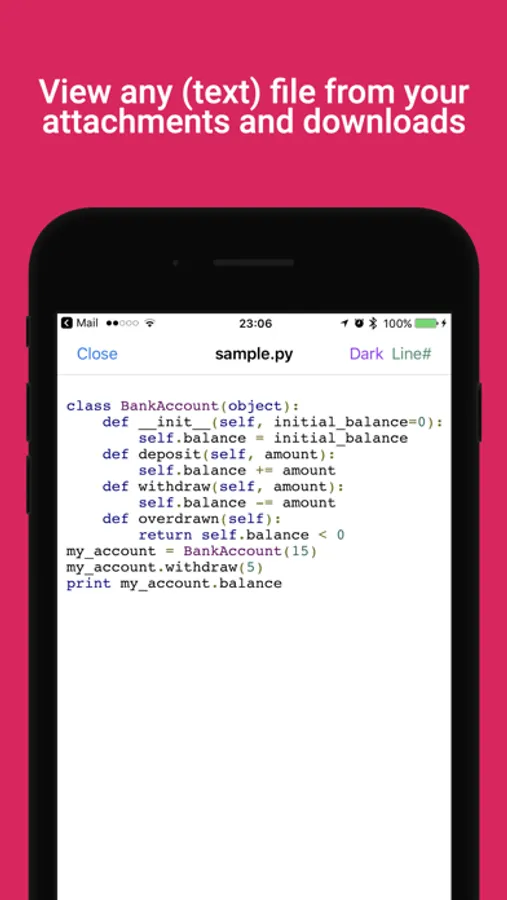
With this app, you can open and view various text files or source code formats quickly and easily using the share feature. Includes color highlighting for common source code formats, themes, and line number options.
AppRecs review analysis
AppRecs rating 3.9. Trustworthiness 69 out of 100. Review manipulation risk 35 out of 100. Based on a review sample analyzed.
★★★☆☆
3.9
AppRecs Rating
Ratings breakdown
5 star
50%
4 star
14%
3 star
13%
2 star
7%
1 star
16%
What to know
✓
Good user ratings
64% positive sampled reviews
✓
Authentic reviews
Natural distribution, no red flags
About myTextViewer
Open any text, code, or log file instantly. myTextViewer provides professional syntax highlighting and line numbers for professionals on the go.
Did you recently get an email with a text file that you could not open?
Was it because the format of the file doesn't fit any app that you have installed?
Search no more - myTextViewer allows you to open any of these files in a text viewer.
Simple, fast, easy, as 1 2 3!
Just:
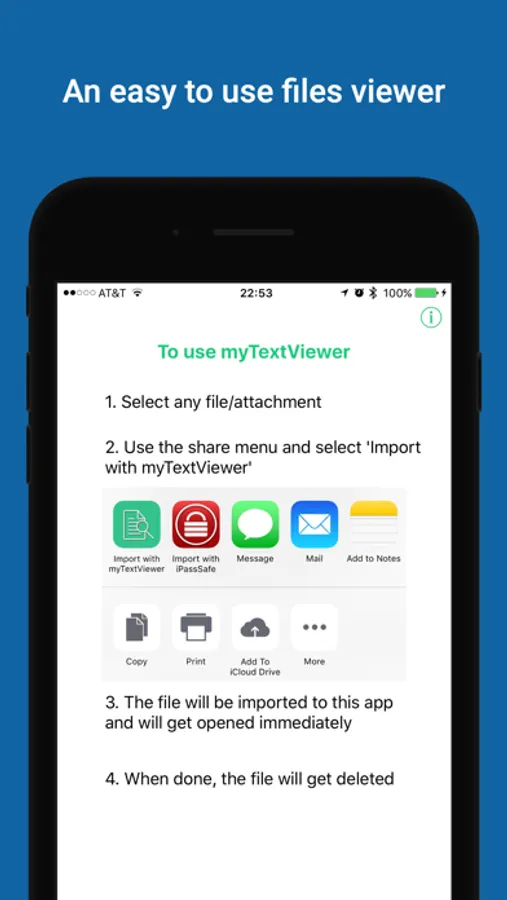
1. Click on a file (from the downloads/Files app) or an attachment (from email apps)
2. Using the Share option, select myTextViewer as the target app.
3. View your file
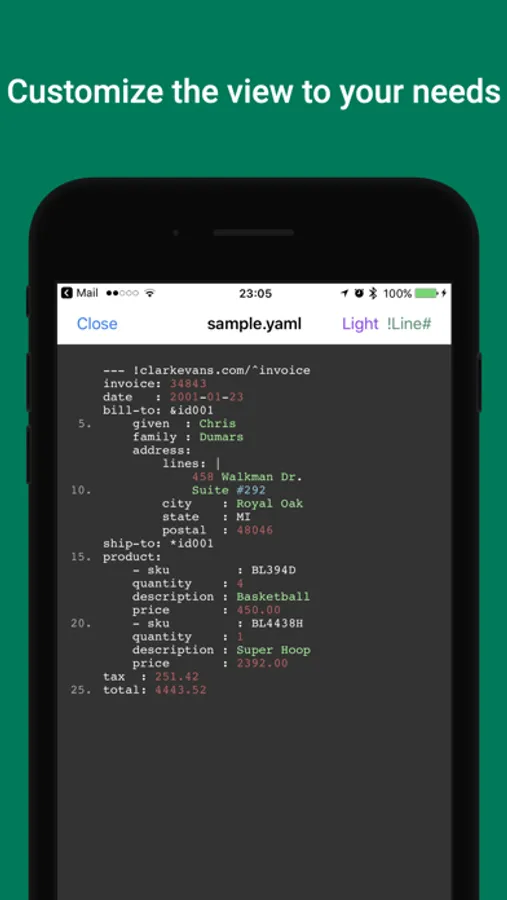
Even better - It can color most common files/source code formats (python, c#, yaml, json, and much more!), so even if the default viewer can show you the text, you'll still get much more from opening files with myTextViewer.
Also included:
・Light/Dark text viewing themes
・Show/Hide line numbers
Enjoy!
Did you recently get an email with a text file that you could not open?
Was it because the format of the file doesn't fit any app that you have installed?
Search no more - myTextViewer allows you to open any of these files in a text viewer.
Simple, fast, easy, as 1 2 3!
Just:
1. Click on a file (from the downloads/Files app) or an attachment (from email apps)
2. Using the Share option, select myTextViewer as the target app.
3. View your file
Even better - It can color most common files/source code formats (python, c#, yaml, json, and much more!), so even if the default viewer can show you the text, you'll still get much more from opening files with myTextViewer.
Also included:
・Light/Dark text viewing themes
・Show/Hide line numbers
Enjoy!
myTextViewer Screenshots
Tap to Rate:
Reviews for myTextViewer
Babyred89$
I’m totally lost
Interesting
Fromthat
Perfect app for multi format readers
This app does exactly what it is supposed to and that is all we ask. No unnecessary flair or drawback from viewing text on files Excellent work !