AppRecs review analysis
AppRecs rating 3.9. Trustworthiness 76 out of 100. Review manipulation risk 25 out of 100. Based on a review sample analyzed.
★★★☆☆
3.9
AppRecs Rating
Ratings breakdown
5 star
50%
4 star
25%
3 star
0%
2 star
13%
1 star
13%
What to know
✓
Low review manipulation risk
25% review manipulation risk
✓
Credible reviews
76% trustworthiness score from analyzed reviews
✓
Good user ratings
75% positive sampled reviews
About Agent DVR
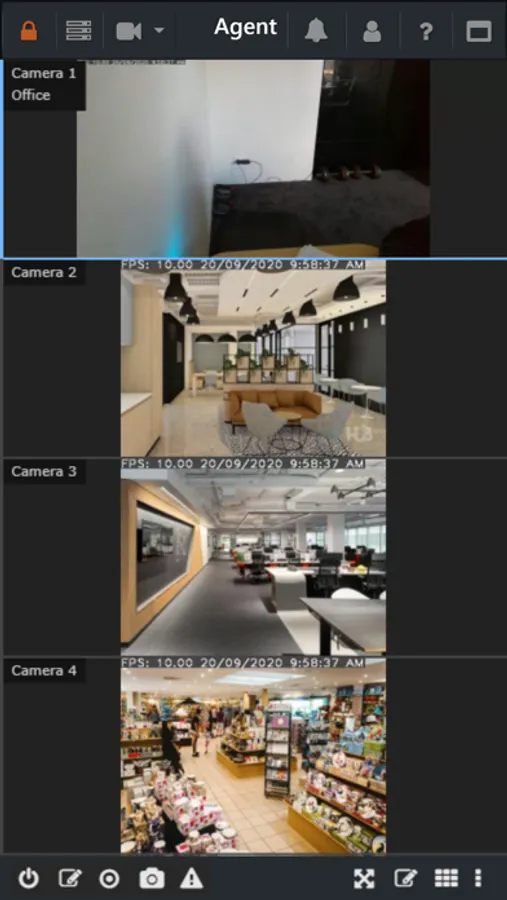
This app provides local and remote access to Agent DVR. Discover and connect to Agent DVR servers running on your network or add your iSpyConnect.com account for remote access.
Agent DVR is a mobile platform for the Agent Video Surveillance service that runs on Windows, Mac, Linux and Docker. Agent DVR is a full DIY surveillance server that lets you use an existing PC and cameras instead of spending thousands on a new, proprietary system. Agent DVR supports unlimited cameras and has intelligent features like object recognition, trip wires and heat maps built in.
Agent DVR Screenshots


Tap to Rate:
Reviews for Agent DVR
JosephAW
Best CCTV DVR software for the buck.
I tried several free and pay DVR services for my cameras and I ended up with Agent DVR as my final choice. It's not crippleware but fully functional for a local network and intranet, it's only when you want to port forward in or use their app for notifications and a few other features thats where you have to pay for a subscription. This allows you to put the software through the paces and you can determine whether this is the right fit for you. Comparing it to other subscription services that made you pay per camera for service this allows as many cameras as your computer can handle. Ended up purchasing the next level up from the base of scription in order to assign users various permissions. The base subscription does not allow that but if you're the only user that might work for you. I'm setting it up for a small nonprofit so I have several users that want to view the DVR recordings. Also Agent DVR gives you find tune controls so that you can get it exactly the way you want it and can customize media recording locations and even save to FTP storage. The developer responds quickly to technical issues through Reddit and is working to improve the app even more. For a newbie user it may seem a little overwhelming at first but eventually you'll get the hang of it and how to customize it the way you want and what views you want to see and what alert you want to receive from which camera. Software works with a plethora of cameras including obsolete cameras like old d-link cameras usb cameras and my Hughes net 2132LES cameras so they can be given a extended life as well as custom urls for your cameras. Update: now supports local intranet cameras and paid subscription all in the same app, no need for home screen web shortcuts.
A Pair of Ears
Works for me
There are some minor tweaks that I would make to interface, but they’re mostly cosmetic. There are 2 things that the app does need: bring back the clear all function for alerts, show the number of unread alerts on the icon badge. Currently the icon only shows a 1 on the home screen whether or not you have 1 or more unread alerts. It does not update past 1. Otherwise, it’s easy to figure out how to get remote mobile access, set up onvif cameras with different live and record streams, setup views, groups, record and archive locations, auto purge functions, etc.