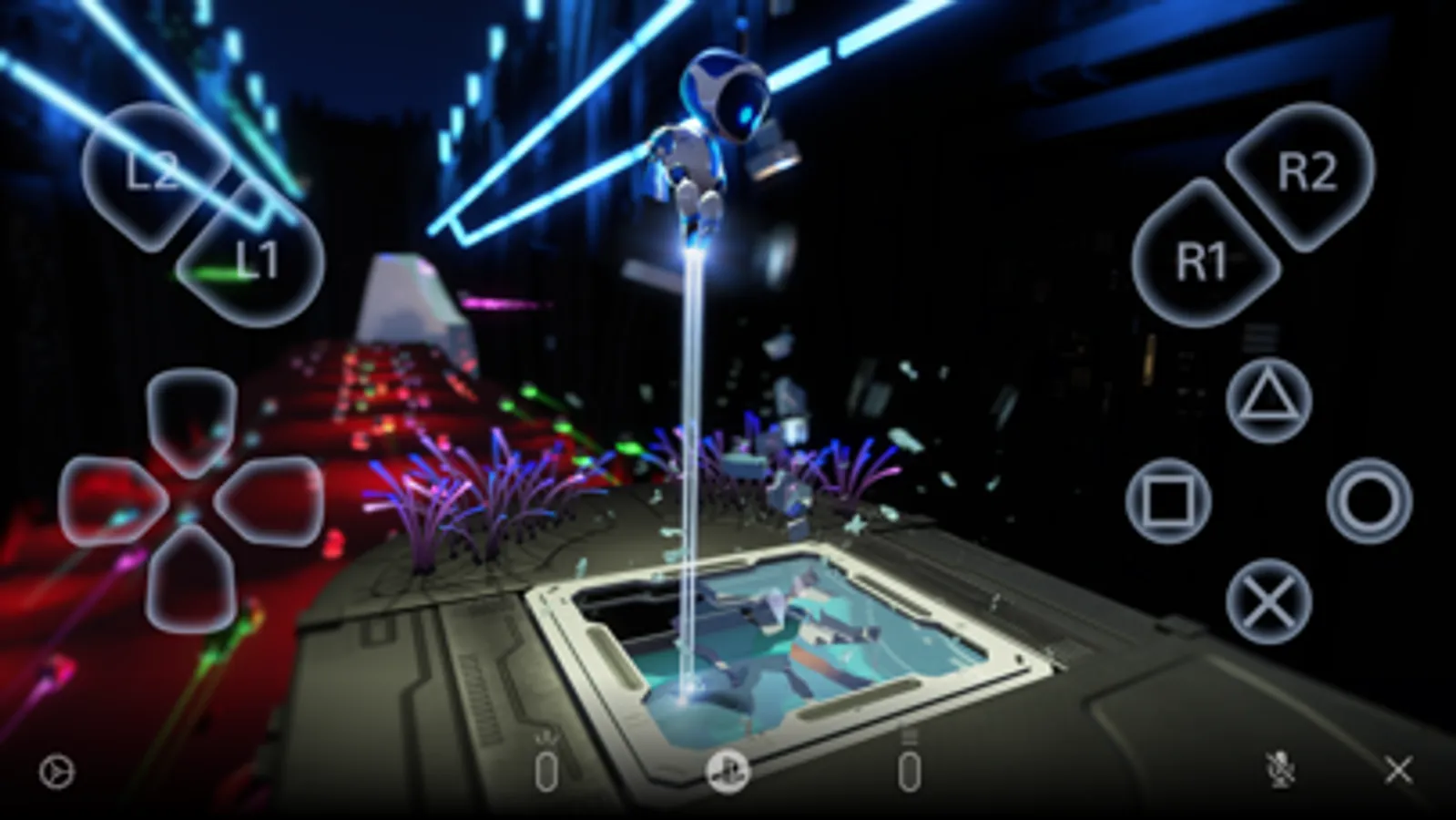
In this app, you can stream the screen of your PS5 or PS4 to your mobile device and use on-screen controls or connect supported controllers. Includes remote gameplay, controller connectivity, voice chat, and text input features.
AppRecs review analysis
AppRecs rating 3.3. Trustworthiness 78 out of 100. Review manipulation risk 25 out of 100. Based on a review sample analyzed.
★★★☆☆
3.3
AppRecs Rating
Ratings breakdown
5 star
44%
4 star
12%
3 star
9%
2 star
6%
1 star
28%
What to know
✓
Low review manipulation risk
25% review manipulation risk
✓
Credible reviews
78% trustworthiness score from analyzed reviews
⚠
High negative review ratio
34% of sampled ratings are 1–2 stars
About PS Remote Play
Use PS Remote Play to access your PS5™ or PS4™ wherever you go.
With PS Remote Play, you can:
• Display the PlayStation®5 or PlayStation®4 screen on your mobile device.
• Use the on-screen controller on your mobile device to control your PS5 or PS4.
• Connect your DUALSHOCK®4 wireless controller.
• Connect your DualSense™ wireless controller.
• Connect your DualSense Edge™ wireless controller to mobile devices with iOS 16.4/iPadOS 16.4 or later installed.
• Connect your Backbone One PlayStation® Edition to your iPhone.
• Join voice chats using the mic on your mobile device.
• Enter text on your PS5 or PS4 using the keyboard on your mobile device.
To use this app, you need the following:
• A mobile device with iOS 15/iPadOS 15 or later installed
• A PS5 or PS4 console with the latest system software version
• An account for PlayStation Network
• A fast and stable internet connection
When using mobile data:
• Depending on your carrier and network conditions, you may not be able to use Remote Play.
• Remote Play uses a lot more data than most video streaming services. Data charges may apply.
Note:
• This app may not be compatible with some games.
• You need to grant this app access to connect to devices on your local network. If you haven't already, you can do this from the Settings menu on your iOS or iPadOS device.
• Your controller may vibrate differently than when playing on your PS5 or PS4 console.
With PS Remote Play, you can:
• Display the PlayStation®5 or PlayStation®4 screen on your mobile device.
• Use the on-screen controller on your mobile device to control your PS5 or PS4.
• Connect your DUALSHOCK®4 wireless controller.
• Connect your DualSense™ wireless controller.
• Connect your DualSense Edge™ wireless controller to mobile devices with iOS 16.4/iPadOS 16.4 or later installed.
• Connect your Backbone One PlayStation® Edition to your iPhone.
• Join voice chats using the mic on your mobile device.
• Enter text on your PS5 or PS4 using the keyboard on your mobile device.
To use this app, you need the following:
• A mobile device with iOS 15/iPadOS 15 or later installed
• A PS5 or PS4 console with the latest system software version
• An account for PlayStation Network
• A fast and stable internet connection
When using mobile data:
• Depending on your carrier and network conditions, you may not be able to use Remote Play.
• Remote Play uses a lot more data than most video streaming services. Data charges may apply.
Note:
• This app may not be compatible with some games.
• You need to grant this app access to connect to devices on your local network. If you haven't already, you can do this from the Settings menu on your iOS or iPadOS device.
• Your controller may vibrate differently than when playing on your PS5 or PS4 console.
PS Remote Play Screenshots
Tap to Rate:
Reviews for PS Remote Play
flashy10976
Connecting
Says I ain’t connected to the internet when I clearly am alongside my console. It used to work, but now it’s not due to this dumb glitch
ChokeMyDuck
Trash app
Ps5 Wont even connect to my phone