AppRecs review analysis
AppRecs rating 4.5. Trustworthiness 77 out of 100. Review manipulation risk 30 out of 100. Based on a review sample analyzed.
★★★★☆
4.5
AppRecs Rating
Ratings breakdown
5 star
80%
4 star
9%
3 star
2%
2 star
2%
1 star
7%
What to know
✓
Credible reviews
77% trustworthiness score from analyzed reviews
✓
High user satisfaction
80% of sampled ratings are 5 stars
About PDF Scan - MAX Scanner
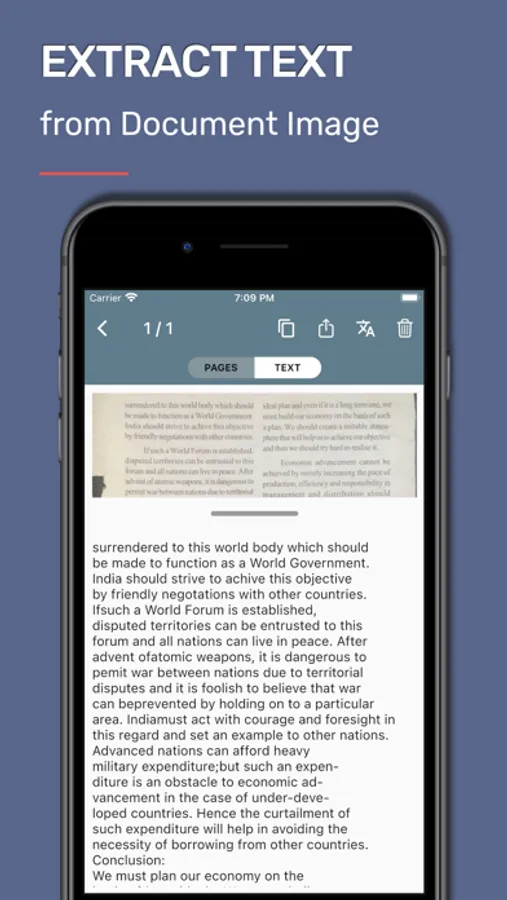
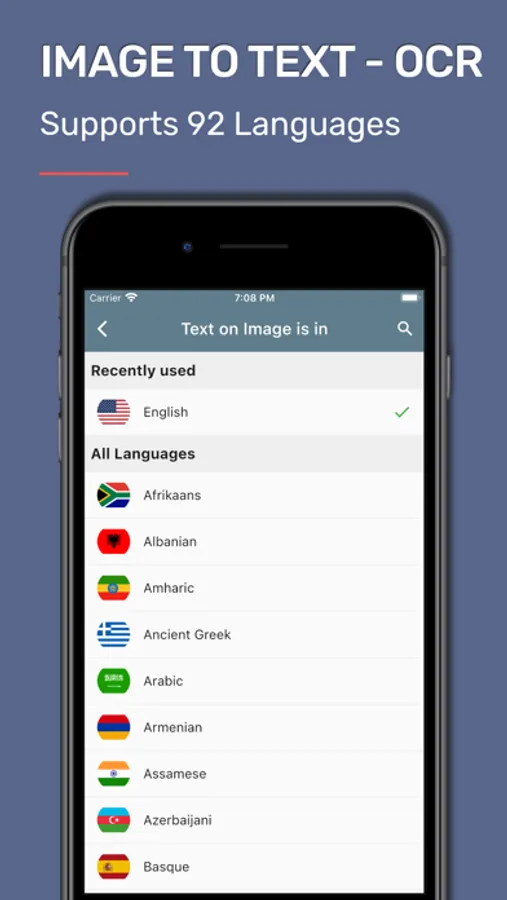
OCR Document - Extract text on image and convert any picture to text with OCR instantly and making your documents searchable and editable.
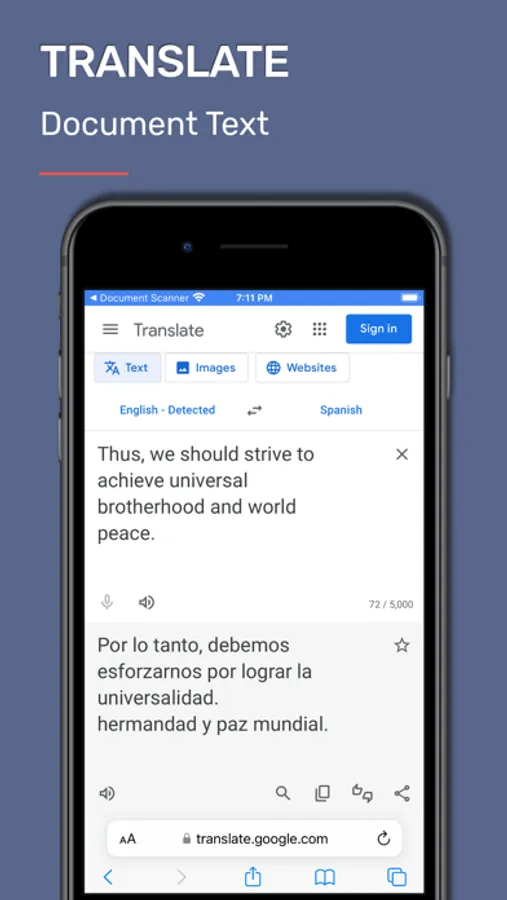
Document translator - Extract text from images and PDFs with image ocr, then instantly translate it using the document translator.
• SCAN DOCUMENTS
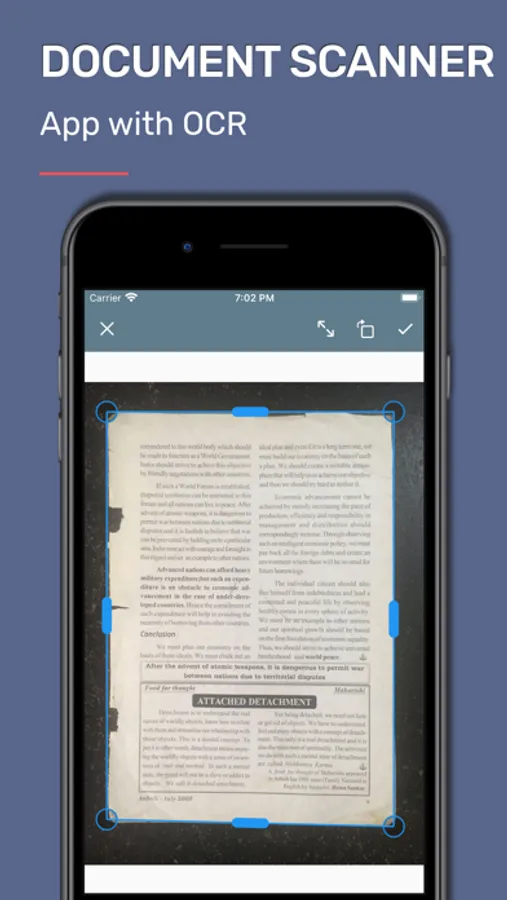
Quickly scan documents, photos, and business cards with PDF Scan Max Scanner, the fast scanner you can trust.
• AUTOMATIC EDGE DETECTION
Automatic edge detection ensures precise document framing every time.Import PDFs, pdf edit, edit documents, merge pdf, and convert pdf with ease with PDF Scan Max Scanner.
• DOCUMENT EDITOR
Digitally sign and fill,edit PDF documents anytime, anywhere.
• PDF MERGE
Quickly pdf merge multiple files and use the image converter to manage documents effortlessly.
• SIGN AND FILL PDF DOCUMENTS
Digitally sign and fill,edit PDF documents anytime, anywhere.
• PICTURE TO TEXT
Extract text from images and convert pic to text with powerful image ocr technology.
• BOOK SCANNER & BOOKS MAKER
Scan pages of any physical book with the book scanner, create books, turn them into ebooks, and make them searchable using ocr (optical character recognition).
• DOCUMENT TRANSLATION
Convert PDF and Image to text with image ocr, then instantly translate documents using the document translator.
• CLOUD SYNC ACROSS DEVICES
Sync your documents across devices using cloud storage services.
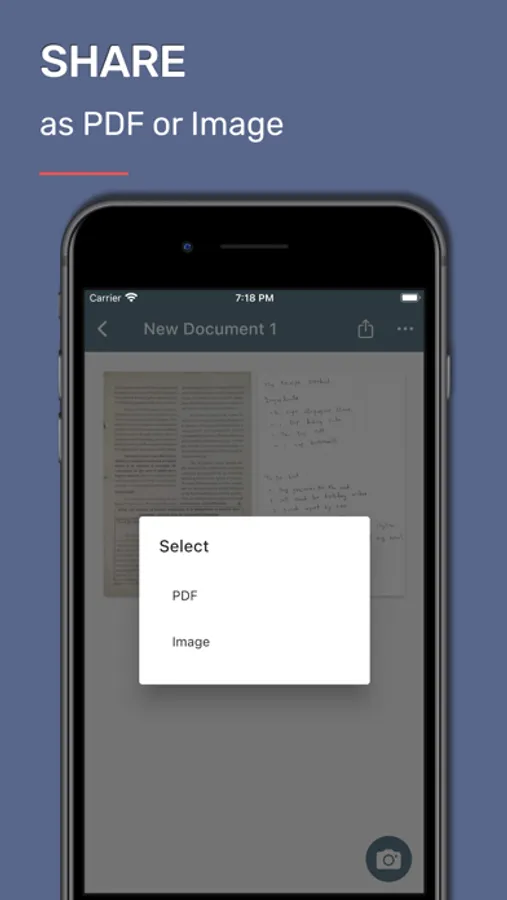
• SAVE AS PDF FILES
Save your scans as high-quality PDF files for easy sharing and storage.
• ANNOTATE AND EDIT PDF DOCUMENTS
Annotate scanned documents with text, notes, and highlights.
• EASY SHARING OPTIONS
Share your documents via email, cloud storage, and other platforms.
• ADVANCED SCAN EDITING
Re-crop, rotate, and straighten scans for perfect results.
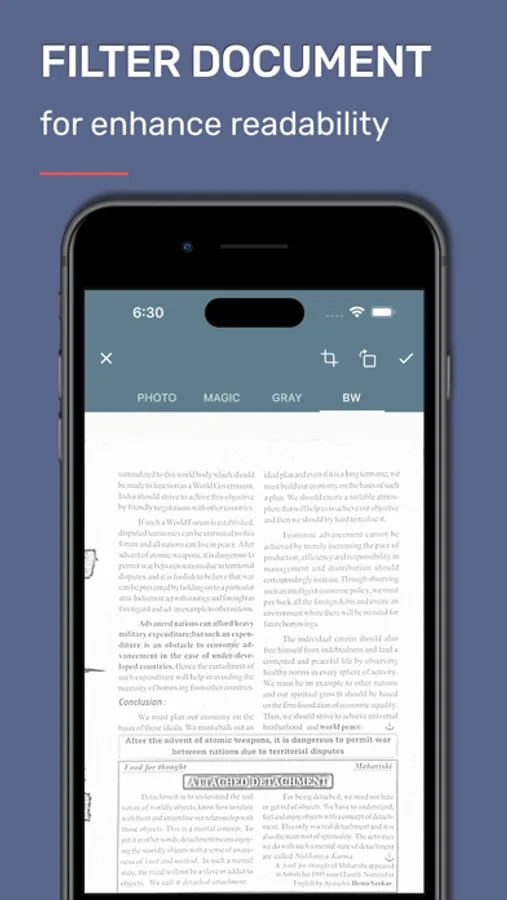
• IMAGE FILTERS FOR ENHANCEMENT
Apply filters like color, grayscale, or black & white to enhance your scans.
• ORGANIZE AND MANAGE FILES
Edit, rename, reorder, and merge multiple documents effortlessly.
• POWERFUL SEARCH FUNCTION
Search scans by document name or extracted text for quick access.
• IMPORT AND EDIT PDFs
Import existing PDF files and edit them directly in Max Scanner.
• COLLAGE MAKER
Easily create stunning collages from your document pages.
• FOLDER ORGANIZATION
Organize your scanned documents into folders for better management and quick access.
• IMAGE TO TEXT (OCR)
Turn photos and scans into editable text in seconds.
• PROTECT PDF
Add password protection and keep sensitive documents secure.
• UNLOCK PDF
Remove passwords from PDFs you own and have permission to edit.
• QR/BAR SCAN
Fast QR and barcode scanning—open links instantly.
• SPLIT PDF
Break a large PDF into smaller files or extract specific pages.
Download PDF Scan - Max Scanner to easily scan documents with automatic OCR and convert photos to PDF files
Subscription Plans
Unlimited Scans Monthly
-------------------------
Unlimited Text Extraction.
No ads.
for one month period.
monthly 5.99 $
Unlimited Scans Yearly
----------------------
Unlimited Text Extraction.
No ads.
for one year period.
yearly 60.99 $.
-----------------
Payment will be charged to iTunes Account at confirmation of purchase.
Subscription automatically renews unless auto-renew is turned off at least 24-hours before the end of the current period.
Account will be charged for renewal as per existing plan rate within 24-hours prior to the end of the current period.
Subscriptions may be managed by the user and auto-renewal may be turned off by going to the user's Account Settings after purchase.
Any unused portion of a free trial period, if offered, will be forfeited when the user purchases a subscription to that publication, where applicable.
-----------------
Privacy Policy: https://appzys.com/ios/smartscanner/privacypolicy
Terms of Service: https://appzys.com/ios/smartscanner/termsofuse
PDF Scan - MAX Scanner Screenshots
Tap to Rate:
Reviews for PDF Scan - MAX Scanner
ZayneJ01
Good but could have a few improvements
So I have somewhat good handwriting I mean you should be able to read it just fine, but this app can’t get it right. I’m trying to transfer my class notes to a google docs for school and this makes it really hard. I mean if you are willing to take the time to edit everything this is the app for you but if your in a hurry like me try something else.
mycopheles
It works!
Great job! App simply works, and the small banner ad at bottom if the screen is unobtrusive. Bravo!