In this parental control app, you can monitor web activity, set screen time limits, and track your child's location. Includes site blocking, activity reports, and geo-fencing features.
AppRecs review analysis
AppRecs rating 3.7. Trustworthiness 78 out of 100. Review manipulation risk 23 out of 100. Based on a review sample analyzed.
★★★☆☆
3.7
AppRecs Rating
Ratings breakdown
5 star
62%
4 star
9%
3 star
5%
2 star
6%
1 star
19%
What to know
✓
Low review manipulation risk
23% review manipulation risk
✓
Credible reviews
78% trustworthiness score from analyzed reviews
✓
Good user ratings
71% positive sampled reviews
About Norton Family Parental Control
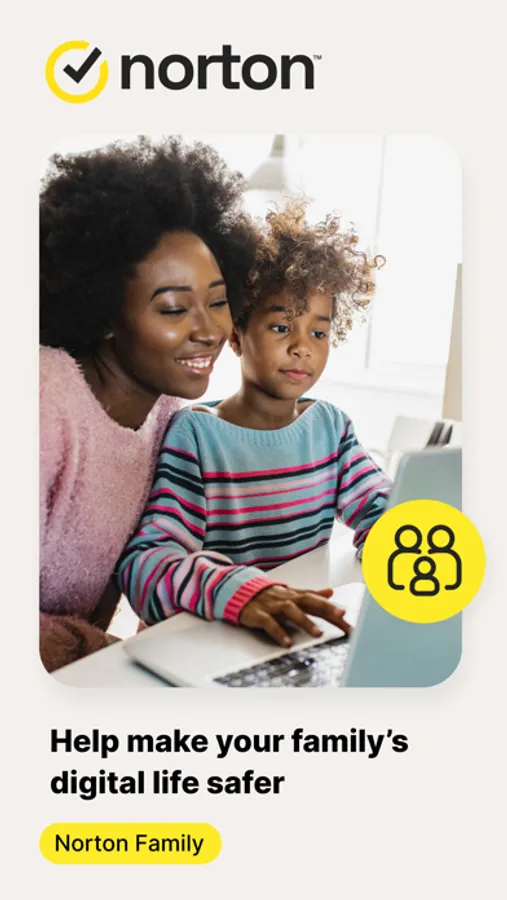
At home, attending school, or on the go, Norton Family helps keep children focused on what’s most important.
Norton Family empowers parents to keep track of their child’s online behavior.
• Monitor the sites and content your child views
Make the Web safer for your kids to explore — by keeping you informed of which sites your kids are visiting, and letting you block potentially harmful and inappropriate sites.‡
Norton Family also provides insights into the search terms and videos (3) that interest your kids and flags unsafe behavior so you can discuss online safety, as a family.‡
• Set limits on your child’s internet access
Help your kids balance time spent online by scheduling screen time limits for their device usage.‡ This can helps you focus your child on schoolwork and avoid online distractions while remote learning or at bedtime.‡
• Stay informed about your child’s physical location
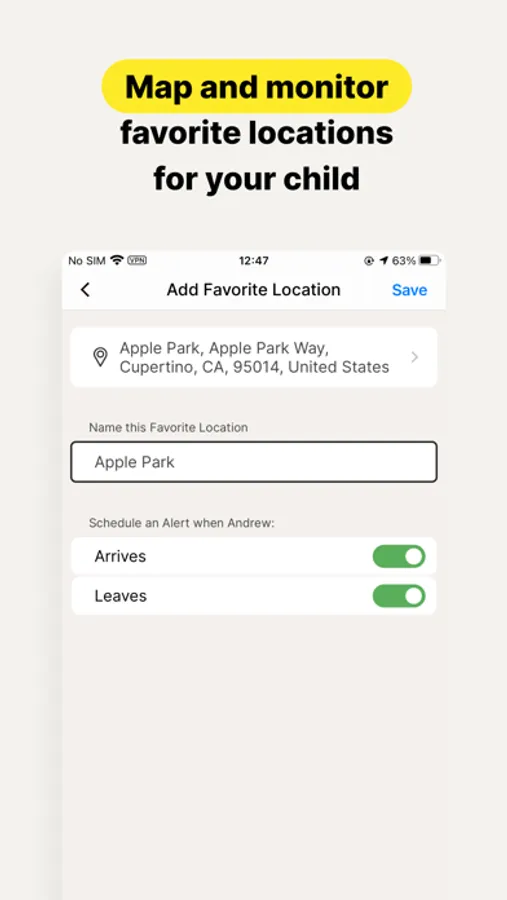
Use geo-location features in the app to track your child’s location (4). Plus, receive alerts if you’re your child arrives in or goes beyond areas of interest established by you, using geo-location tools.
• Access weekly/monthly reports
Get detailed reports on what your kids are doing online, right in your Inbox or on the Parent Portal.‡ You can use these reports to foster dialog with your child about online safety.
Here are some of the Norton Family features parents can use to help protect their child’s online activities.
• School Time
Remote learning requires the internet, so pausing the internet on your child’s device is not an option. Manage content access to relevant categories and websites to help your child maintain focus while school’s in session.
• Favorite Locations
This helps you establish approved boundaries for your child’s physical locations. When turned on, this feature will alert you when your child arrives in or goes beyond the permissible area or location established by you.1,2.
• Web Supervision
Let your kids explore the Web freely, with tools that help you block unsuitable websites while keeping you in the know about which sites they’re visiting.
• Search Supervision
See the words, terms, and phrases your kids are searching for to gain insights into their interests and help protect them from inappropriate content.
‡‡ Requires your device to have an Internet/data plan and be turned on.
1 Mobile app must be downloaded separately. However, parents can sign in to my.Norton.com or family.Norton.com and select Parental Control to view their child’s activity and manage settings from any supported browser on any device.
2 Location Supervision features are NOT available in all countries. Visit the feature support page here for details. To work, the child’s device must have Norton Family installed and be turned on.
3 Video Supervision monitors videos that your kids view on YouTube.com. It does not monitor or track YouTube videos that have been embedded in other websites or blogs.
4 Location Supervision requires parent activation before use.
5 Mobile app must be downloaded separately.
Some features not available with in all countries.
Privacy Statement
Gen Digital respects your privacy and is dedicated to safeguarding your personal data. See https://www.gendigital.com/privacy for more information.
No one can prevent all cybercrime or identity theft
Norton Family Parental Control Screenshots




Tap to Rate:
Reviews for Norton Family Parental Control
rthikiaey
Bad user experience
My child requested for allowing websites and that doesn’t get affect even though I add it to allow list . It’s frustrating especially while his class is about to start and needs this access.
InitialT
Doesn’t work on iOS 26
Straight up it doesn’t work correctly if you want audit your children’s websites without getting in their way. There are three levels: block, warn and monitor. Even if you choose monitor, if will both block and warn. Even if you specifically allow the website and all associated categories, it will still block and warn. Yes, I resynced the app multiple times. I had the same issue across multiple children on multiple devices. I’m done trying to fix it and uninstalling it.