With this control app, you can manage live streams by starting or stopping streams, switching scenes, and adjusting audio sources. Includes stream controls, chat viewing, and performance statistics.
AppRecs review analysis
AppRecs rating 3.9. Trustworthiness 82 out of 100. Review manipulation risk 23 out of 100. Based on a review sample analyzed.
★★★☆☆
3.9
AppRecs Rating
Ratings breakdown
5 star
58%
4 star
18%
3 star
5%
2 star
1%
1 star
18%
What to know
✓
Low review manipulation risk
23% review manipulation risk
✓
Credible reviews
82% trustworthiness score from analyzed reviews
✓
Good user ratings
76% positive sampled reviews
About OBS Blade
DISCLAIMER: This app is not in any way affiliated with OBS (Open Broadcaster Software). It's an unofficial, free and open source app to control OBS (https://github.com/Kounex/obs_blade)
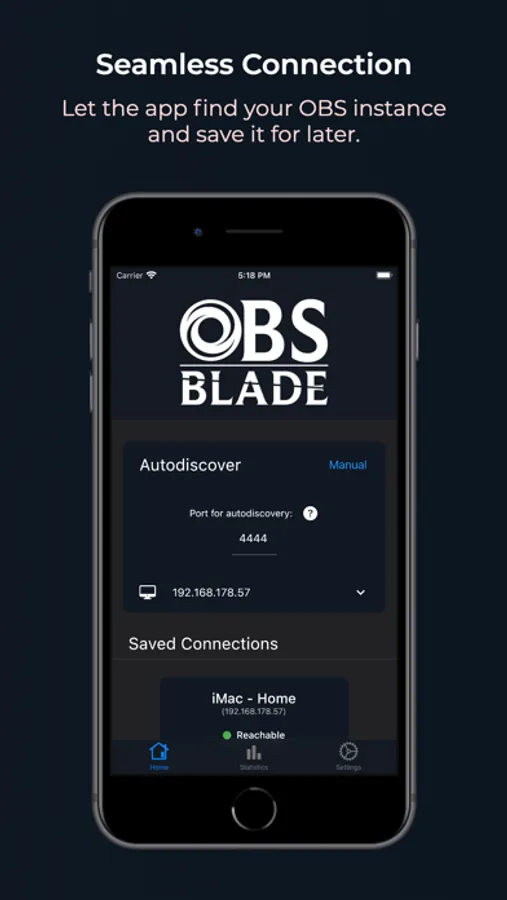
OBS Blade is designed to be your stream companion and help you to manage your live stream. While using OBS (Open Broadcaster Software) you can connect to the running instance and gain control over important parts of the software. This should help you to manage what your audience can see / hear without the need to switch to OBS on your machine and make such changes. You can keep doing what you do and easily use this app to control OBS!
Currently OBS Blade supports:
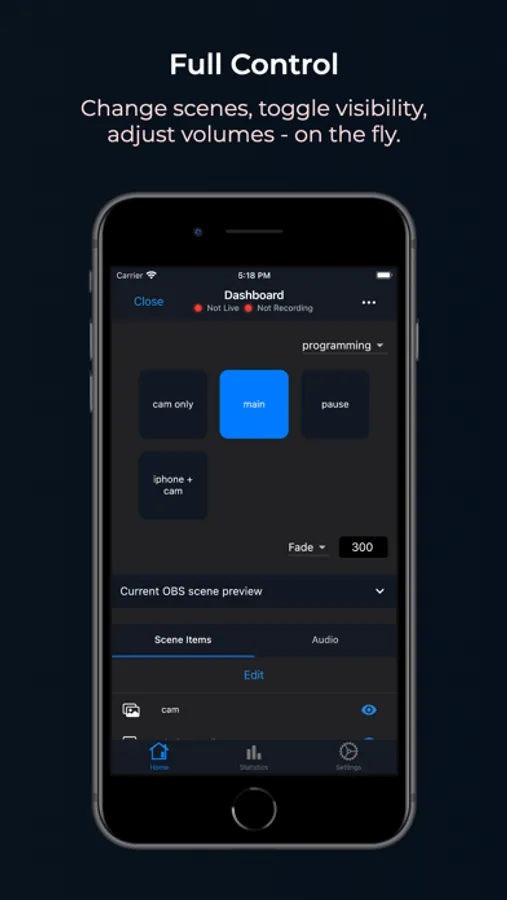
- Start / stop the stream
- Changing the active scene
- Toggle visibility of scene items (like desktop capture etc.)
- Change the volume of your current audio sources (or mute them)
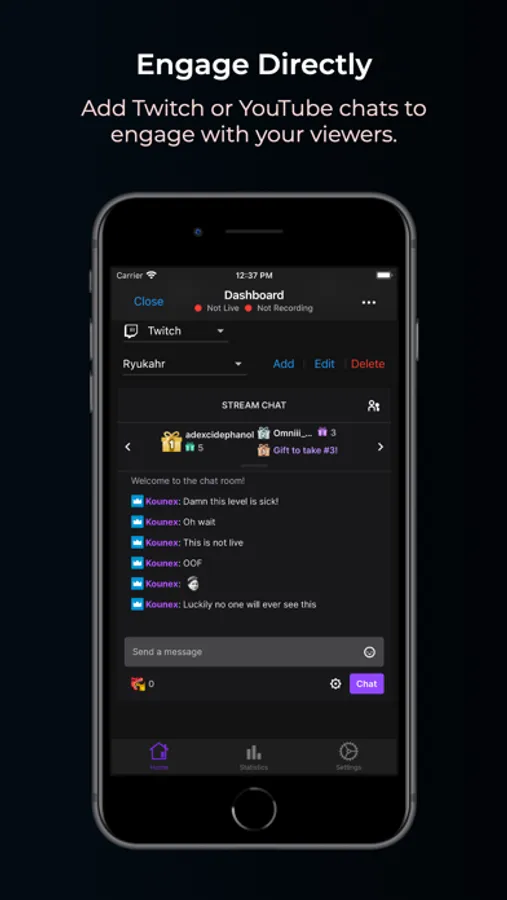
- View any Twitch chat and write messages
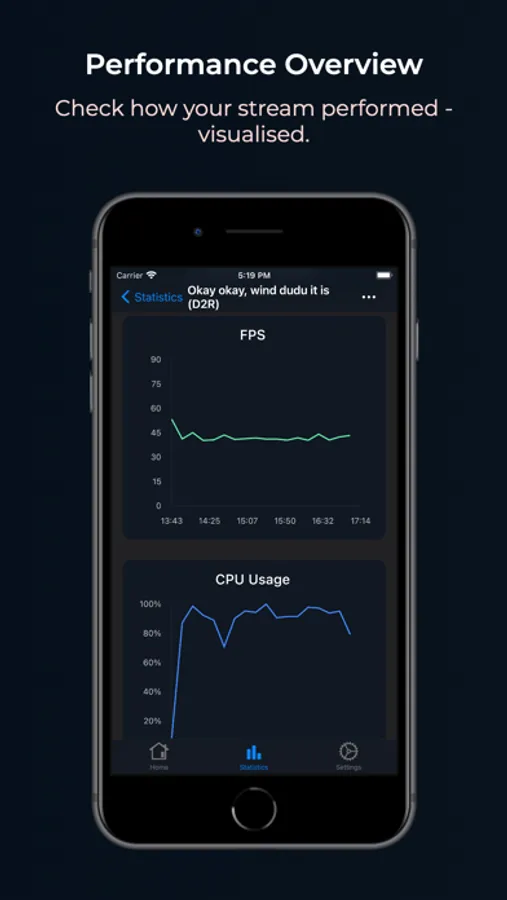
- See live statistics of your stream performance (FPS, CPU usage, kbit/s etc.)
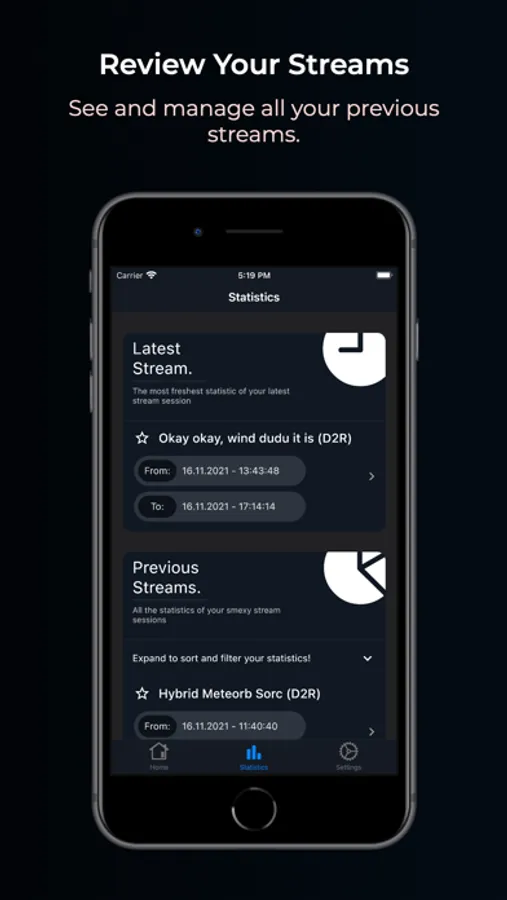
OBS Blade also saves statistics of your previous streams so you can track the overall performance and some nice to know facts!
This app is still in its early stages and will get updated with new features over time - for now the main features which I want to add are:
- More engagement with OBS (renaming, sorting, scripted switching etc.)
- Export / merge statistics
- Soundboard
- Incoming feature requests
- (Maybe) Streamlabs client connection
I hope you have a good time using this app. If you encounter any bugs, have feature requests or anything similar, feel free to get in touch with me!
contact@kounex.com
OBS Blade is designed to be your stream companion and help you to manage your live stream. While using OBS (Open Broadcaster Software) you can connect to the running instance and gain control over important parts of the software. This should help you to manage what your audience can see / hear without the need to switch to OBS on your machine and make such changes. You can keep doing what you do and easily use this app to control OBS!
Currently OBS Blade supports:
- Start / stop the stream
- Changing the active scene
- Toggle visibility of scene items (like desktop capture etc.)
- Change the volume of your current audio sources (or mute them)
- View any Twitch chat and write messages
- See live statistics of your stream performance (FPS, CPU usage, kbit/s etc.)
OBS Blade also saves statistics of your previous streams so you can track the overall performance and some nice to know facts!
This app is still in its early stages and will get updated with new features over time - for now the main features which I want to add are:
- More engagement with OBS (renaming, sorting, scripted switching etc.)
- Export / merge statistics
- Soundboard
- Incoming feature requests
- (Maybe) Streamlabs client connection
I hope you have a good time using this app. If you encounter any bugs, have feature requests or anything similar, feel free to get in touch with me!
contact@kounex.com
OBS Blade Screenshots
Tap to Rate:
Reviews for OBS Blade
Вася333 Danger UwU
Не работает
Пишет не удалось подключиться
PipingHAM
Works, but…
App works for me. Connects to my OBS after I manually hit the connect button. It won’t stay connected though. It drops connection and totally shuts down after a while and I have to manually reconnect it again. Other than that, a good app that I use every time I stream.