
In this app, you can monitor server load, CPU usage, memory, and network activity via an intuitive interface and detailed reports. It also features an SSH terminal for direct server management and file editing. Includes server status charts, SSH connections, file explorer, and snippet management.
AppRecs review analysis
AppRecs rating 4.5. Trustworthiness 45 out of 100. Review manipulation risk 28 out of 100. Based on a review sample analyzed.
★★★★☆
4.5
AppRecs Rating
Ratings breakdown
5 star
100%
4 star
0%
3 star
0%
2 star
0%
1 star
0%
What to know
⚠
Unusually uniform ratings
100% of sampled ratings are 5 stars with very little variation
About SSH Terminal Pro
SSH Terminal Pro: Terminal & Stats is a comprehensive SSH dashboard and terminal tool designed for developers and system administrators. Experience seamless server management with powerful insights into server performance and a full-featured terminal interface—all in one app!
Key Features:
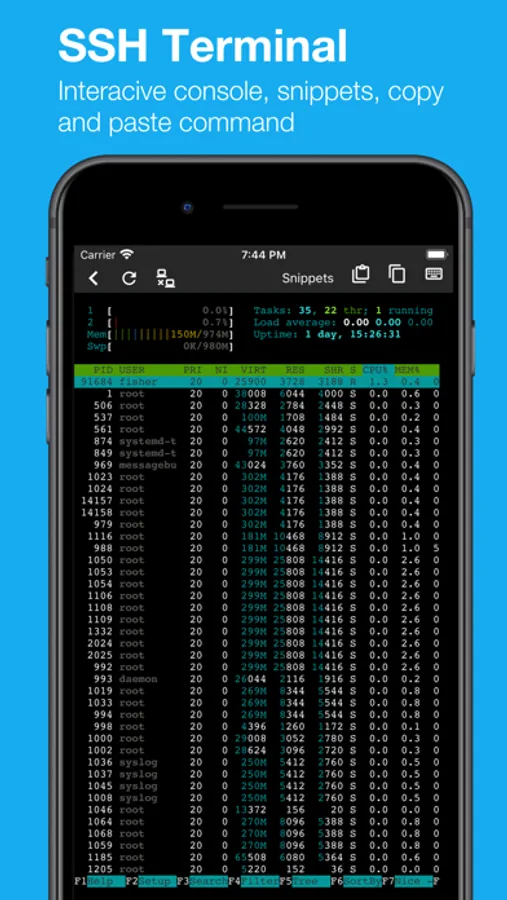
* Dynamic SSH Terminal: Enjoy a robust terminal experience with features like multi-session management, command history, and customizable keyboard shortcuts for efficient navigation. Execute commands with ease, and interact with your servers directly from your mobile device.
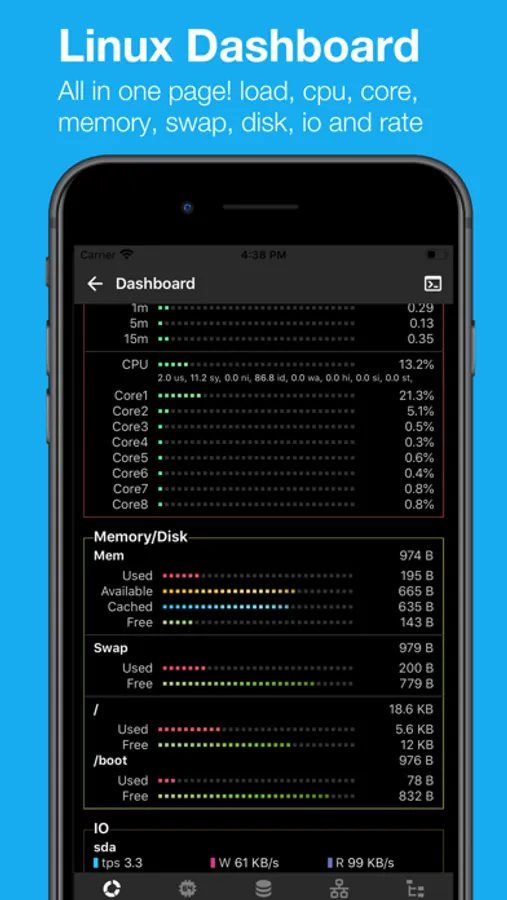
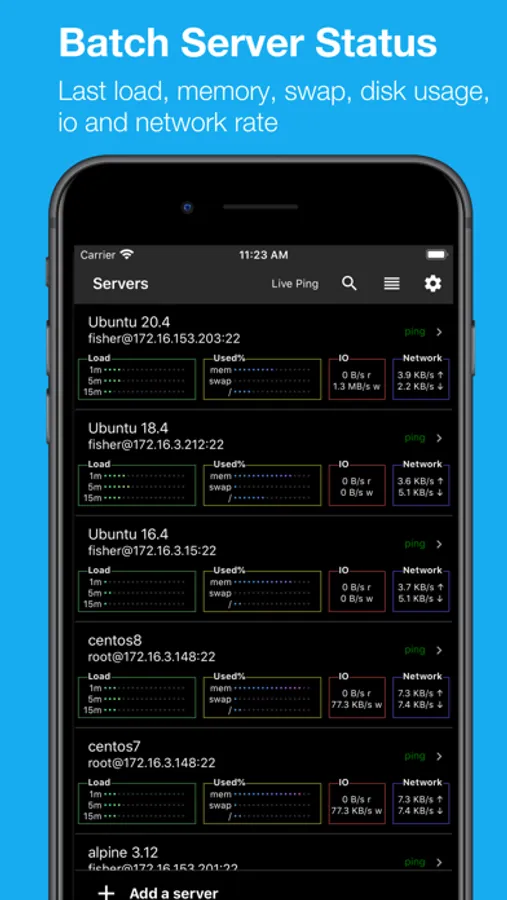
* Server List Overview: Quickly monitor all your servers at a glance, displaying key metrics like load, memory usage, swap space, disk usage, I/O rates, and network activity.
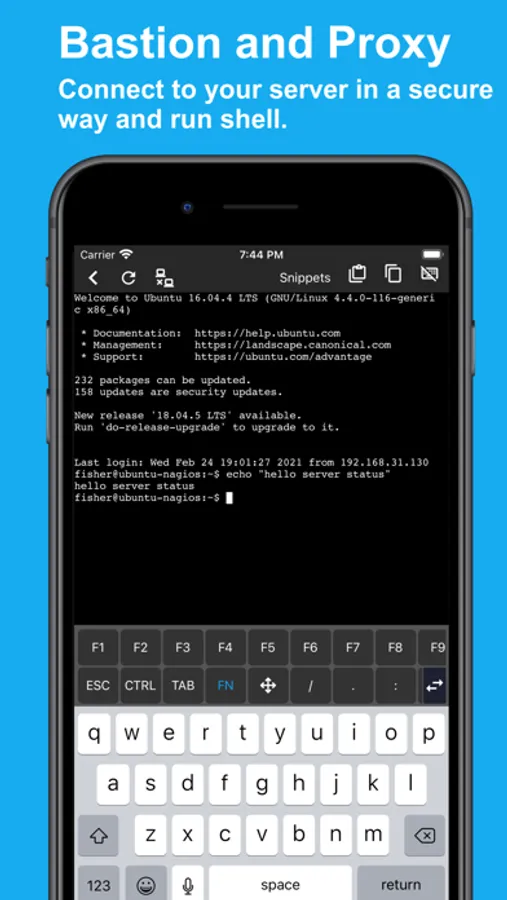
* Secure SSH Bastion & Proxy: Connect to your servers securely through SSH bastion or proxy, providing an additional layer of protection while accessing your infrastructure.
* Comprehensive System View: Dive deep into server stats, including server name, processor details, process status, and live charts for load, CPU usage, disk space, and network rates. Gain insights into performance trends over time.
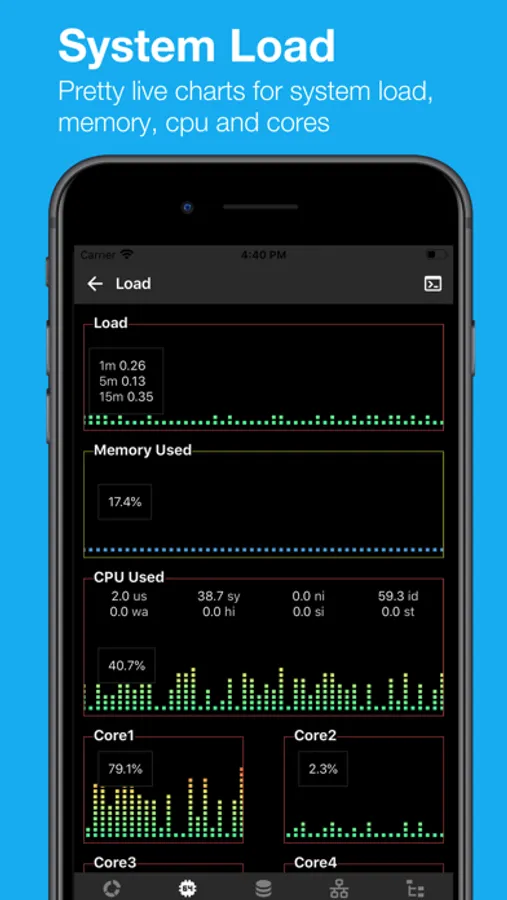
* Load Monitoring: Visualize real-time performance with live charts that track CPU overall usage and detailed core statistics, along with memory consumption metrics.
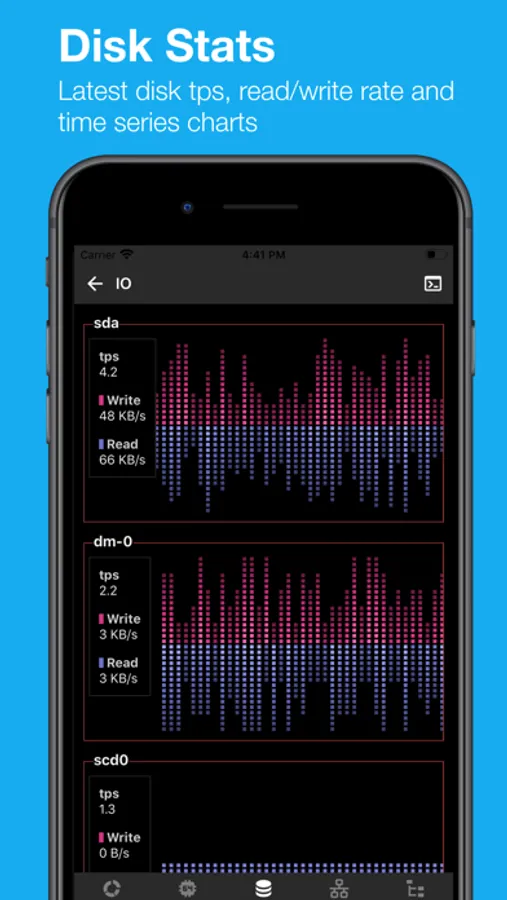
* I/O Performance: Monitor I/O transactions per second (TPS) and read/write speeds with intuitive charts, helping you assess the efficiency of your server's storage.
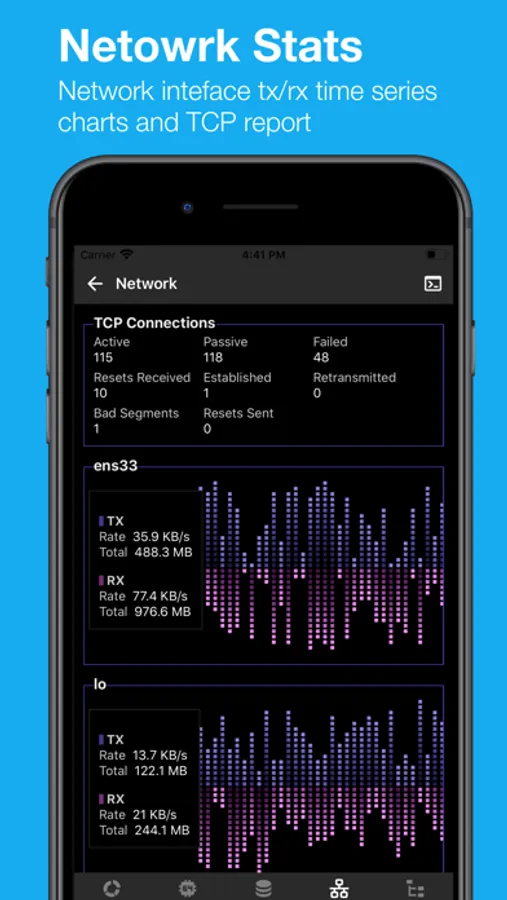
* Network Insights: Keep an eye on network performance with TX/RX rate charts and TCP connection statuses to ensure smooth operations.
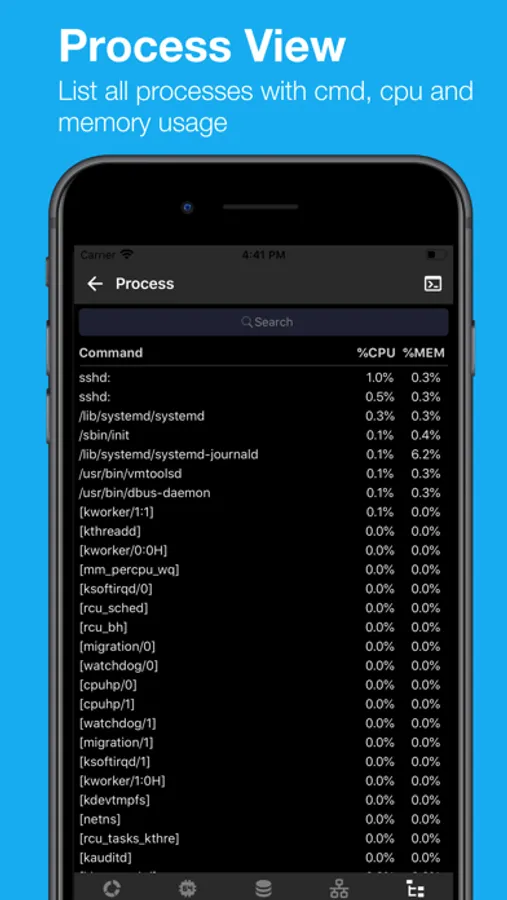
* Process Management: Access a list of running processes along with their CPU and memory usage to identify resource-hogging applications.
* Ping Status: Instantly check server responsiveness with ping times displayed in milliseconds (ms) and Time to Live (TTL).
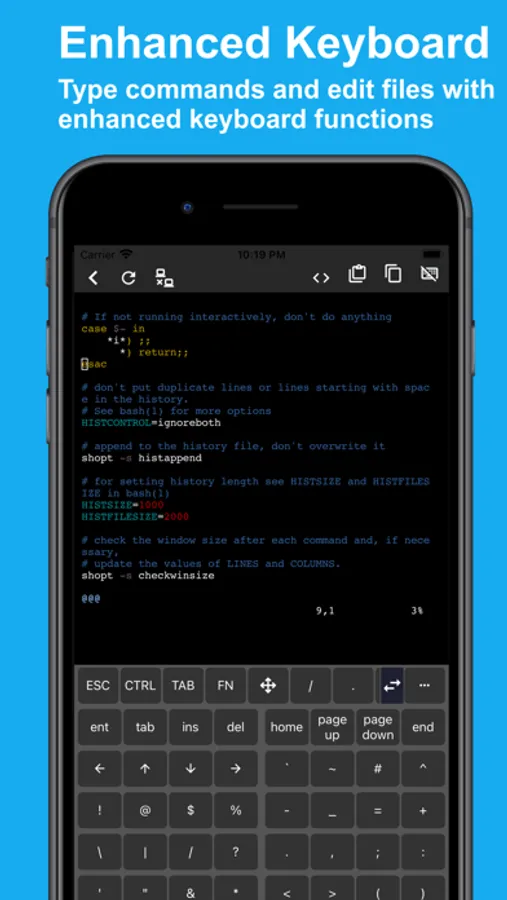
* SSH File Editor: Edit files directly on the server using terminal-based editors. The app features a mobile-optimized keyboard designed for seamless coding and command input.
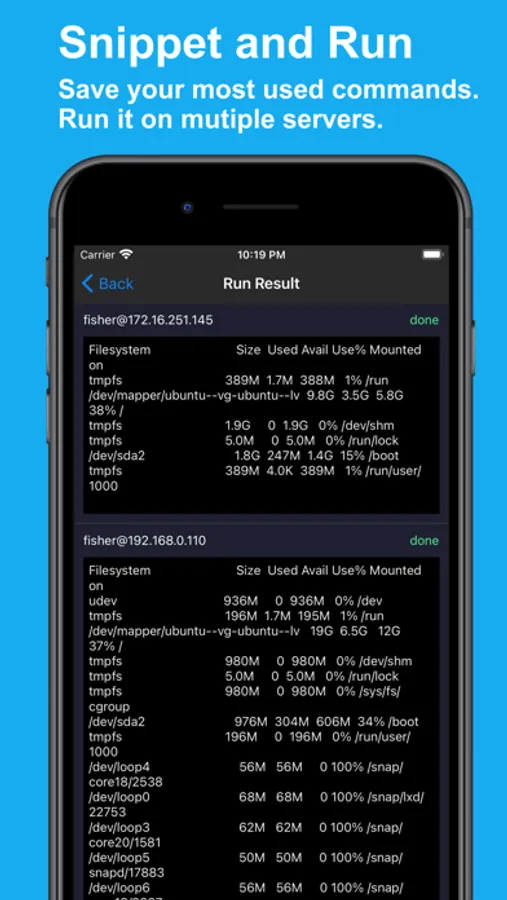
* Command Snippets: Save frequently used commands as snippets for quick access and execution across multiple servers.
* SFTP File Explorer: Navigate and manage your server files effortlessly. Download, upload, and edit files with a user-friendly file manager interface.
How It Works:
SSH Terminal Pro loads performance data from standard /proc files to generate insightful reports and charts—no root access required. The app ensures secure, read-only access to your server data, maintaining system integrity.
Data Security:
All configurations and data are stored locally on your iPhone or iPad, with an optional iCloud backup feature for added peace of mind.
Compatibility:
Tested on popular distributions like Ubuntu, CentOS, Alpine, Gentoo, openSUSE, and Debian. SSH Terminal Pro supports all major Linux distributions.
Key Features:
* Dynamic SSH Terminal: Enjoy a robust terminal experience with features like multi-session management, command history, and customizable keyboard shortcuts for efficient navigation. Execute commands with ease, and interact with your servers directly from your mobile device.
* Server List Overview: Quickly monitor all your servers at a glance, displaying key metrics like load, memory usage, swap space, disk usage, I/O rates, and network activity.
* Secure SSH Bastion & Proxy: Connect to your servers securely through SSH bastion or proxy, providing an additional layer of protection while accessing your infrastructure.
* Comprehensive System View: Dive deep into server stats, including server name, processor details, process status, and live charts for load, CPU usage, disk space, and network rates. Gain insights into performance trends over time.
* Load Monitoring: Visualize real-time performance with live charts that track CPU overall usage and detailed core statistics, along with memory consumption metrics.
* I/O Performance: Monitor I/O transactions per second (TPS) and read/write speeds with intuitive charts, helping you assess the efficiency of your server's storage.
* Network Insights: Keep an eye on network performance with TX/RX rate charts and TCP connection statuses to ensure smooth operations.
* Process Management: Access a list of running processes along with their CPU and memory usage to identify resource-hogging applications.
* Ping Status: Instantly check server responsiveness with ping times displayed in milliseconds (ms) and Time to Live (TTL).
* SSH File Editor: Edit files directly on the server using terminal-based editors. The app features a mobile-optimized keyboard designed for seamless coding and command input.
* Command Snippets: Save frequently used commands as snippets for quick access and execution across multiple servers.
* SFTP File Explorer: Navigate and manage your server files effortlessly. Download, upload, and edit files with a user-friendly file manager interface.
How It Works:
SSH Terminal Pro loads performance data from standard /proc files to generate insightful reports and charts—no root access required. The app ensures secure, read-only access to your server data, maintaining system integrity.
Data Security:
All configurations and data are stored locally on your iPhone or iPad, with an optional iCloud backup feature for added peace of mind.
Compatibility:
Tested on popular distributions like Ubuntu, CentOS, Alpine, Gentoo, openSUSE, and Debian. SSH Terminal Pro supports all major Linux distributions.
SSH Terminal Pro Screenshots
Tap to Rate:
Reviews for SSH Terminal Pro
GerryLiuGLgl
能否增加中文界面的设置?
能否增加中文界面的设置?