
Contacts Backup - Easy Export
Sunshine Software Labs
4.5 ★
61 ratings
Free
In this contacts management app, you can back up, restore, and transfer contacts using email. Includes offline backup, duplicate contact management, and backup history features.
AppRecs review analysis
AppRecs rating 4.5. Trustworthiness 0 out of 100. Review manipulation risk 0 out of 100. Based on a review sample analyzed.
★★★★☆
4.5
AppRecs Rating
Ratings breakdown
5 star
77%
4 star
11%
3 star
5%
2 star
0%
1 star
7%
What to know
✓
High user satisfaction
77% of sampled ratings are 5 stars
✓
Authentic reviews
Natural distribution, no red flags
About Contacts Backup - Easy Export
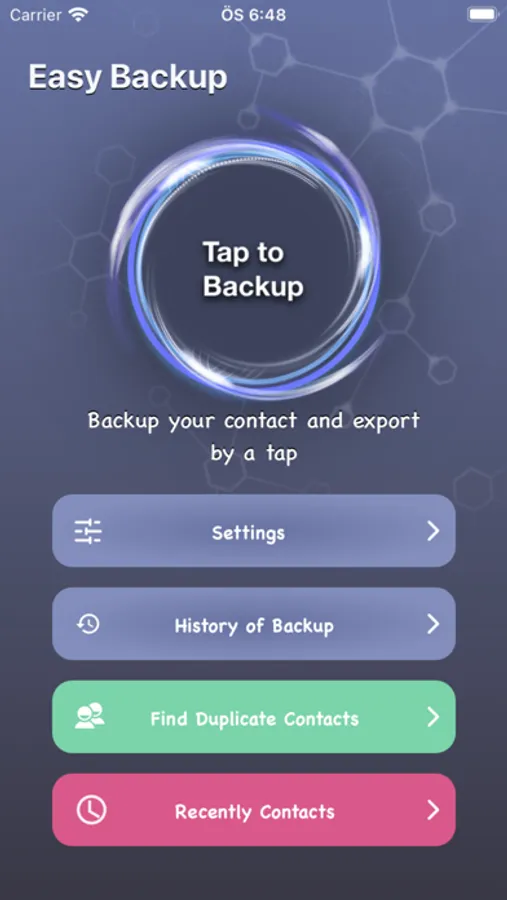
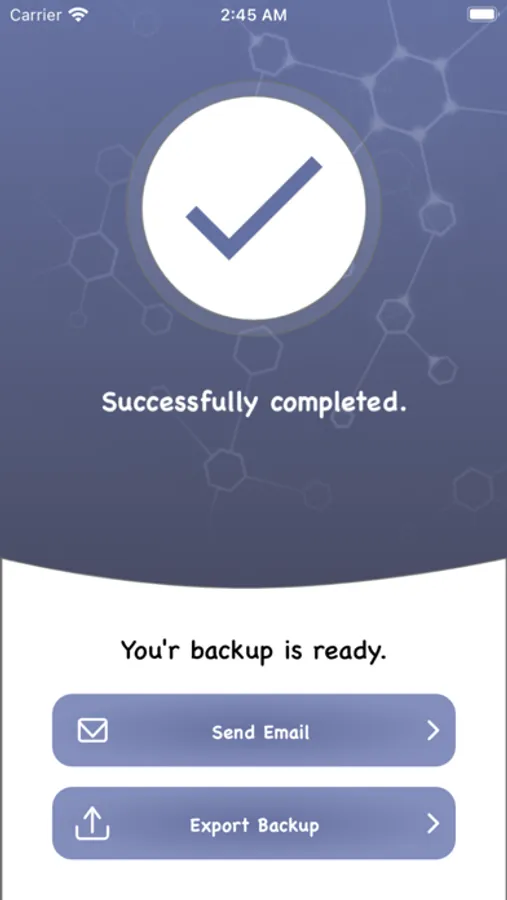
Contacts Backup Easy Transfer is the simplest solution for backing up, restoring, and managing your contacts directly from your phone without the need for a computer or synchronization. With just one tap, you can back up all your contacts and send them to yourself as a .vcf (VCard) attachment via email for safekeeping.
Key Features:
-Offline Backup: No need to sync with cloud services or servers. Simply email your backup file and keep it safe.
-Easy Restore: No need to install additional apps. Restore your contacts by tapping the .vcf file in your email on iPhone, iPad, or iPod Touch—free of charge.
-Duplicate Contact Management: Effortlessly identify and remove duplicate contacts for a cleaner contact list.
-Transfer Contacts: Easily move your contacts between iOS devices using just an email client.
-Backup as VCF (VCard): Supports industry-standard VCard (.vcf) format for contact backups.
-History of Backups: Keep track of your backup history and manage your VCard files easily.
-Recently Added Contacts: Quickly view and access your most recently added contacts.
Whether you're upgrading your phone, safeguarding against accidental deletion, managing duplicates, or organizing your contacts, Backup Contacts - Easy Backup provides a reliable, offline method to secure and manage your contacts.
Auto-Renewable Subscription Terms:
- The payment will be charged to your Apple ID Account at confirmation of purchase.
- The subscription renews automatically unless the auto-renew is turned off at least 24 hours before the end of the current billing period.
- Your account will be charged for renewal within 24 hours before the end of your selected subscription.
- Your subscriptions can be managed, and auto-renewal can be turned off by going to your App Store Account Settings.
For our Privacy Policy, please visit: https://sunshine-dev.com/?page_id=96
For our Terms of Use, please visit: https://sunshine-dev.com/?page_id=98
Key Features:
-Offline Backup: No need to sync with cloud services or servers. Simply email your backup file and keep it safe.
-Easy Restore: No need to install additional apps. Restore your contacts by tapping the .vcf file in your email on iPhone, iPad, or iPod Touch—free of charge.
-Duplicate Contact Management: Effortlessly identify and remove duplicate contacts for a cleaner contact list.
-Transfer Contacts: Easily move your contacts between iOS devices using just an email client.
-Backup as VCF (VCard): Supports industry-standard VCard (.vcf) format for contact backups.
-History of Backups: Keep track of your backup history and manage your VCard files easily.
-Recently Added Contacts: Quickly view and access your most recently added contacts.
Whether you're upgrading your phone, safeguarding against accidental deletion, managing duplicates, or organizing your contacts, Backup Contacts - Easy Backup provides a reliable, offline method to secure and manage your contacts.
Auto-Renewable Subscription Terms:
- The payment will be charged to your Apple ID Account at confirmation of purchase.
- The subscription renews automatically unless the auto-renew is turned off at least 24 hours before the end of the current billing period.
- Your account will be charged for renewal within 24 hours before the end of your selected subscription.
- Your subscriptions can be managed, and auto-renewal can be turned off by going to your App Store Account Settings.
For our Privacy Policy, please visit: https://sunshine-dev.com/?page_id=96
For our Terms of Use, please visit: https://sunshine-dev.com/?page_id=98
Contacts Backup - Easy Export Screenshots
Tap to Rate: