AppRecs review analysis
AppRecs rating 3.5. Trustworthiness 79 out of 100. Review manipulation risk 21 out of 100. Based on a review sample analyzed.
★★★☆☆
3.5
AppRecs Rating
Ratings breakdown
5 star
50%
4 star
19%
3 star
0%
2 star
6%
1 star
25%
What to know
✓
Low review manipulation risk
21% review manipulation risk
✓
Credible reviews
79% trustworthiness score from analyzed reviews
✓
Good user ratings
69% positive sampled reviews
About iPocket Draw Lite
** look at the video tutorials put online on our site **
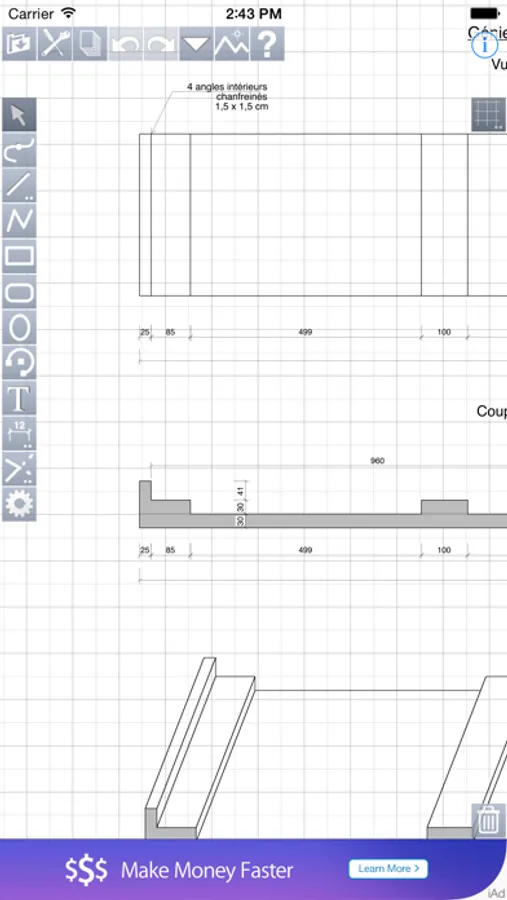
iPocket Draw is a vector drawing program comprehensive (CAD 2D), which offers to you total control over your drawing.
This Lite version includes a limitation on the number of objects (50) by drawing.
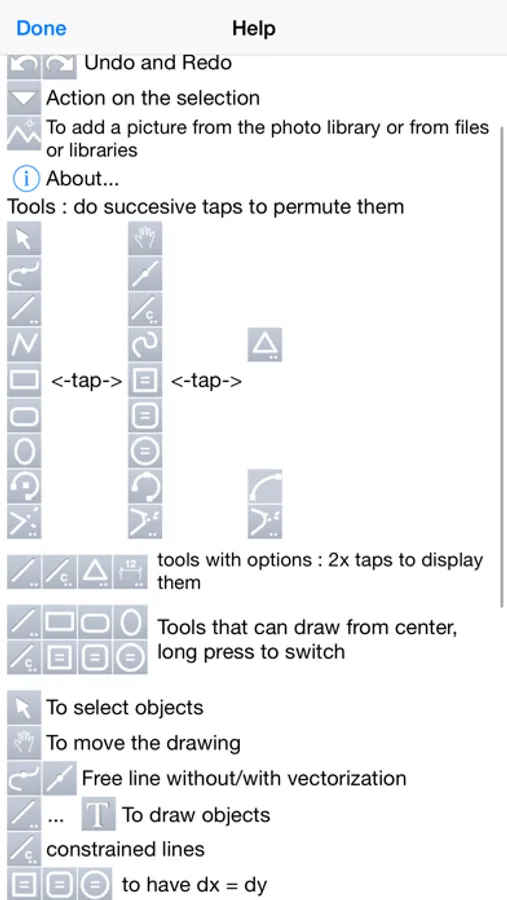
Of course all the simple drawing tools are available: line, rectangle, oval, arc, polygon, text.
But also tools of free line with vectorization option (recognition of simple shapes), spline, regular polygon.
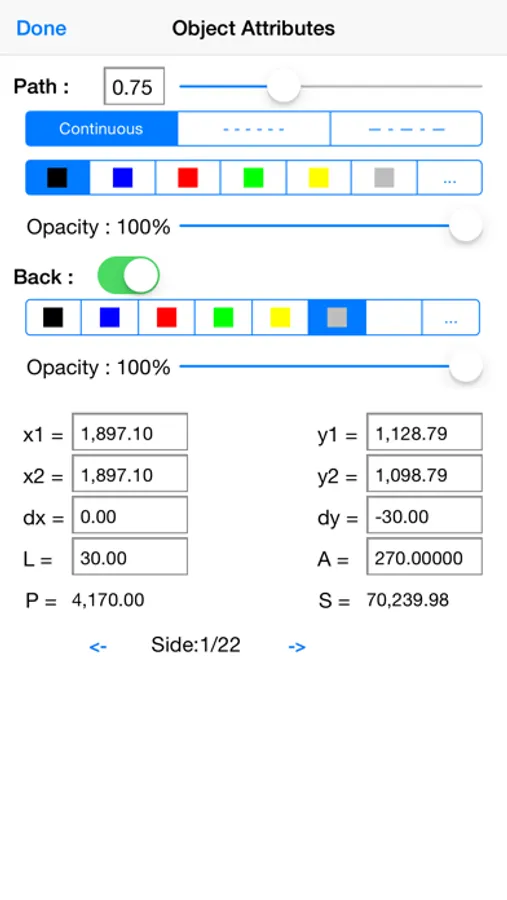
All attributes of each object can be edited and changed: line color, line thickness, background color, dotted, arrow, font ...
But also the coordinates of each object because iPocket Draw lets you draw with a scale chosen and modified.
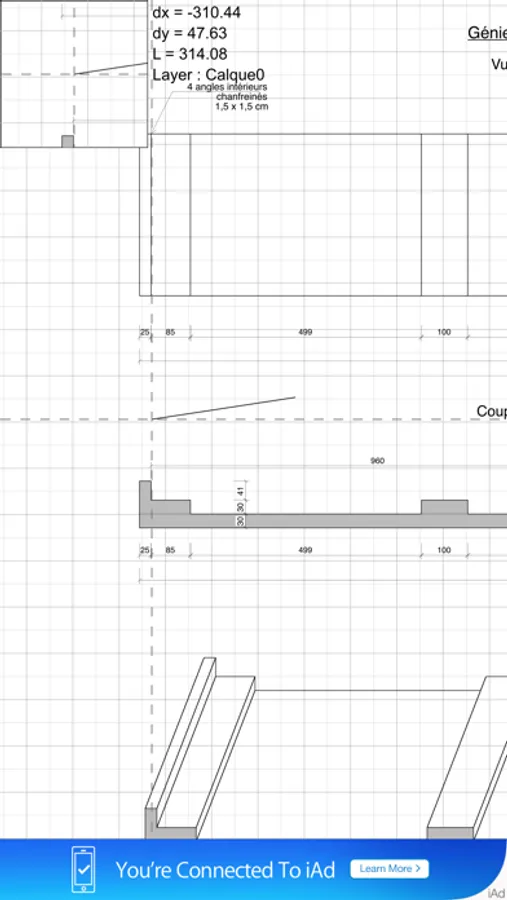
iPocket Draw also has a cotation tool simple and multiple.
And functions of attraction powerful and accurate on the ends of objects but also the centers and on the intersections between all object types.
The drawing area is not limited.
The number of objects either.
The zoom in and out either.
The number of undo either.
You can draw on several layers and create configurations of layers.
You have an object library that you can complete as you want.
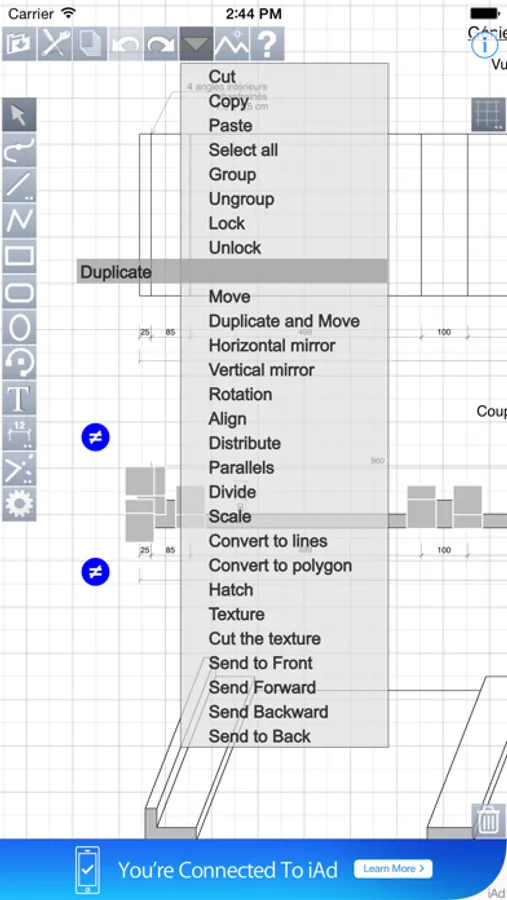
A comprehensive menu command allows you to: select all, copy, cut, paste, group, ungroup, lock, unlock, duplicate, move, mirror horizontally or vertically, rotate, align, distribute, create parallel, divide, change the scale, converting in lines, polygon, send back, put in front of.
You can insert photos or images or pdf files in your drawings.
iPocket Draw has a file manager from which you can send your drawings by e-mail format iPocket Draw (RealCADD) or DXF or pdf or jpg image.
But also to export in a photo album.
And also print.
If you have problems, please contact us by mail (see information window of iPocket Draw: i button).
Thanks.
iPocket Draw is a vector drawing program comprehensive (CAD 2D), which offers to you total control over your drawing.
This Lite version includes a limitation on the number of objects (50) by drawing.
Of course all the simple drawing tools are available: line, rectangle, oval, arc, polygon, text.
But also tools of free line with vectorization option (recognition of simple shapes), spline, regular polygon.
All attributes of each object can be edited and changed: line color, line thickness, background color, dotted, arrow, font ...
But also the coordinates of each object because iPocket Draw lets you draw with a scale chosen and modified.
iPocket Draw also has a cotation tool simple and multiple.
And functions of attraction powerful and accurate on the ends of objects but also the centers and on the intersections between all object types.
The drawing area is not limited.
The number of objects either.
The zoom in and out either.
The number of undo either.
You can draw on several layers and create configurations of layers.
You have an object library that you can complete as you want.
A comprehensive menu command allows you to: select all, copy, cut, paste, group, ungroup, lock, unlock, duplicate, move, mirror horizontally or vertically, rotate, align, distribute, create parallel, divide, change the scale, converting in lines, polygon, send back, put in front of.
You can insert photos or images or pdf files in your drawings.
iPocket Draw has a file manager from which you can send your drawings by e-mail format iPocket Draw (RealCADD) or DXF or pdf or jpg image.
But also to export in a photo album.
And also print.
If you have problems, please contact us by mail (see information window of iPocket Draw: i button).
Thanks.
iPocket Draw Lite Screenshots
Tap to Rate:
Reviews for iPocket Draw Lite
Realityrat
Does this work?
I can’t get any edit tools to do anything. No fillets or chamfers no trimming no anything. Why would anyone buy this?
C0ldBrewCoffee
Works great!
Works great on my iPhone 11 running iOS 18. I was able to draft up a router template for woodworking and able to print it to scale.