AppRecs review analysis
AppRecs rating 4.3. Trustworthiness 80 out of 100. Review manipulation risk 24 out of 100. Based on a review sample analyzed.
★★★★☆
4.3
AppRecs Rating
Ratings breakdown
5 star
88%
4 star
0%
3 star
3%
2 star
3%
1 star
6%
What to know
✓
Low review manipulation risk
24% review manipulation risk
✓
Credible reviews
80% trustworthiness score from analyzed reviews
✓
High user satisfaction
88% of sampled ratings are 5 stars
About Scrolling Credits Video
Create Professional Scrolling End Credits for Your Videos in Minutes!
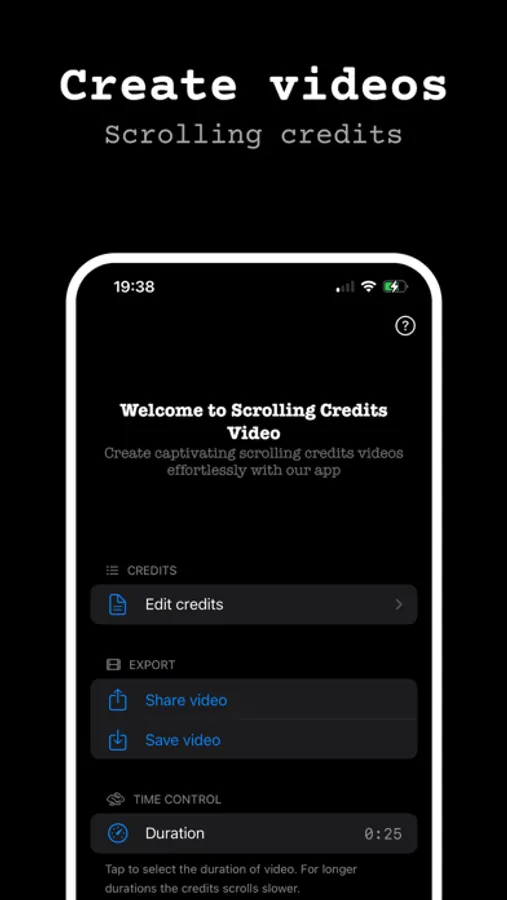
Looking for an easy way to add scrolling credits to your movies, videos, or YouTube projects? Our app makes it simple to design custom end credits, rolling text, and movie outros with professional quality. Perfect for filmmakers, content creators, and anyone who wants to add a cinematic touch to their video productions.
Key Features
Easy Scrolling Credits – Add rolling text with just a few taps.
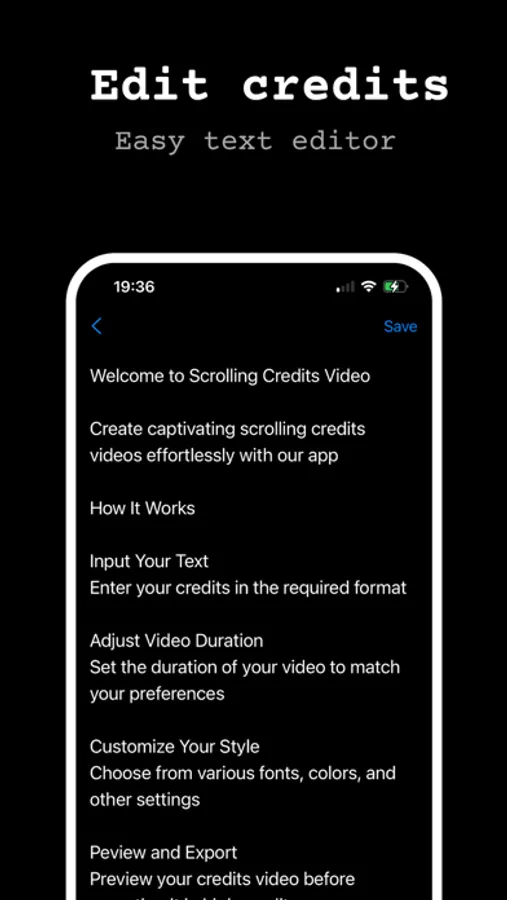
Style Your Credits – Choose fonts, colors, sizes and alignments to create the perfect look for your video outro.
Animated Video Credits – Bring your film credits to life with smooth rolling text animations.
No More Long Render Times – Enjoy faster processing directly on your device—no need for slow web-based solutions.
No Internet Required – All video processing happens directly on your device—no need for an internet connection.
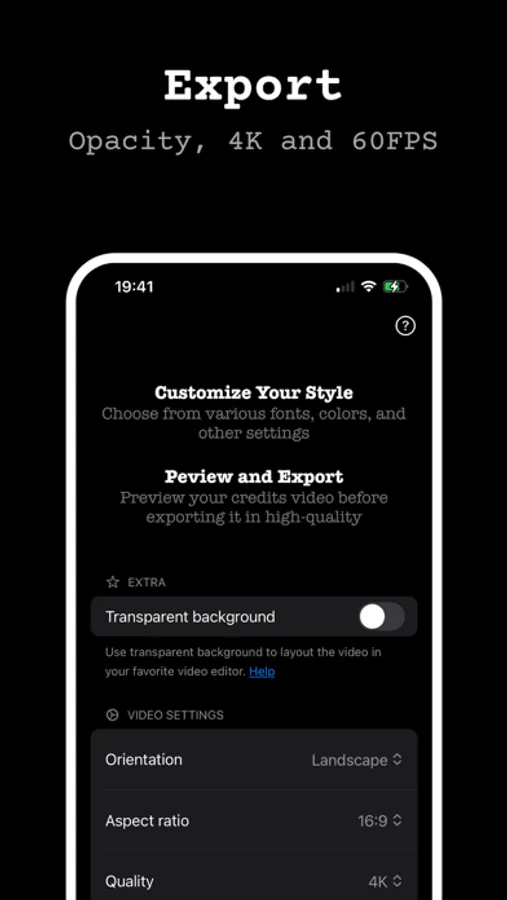
Export in 4K 60FPS – Supports popular codecs including H264, HEVC, Apple ProRes 422, and Apple ProRes 4444 for high-quality video output.
Transparent Background – Export videos with a transparent background for easy montage over any video, or choose a solid background to suit your project’s needs.
Compatible with Popular Video Editors – Use your exported videos seamlessly with Final Cut, CapCut, iMovie, and other popular editing software.
User-Friendly Interface – No experience needed—perfect for beginners and video editors alike.
Works with All Editors – Import into Final Cut, iMovie, CapCut, and more.
Perfect for
Independent Filmmakers – Easily add professional-looking credits to your films without breaking the bank.
Content Creators – Enhance your YouTube videos, vlogs, and social media posts with stylish credits and outros.
Students & Educators – Perfect for school projects, presentations, and educational videos that require polished end credits.
Business Professionals – Create engaging promotional videos, webinars, or internal presentations that stand out.
Video Editors – Save time and streamline your workflow with customizable credits that integrate seamlessly into your editing projects.
Whether you’re creating end credits for films, adding titles to a video project, or designing a custom outro, our app provides everything you need to make your videos stand out. With Scrolling Credits Maker, you can instantly create cinematic credits that look like they came straight out of a movie theatre.
Download now and create professional video credits with ease!
Terms of use
https://www.apple.com/legal/internet-services/itunes/dev/stdeula/
Looking for an easy way to add scrolling credits to your movies, videos, or YouTube projects? Our app makes it simple to design custom end credits, rolling text, and movie outros with professional quality. Perfect for filmmakers, content creators, and anyone who wants to add a cinematic touch to their video productions.
Key Features
Easy Scrolling Credits – Add rolling text with just a few taps.
Style Your Credits – Choose fonts, colors, sizes and alignments to create the perfect look for your video outro.
Animated Video Credits – Bring your film credits to life with smooth rolling text animations.
No More Long Render Times – Enjoy faster processing directly on your device—no need for slow web-based solutions.
No Internet Required – All video processing happens directly on your device—no need for an internet connection.
Export in 4K 60FPS – Supports popular codecs including H264, HEVC, Apple ProRes 422, and Apple ProRes 4444 for high-quality video output.
Transparent Background – Export videos with a transparent background for easy montage over any video, or choose a solid background to suit your project’s needs.
Compatible with Popular Video Editors – Use your exported videos seamlessly with Final Cut, CapCut, iMovie, and other popular editing software.
User-Friendly Interface – No experience needed—perfect for beginners and video editors alike.
Works with All Editors – Import into Final Cut, iMovie, CapCut, and more.
Perfect for
Independent Filmmakers – Easily add professional-looking credits to your films without breaking the bank.
Content Creators – Enhance your YouTube videos, vlogs, and social media posts with stylish credits and outros.
Students & Educators – Perfect for school projects, presentations, and educational videos that require polished end credits.
Business Professionals – Create engaging promotional videos, webinars, or internal presentations that stand out.
Video Editors – Save time and streamline your workflow with customizable credits that integrate seamlessly into your editing projects.
Whether you’re creating end credits for films, adding titles to a video project, or designing a custom outro, our app provides everything you need to make your videos stand out. With Scrolling Credits Maker, you can instantly create cinematic credits that look like they came straight out of a movie theatre.
Download now and create professional video credits with ease!
Terms of use
https://www.apple.com/legal/internet-services/itunes/dev/stdeula/
Scrolling Credits Video Screenshots
Tap to Rate:
Reviews for Scrolling Credits Video
Kyla Rae Kowalewski
Very Good
Thank you for your love and your support. We love you too!
dog lover 688
NOTHING on this app is free
I got this app thinking I would get “instant credits” and yet I have to pay to even export my video with a WATERMARK.