AppRecs review analysis
AppRecs rating 2.3. Trustworthiness 65 out of 100. Review manipulation risk 29 out of 100. Based on a review sample analyzed.
★★☆☆☆
2.3
AppRecs Rating
Ratings breakdown
5 star
0%
4 star
0%
3 star
0%
2 star
0%
1 star
100%
What to know
✓
Low review manipulation risk
29% review manipulation risk
⚠
Mixed user feedback
Average 2.3★ rating suggests room for improvement
About Phone Mirroring - Cast to PC
Phone Mirroring is a crystal-clear, lag-free mobile screen mirroring tool. It perfectly meets the need to screen mirror your phone to a computer with one click, bringing you more efficient remote work/study and an ultimate experience in gaming, sports, movies, and entertainment. Our team has been deeply involved in the field of intelligent screen mirroring for years and is strong and trustworthy!
Through USB or wireless network, you can mirror the screen of devices like iPhone/iPad to a computer, including Windows and Mac, and support control from the computer.
Main Features of Phone Mirroring:
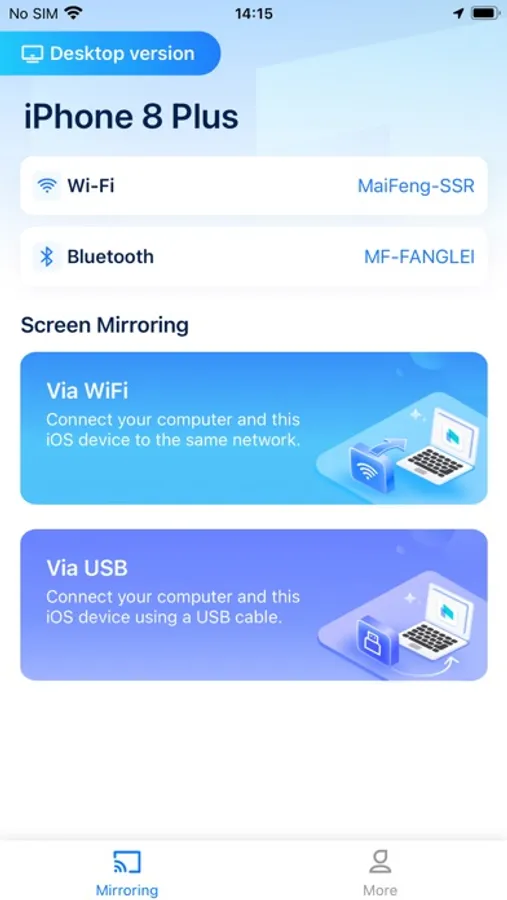
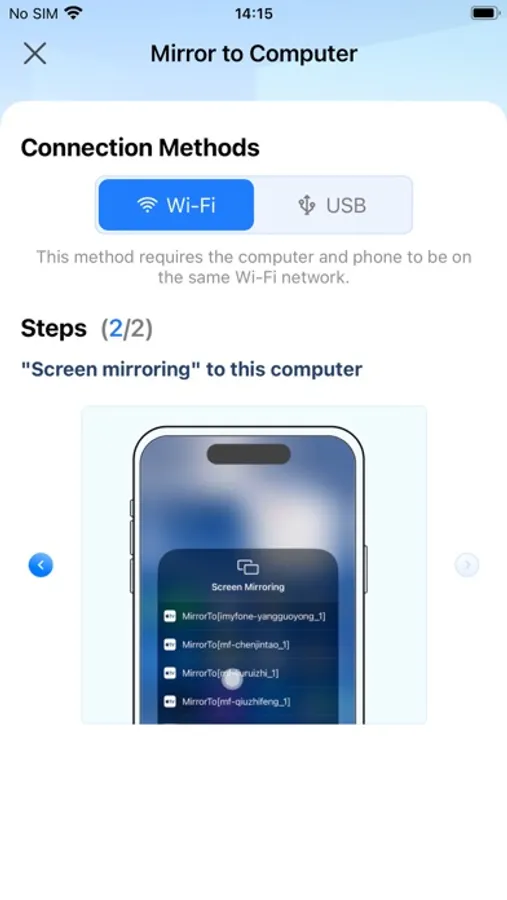
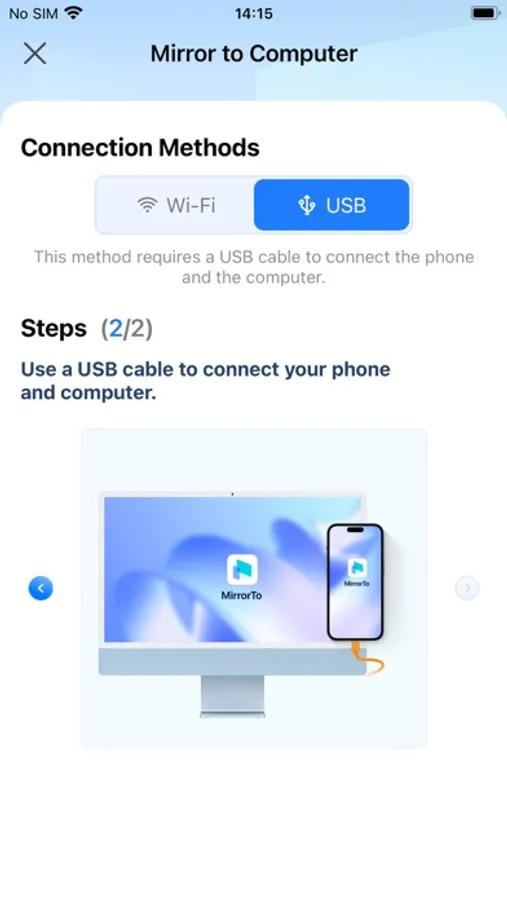
•Wired/Wireless Screen Mirroring: You can mirror your mobile screen to a computer via USB or WiFi, enjoying a larger screen and high-definition quality.
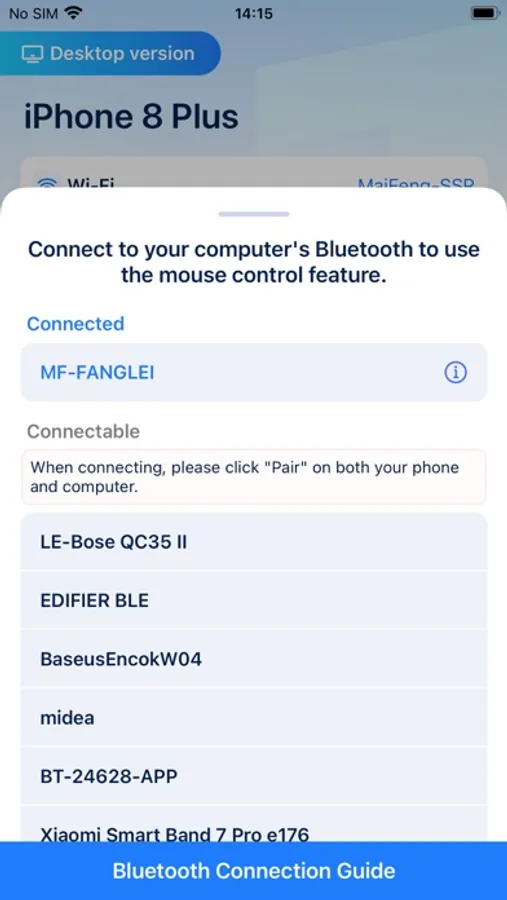
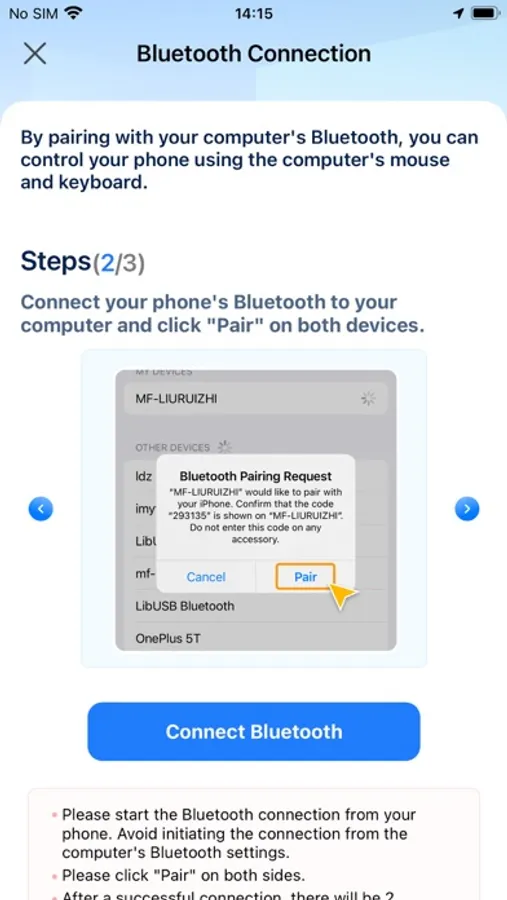
•Control Your Phone on the Computer: You can use your computer's mouse and keyboard to control your phone, easily using various apps on iPhone, such as chatting on social media and playing casual games like Candy Crush, FGO, MONOPOLY GO!, etc.
•Stream Your Phone to Live Platforms: After mirroring your device to the computer, you can choose to stream the screen to various live platforms like Youtube, TikTok Live, Twitch, etc., allowing more people to view your gaming/drawing process.
•Screen Recording: After mirroring your device to the computer, you can record your mobile screen in high-definition format. The recorded video will be stored on the computer, not taking up your phone's storage space, allowing you to record your phone's screen without limits.
Phone Mirroring is suitable for scenarios where screen mirroring is needed:
•When it's inconvenient to use a phone directly in the office/classroom
•Playing games/watching videos on a large screen
•Gaming/drawing live streaming
•Online meetings/online classes
•On-site teaching/demonstrations
Phone Mirroring also has a computer version, which works even better with the computer version! Most features require the computer version to be realized, and you can get the download method in the app.
Terms of Service:https://sites.google.com/view/phone-mirroring-eula/home
Privacy Policy:https://sites.google.com/view/phone-mirroring-privacypolicy/home
Technical Support:https://sites.google.com/view/phone-mirroring-tech-supp/home
Through USB or wireless network, you can mirror the screen of devices like iPhone/iPad to a computer, including Windows and Mac, and support control from the computer.
Main Features of Phone Mirroring:
•Wired/Wireless Screen Mirroring: You can mirror your mobile screen to a computer via USB or WiFi, enjoying a larger screen and high-definition quality.
•Control Your Phone on the Computer: You can use your computer's mouse and keyboard to control your phone, easily using various apps on iPhone, such as chatting on social media and playing casual games like Candy Crush, FGO, MONOPOLY GO!, etc.
•Stream Your Phone to Live Platforms: After mirroring your device to the computer, you can choose to stream the screen to various live platforms like Youtube, TikTok Live, Twitch, etc., allowing more people to view your gaming/drawing process.
•Screen Recording: After mirroring your device to the computer, you can record your mobile screen in high-definition format. The recorded video will be stored on the computer, not taking up your phone's storage space, allowing you to record your phone's screen without limits.
Phone Mirroring is suitable for scenarios where screen mirroring is needed:
•When it's inconvenient to use a phone directly in the office/classroom
•Playing games/watching videos on a large screen
•Gaming/drawing live streaming
•Online meetings/online classes
•On-site teaching/demonstrations
Phone Mirroring also has a computer version, which works even better with the computer version! Most features require the computer version to be realized, and you can get the download method in the app.
Terms of Service:https://sites.google.com/view/phone-mirroring-eula/home
Privacy Policy:https://sites.google.com/view/phone-mirroring-privacypolicy/home
Technical Support:https://sites.google.com/view/phone-mirroring-tech-supp/home
Phone Mirroring - Cast to PC Screenshots
Tap to Rate:
Reviews for Phone Mirroring - Cast to PC
true review 123
Scam. They will require a fee through your PC app download.
This app is avoiding the “in app purchase” from showing bye, not requiring a fee through the app, but they will ask you to pay on the PC side. What an atrocious business model. This company should be ashamed of their practice.