About Remove Audio From Video
Remove Audio from Video is the ultimate iOS app designed for quick and effortless audio removal from your videos. Whether you need to eliminate background noise or unwanted sound, our high-speed and high-quality audio removal feature ensures your video retains its original visual clarity. Enjoy a seamless, user-friendly experience with our intuitive interface.
Key Features:
High-Speed Audio Removal: Experience lightning-fast audio removal, delivering your video in record time.
Preserve Video Quality: Keep the original quality of your video intact while removing the audio.
User-Friendly Interface: Navigate with ease, even if you're new to video editing, thanks to our intuitive design.
How to Use:
Download & Install: Begin by downloading and installing the Remove Audio from Video app.
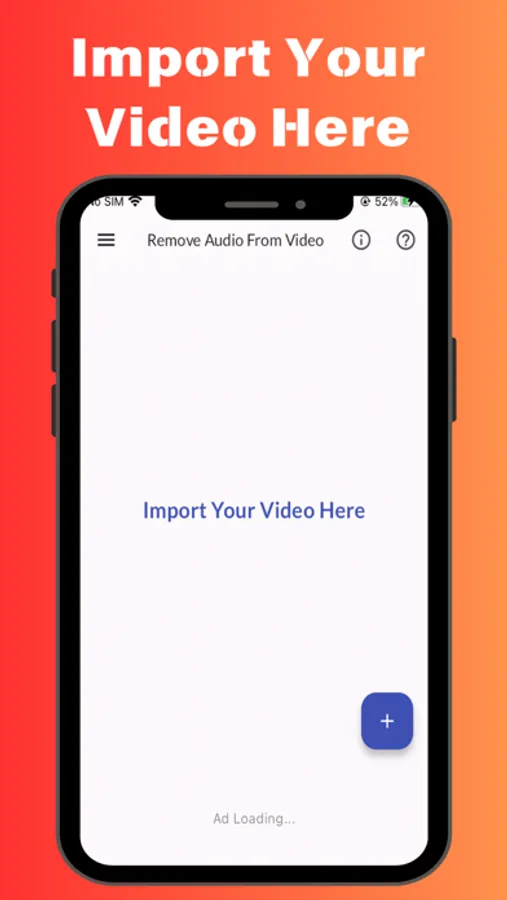
Import Your Video: Launch the app, and tap the import button in the bottom right corner to select your video file.
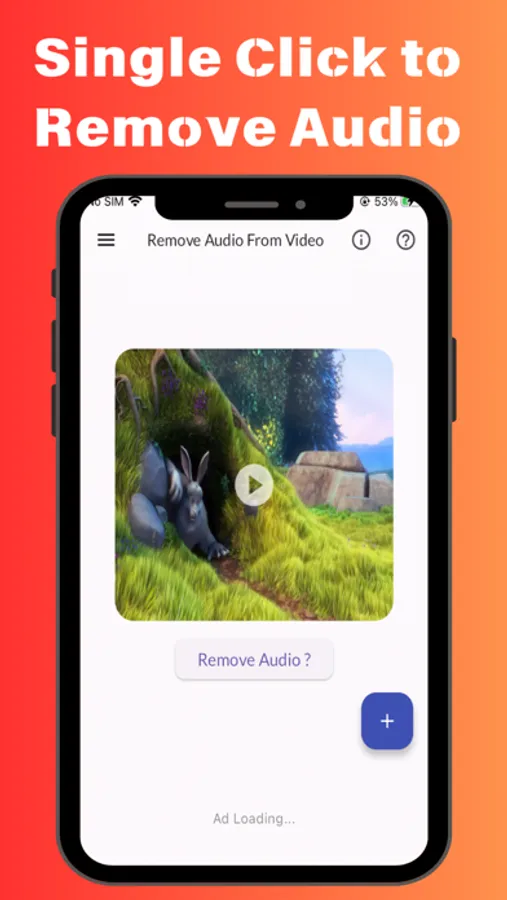
Start Audio Removal: After importing your video, tap the "Remove Audio" button to begin the swift conversion process.
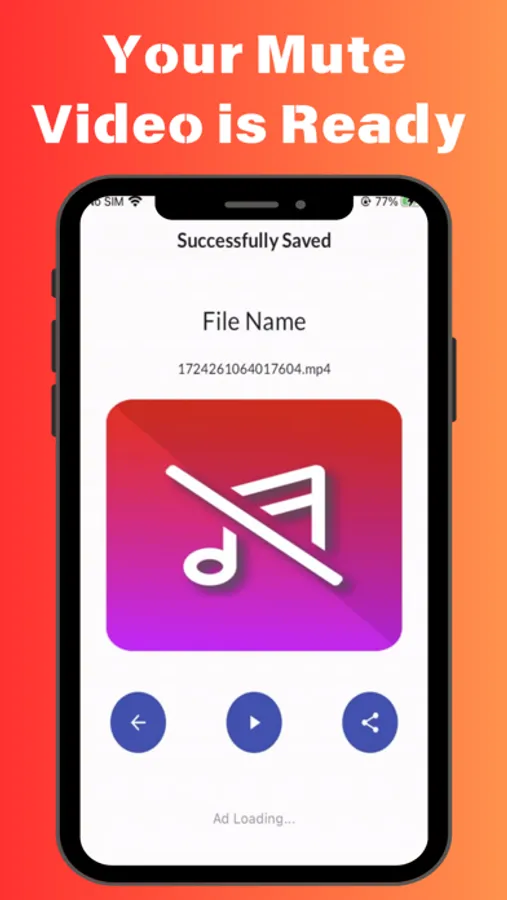
Enjoy Your Mute Video: Within moments, your video will be ready for viewing, sharing, or further editing.
Contact Us:
If you have any questions or need support, please contact us at trickswithandro@gmail.com.
Key Features:
High-Speed Audio Removal: Experience lightning-fast audio removal, delivering your video in record time.
Preserve Video Quality: Keep the original quality of your video intact while removing the audio.
User-Friendly Interface: Navigate with ease, even if you're new to video editing, thanks to our intuitive design.
How to Use:
Download & Install: Begin by downloading and installing the Remove Audio from Video app.
Import Your Video: Launch the app, and tap the import button in the bottom right corner to select your video file.
Start Audio Removal: After importing your video, tap the "Remove Audio" button to begin the swift conversion process.
Enjoy Your Mute Video: Within moments, your video will be ready for viewing, sharing, or further editing.
Contact Us:
If you have any questions or need support, please contact us at trickswithandro@gmail.com.
Remove Audio From Video Screenshots
Tap to Rate: