
With this visual calendar app, you can create and customize schedules for children using images, audio, and video. Includes features like event reminders, holiday integrations, and sharing options.
AppRecs review analysis
AppRecs rating 4.2. Trustworthiness 80 out of 100. Review manipulation risk 30 out of 100. Based on a review sample analyzed.
★★★★☆
4.2
AppRecs Rating
Ratings breakdown
5 star
65%
4 star
4%
3 star
13%
2 star
4%
1 star
13%
What to know
✓
Credible reviews
80% trustworthiness score from analyzed reviews
✓
Good user ratings
70% positive sampled reviews
About Choiceworks Calendar
Key Features
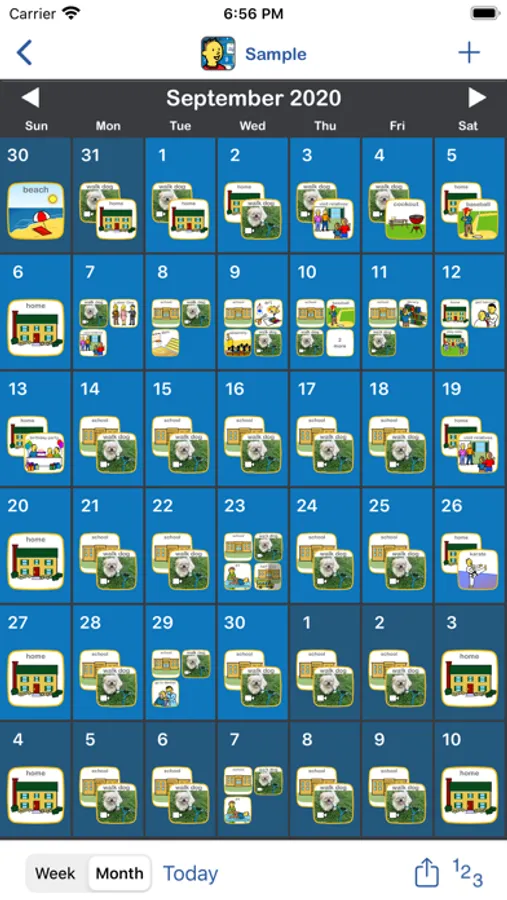
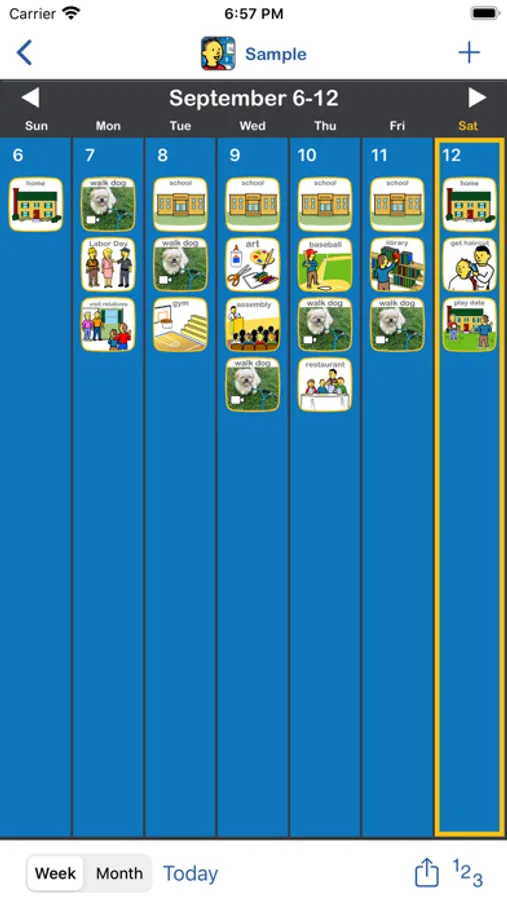
■ Easily create a visual calendar of upcoming events in a few minutes (examples: holidays, when visitors are coming, doctor appointments, vacations, sleepovers, parent returning from a trip or military duty)
■ Image Library preloaded with over 275 images and audio
■ Attach video to any image
■ Add your own images using your photo library, camera or use the preloaded image library to record your own audio, video and edit captions for limitless customizability
■ Create multiple personalized calendars for use with multiple children or in a classroom setting
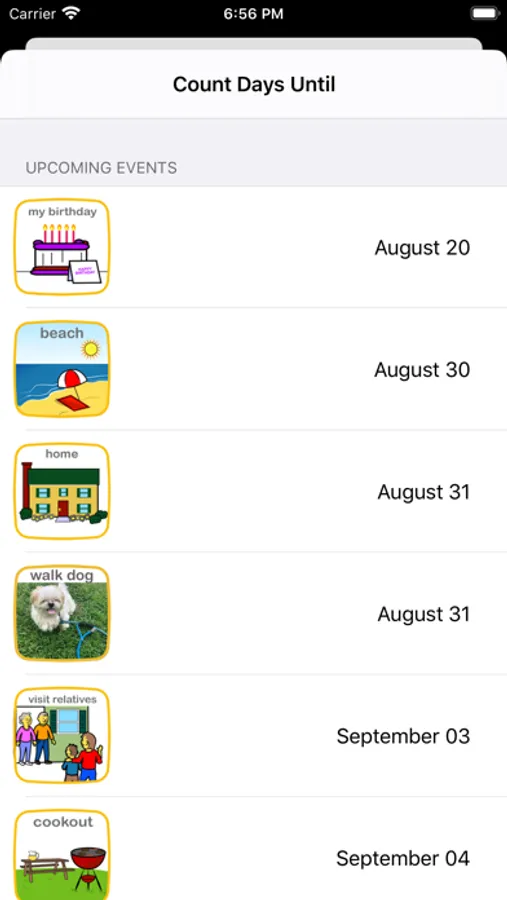
■ Count Days Until: animated counter for the number of days until an upcoming event (example: How many days until my birthday?)
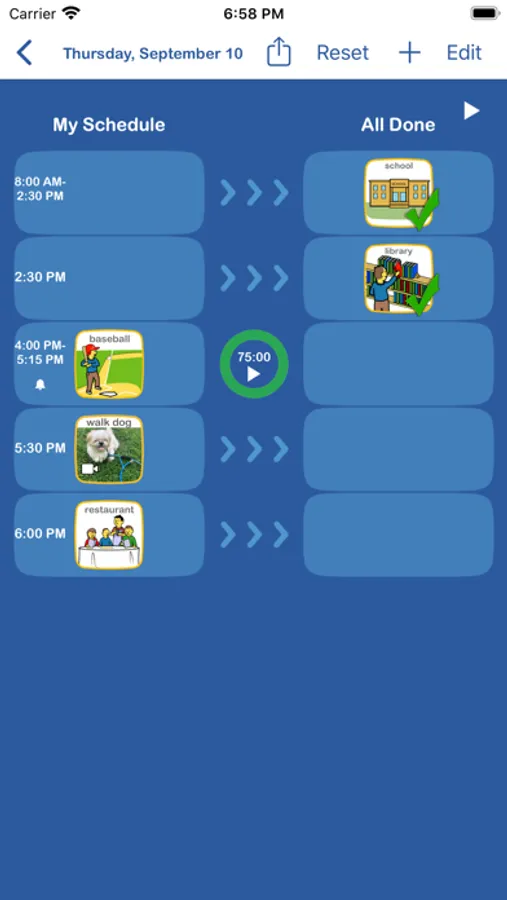
■ Speaks the daily schedule with child or adult voice
■ Built-in visual timer
■ Automatically adds holidays
■ Easily add reoccurring events
■ Notifications and alarms with visual and audio alerts
■ Search and auto-save features
■ Share boards by Email, AirDrop, Files app or iTunes with other Choiceworks Calendar app users
■ Ability to print month, week or day for offline viewing or save as PDF
Methodology
Visual supports are highly effective, proven tools for improving communication between children and caregivers. Calendars are challenging for children to grasp initially due to the abstract concept of time, months, weeks and days. They are also time consuming for caregivers to setup and maintain. Choiceworks Calendar addresses all of these challenges. For caregivers, it provides a streamlined interface for creating, customizing, sharing and maintaining a calendar of upcoming events. For the child, it provides visual, audio and video supports that make using the calendar an enjoyable learning experience.
Children gain independence and personal responsibility by seeing helpful information such as which days are school days and which days are not. They also benefit by being informed of upcoming events such as a doctor’s appointment or celebrating a birthday. This clear, simple support provided ahead of time can help a child predict what is going to happen, thereby reducing anxiety. It helps children understand when there is a change in the routine so they can learn to adapt, become more flexible and better behaved. The information is always visible on the calendar and the child can refer to it as often as needed.
Helpful Tips
Simple: When first implementing Choiceworks Calendar, the calendar should be kept simple and be geared toward the child. By reviewing the calendar each day, the child will learn the days of the week, rote counting, number identification and components of the daily, weekly, and monthly schedule.
Visuals: Put images or videos on the calendar that describe the most important activities of the day. Again, keep it simple. Only include what is important for the child on the calendar. Start small and gradually increase the amount of information presented as the child begins to understand the passage of time.
Advance: As success with Choiceworks Calendar increases, visually plan out big projects and indicate deadlines for science projects, writing assignments, etc. Chunk larger projects into smaller, manageable steps that the child can complete each day. This will focus attention to the current task and lessen anxiety and distraction to other portions of project.
Have your own tips or ideas? Visit our Facebook page and share with the Choiceworks community: https://www.facebook.com/ChoiceworksAndChoiceworksCalendarApps/
Choiceworks Calendar Screenshots
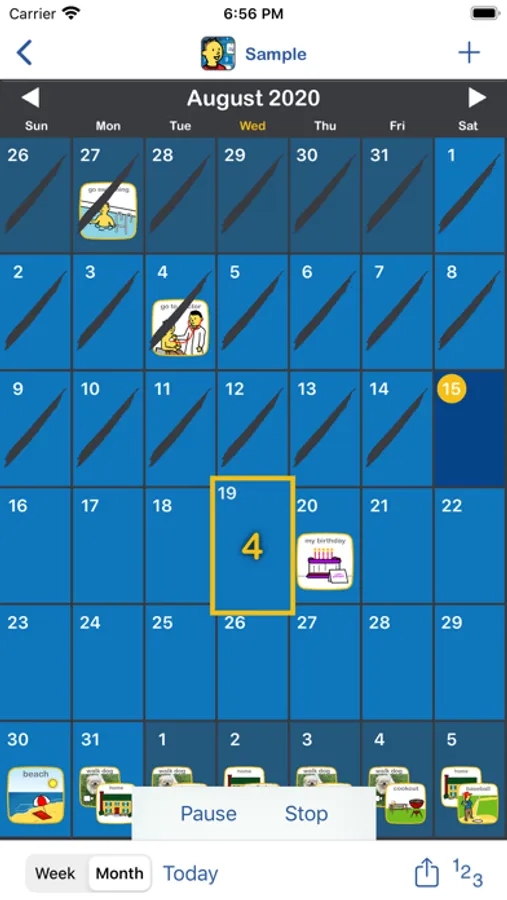
Tap to Rate:
Reviews for Choiceworks Calendar
specialappssk
So helpful!
💚 I just set this up for my father who has age-related cognitive impairment. I like how you can use your own pictures and your own voice to make it more “adult”. (It would be nice to have a different App Store icon we could choose to make it more adult, though) I have used this with my own children and students with Autism as well. A very handy and versatile app. -You can record your voice and add your own pictures to make calendar entries -Easy viewing- toggle back and forth from day, week or month views. In the ‘Day’ view you can drag items from the ‘To Do’ to ‘Done’ and a green checkmark will appear over the calendar entry to show it has been completed. -very audible alarm (my hearing-impaired dad can hear it!) -make one-time or reoccurring calendar events
Ev381
Needs bigger day font
We love this app but the month/date font size is so small. We’d love to see more options to change this. Also, adding Andy option to select ‘tomorrow’ in addition to the ‘today’ button would be cool.