Word Processor - Textilus Pro
Kairoos Solutions SL
4.4 ★
885 ratings
Free
In this word processor app, users can create, edit, and format documents with support for multiple file types and templates. Includes iCloud and Dropbox synchronization, document scanning, and password protection options.
AppRecs review analysis
AppRecs rating 3.9. Trustworthiness 82 out of 100. Review manipulation risk 33 out of 100. Based on a review sample analyzed.
★★★☆☆
3.9
AppRecs Rating
Ratings breakdown
5 star
71%
4 star
18%
3 star
3%
2 star
2%
1 star
7%
What to know
✓
Credible reviews
82% trustworthiness score from analyzed reviews
✓
High user satisfaction
88% of sampled ratings are 4+ stars (4.4★ average)
⚠
Pricing complaints
Many low ratings mention paywalls or pricing
About Word Processor - Textilus Pro
MAIN FEATURES
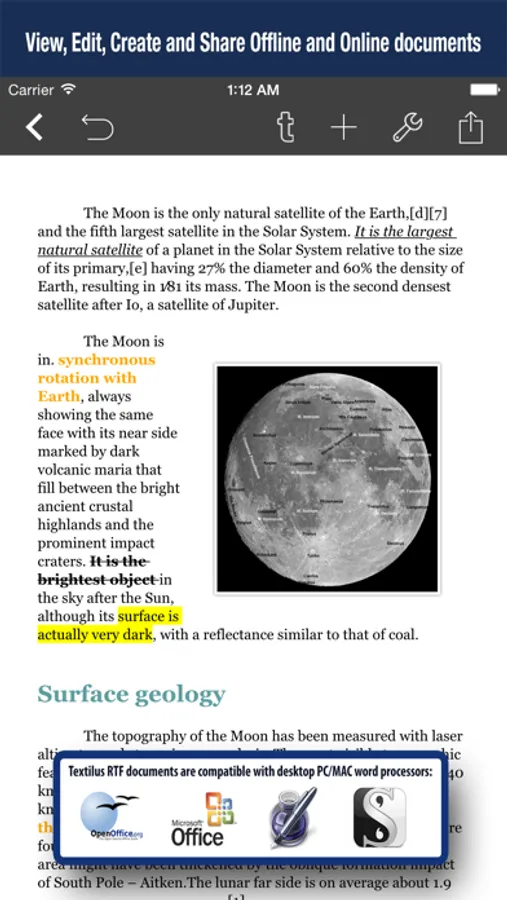
+ Create, edit, import and export text, RTF, Markdown and LaTeX documents.
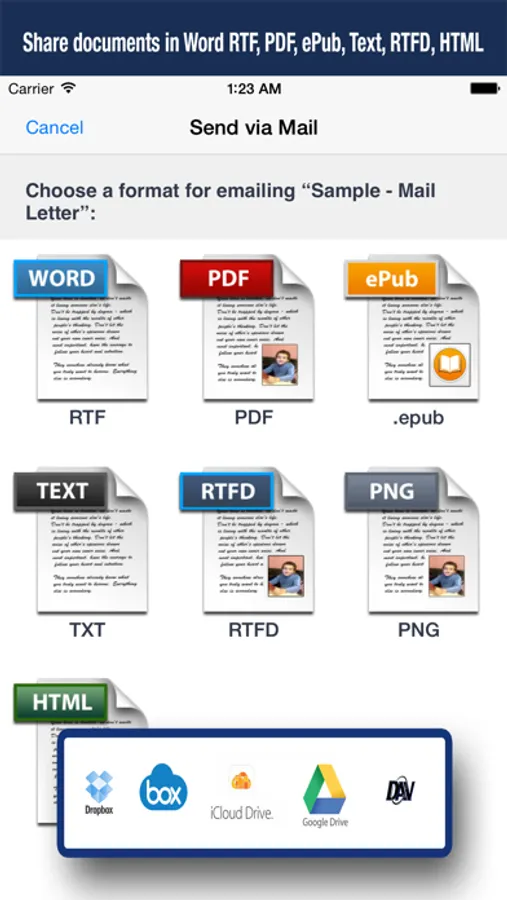
+ Export and share your text documents to PDF, RTF, RTFD, ePUB, PNG, TXT, Markdown or HTML
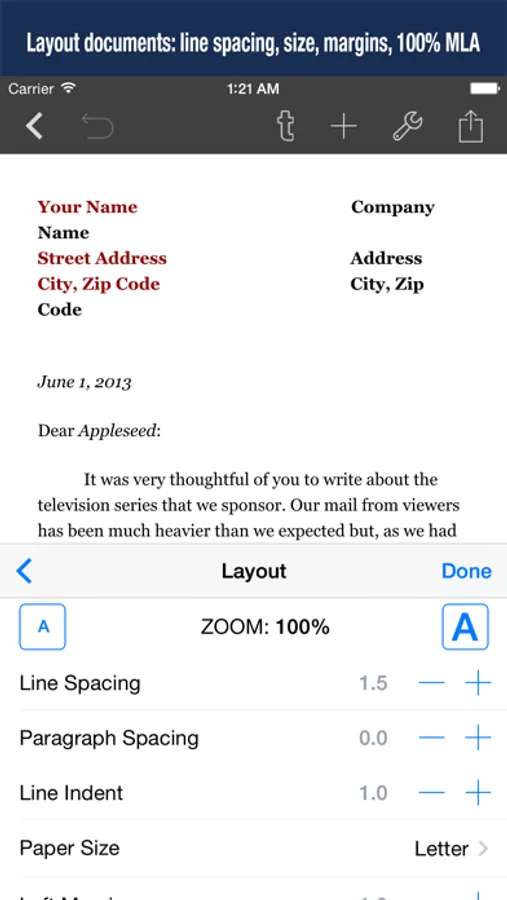
+ Modify margins and paper sizes, MLA and APA style format support including document headers/footers, very useful for students and teachers
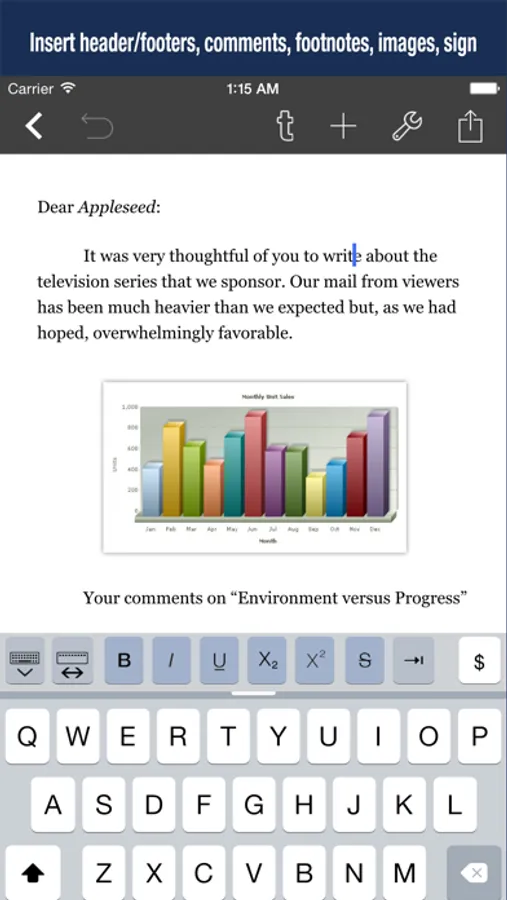
+ Insert inline photos, signatures, charts and drawings in your documents.
+ MLA and APA style format support including headers/footers
+ Install your own TrueType fonts.
+ Full-text search engine: It allows you to search the contents of your document library
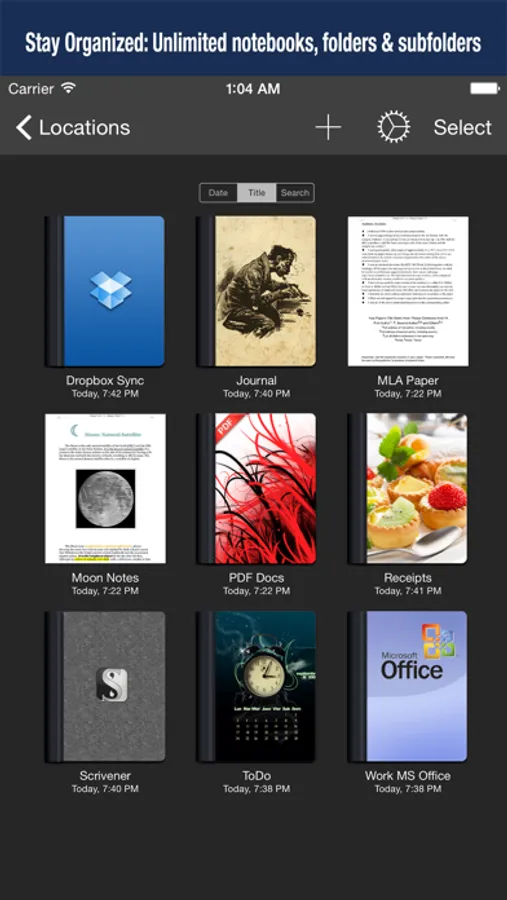
+ Create unlimited notebooks, folders and nested subfolders
+ Create your own templates for new documents
+ User defined document headers and footers with tags for date, page number, total of pages, etc.
+ Offline/Online document sync with iCloud, Dropbox, Box, Google Drive, iCloud Drive, webDAV
+ Text to Speech for proofreading with text being read aloud starting at the cursor position
+ Scan documents: Use the camera of your iPad/iPhone to scan documents, notes, recipes, tickets, etc. directly in Textilus !!!
+ Wi-Fi Transfer: transfer your documents between your iPad/iPhone and your computer via Wi-Fi with a web browser
+ Protect individually your folders/notebooks with a password, very useful for iPads with more than one user in office, classroom or home
+ Zip folders and email them as an attachment
+ iCloud sync support: it keeps automatically your documents up to date on all your devices iPhone/iPad
+ Share Link via iCloud: Share your documents via public iCloud web link
Other main features:
# Stay organized
+ Create notebooks, folders and nested subfolders
# Essential Writing Tool
+ Rich-text formatting: Bold, italic, underline, highlight, subscript/superscript, alignment, line and paragraph spacing, first-line indent, page breaks, footnotes, comments, text and paper color, etc.
+ Insert special symbols, math symbols, date, current GPS location, pictographs and web links
+ Sign your documents realistically with your finger
+ Document Statistics: characters, words, reading time, sentences, average word length
+ Right to Left and bi-directional text editing supported for Hebrew, Arabic, Thai, etc.
# Customizable Keyboard Bar
+ Exclusive extra keyboard row with direct access to styling and punctuation functions.
+ Quick keys for tab, forward delete, cursor up/down/left/right, etc.
+ Tap and hold to easily set your own custom keyboard buttons to your commonly-used keys, special symbols, text snippets or hard to reach characters
# Special and Unique Features
+ Scan documents: Use the camera of your iPad/iPhone to scan documents, notes, recipes, tickets, etc. directly in Textilus !!!
+ Text to Speech for proofreading with text being read aloud starting at the cursor position
+ Typewriter (Focus) mode. Distraction-Free mode that keeps only the paragraph you’re typing at the center of the screen, letting you focus on what you’re writing
+ User defined document headers and footers with tags for date, page number, total of pages, etc.
+ Create backup snapshots of your documents anytime
+ Zip folders/notebooks and email them as an attachment
Privacy Policy
http://www.noteswriter.com/Kairoos_Privacy_Policy.html
EULA
https://www.apple.com/legal/internet-services/itunes/dev/stdeula/
This app requires users to have a subscription to unlock all the features after a 3-day risk-free trial.
Word Processor - Textilus Pro Screenshots
Tap to Rate:
Reviews for Word Processor - Textilus Pro
FroggyDaddy
Froggy Daddy
I had the same problem. I’m in a hurry. I need to get my Textilus pro files downloaded to the computer so I can print them out, and I couldn’t even log onto my app because of a freaking AI request upgrade. page showed up that I couldn’t get rid of!!! I’m just about ready to trash the whole app and start with somebody else. I’ll give you guys one more chance, you put me back on the upgrade that I had previously before this AI junk came on, or I resign and request my money back.
RANDYAHC$
VERY DISAPPOINTED / DON’T PURCHASE!!!
I have a several documents saved and I already payed once for access to the app now it wants me to pay again. Well, I would rather have a colonoscopy before I give this app money again.