
Splashtop Wired XDisplay – Extend & Mirror
Splashtop Inc.
3.9 ★
318 ratings
Free
In this app, you can turn your iPhone into an additional monitor by connecting it to your computer via cable and adjusting display settings. Includes support for high-resolution displays, auto orientation, and secure wired connections.
AppRecs review analysis
AppRecs rating 4.0. Trustworthiness 75 out of 100. Review manipulation risk 27 out of 100. Based on a review sample analyzed.
★★★★☆
4.0
AppRecs Rating
Ratings breakdown
5 star
58%
4 star
15%
3 star
4%
2 star
4%
1 star
18%
What to know
✓
Low review manipulation risk
27% review manipulation risk
✓
Credible reviews
75% trustworthiness score from analyzed reviews
✓
Good user ratings
74% positive sampled reviews
About Splashtop Wired XDisplay – Extend & Mirror
**** LIMITED TIME Launch Special (Regular Price: $9.99 USD)
**** Use your iPhone as an extra monitor to your MAC or PC! ****
**** Developed by the Creator of Splashtop Remote Desktop, the #1 iOS Business App Developer, with over 20 million users! ****
*** Please contact us at http://support-xdisplay.splashtop.com/home if you have any problem extending or mirroring your computer screen to your iPhone. The App Store does not offer a way for us to respond to user issues. ***
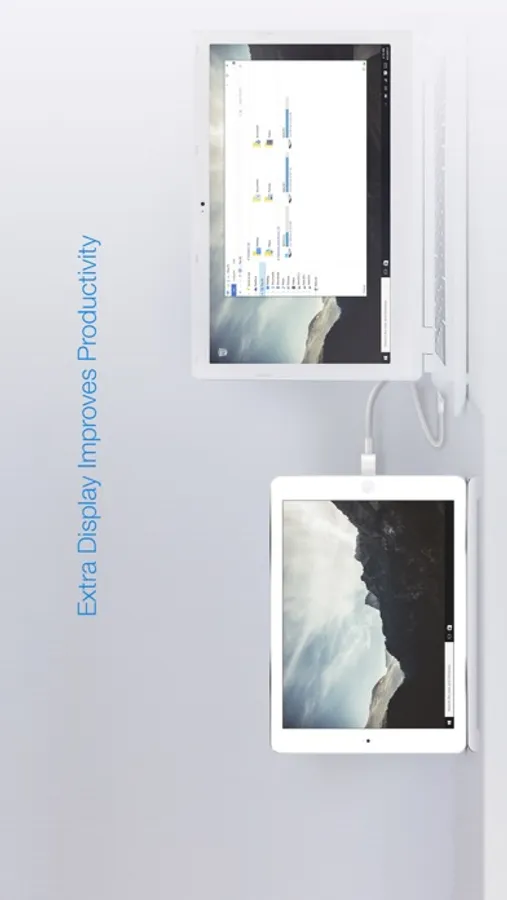
Splashtop Wired XDisplay turns an iPhone into an extra display for your computer, enhancing productivity.
FEATURES
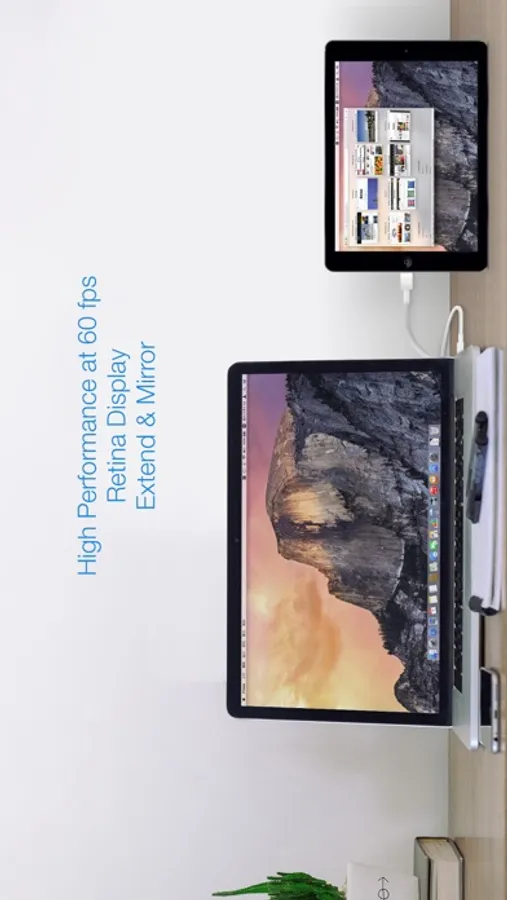
* High Performance (1080P or retina display at 60fps)
* Support for Windows 7 default Aero desktop theme featuring translucent windows
* Auto orientation when iPhone is turned (works in both landscape and portrait modes)
* Ability to choose the position of your extended display relative to the computer
* Secure wired connection
Simple Setup
1. Download Splashtop Wired XDisplay (this app)
2. Download and run the FREE Splashtop Wired XDisplay Agent on your MAC or PC at http://www.splashtop.com/wiredxdisplay
3. Connect your iPhone to MAC or PC using a lightning or 30 pin cable
Computer Supported
* Windows 7, 8, 10, and later
* MAC OSX 10.8, 10.9, 10.10, 10.11, 10.12 and later
LIMITATIONS
* Currently only supports computers with at least one unused video display output
* When Windows Aero is disabled, certain functions might not be available
To learn more: http://www.splashtop.com/wiredxdisplay
**** Use your iPhone as an extra monitor to your MAC or PC! ****
**** Developed by the Creator of Splashtop Remote Desktop, the #1 iOS Business App Developer, with over 20 million users! ****
*** Please contact us at http://support-xdisplay.splashtop.com/home if you have any problem extending or mirroring your computer screen to your iPhone. The App Store does not offer a way for us to respond to user issues. ***
Splashtop Wired XDisplay turns an iPhone into an extra display for your computer, enhancing productivity.
FEATURES
* High Performance (1080P or retina display at 60fps)
* Support for Windows 7 default Aero desktop theme featuring translucent windows
* Auto orientation when iPhone is turned (works in both landscape and portrait modes)
* Ability to choose the position of your extended display relative to the computer
* Secure wired connection
Simple Setup
1. Download Splashtop Wired XDisplay (this app)
2. Download and run the FREE Splashtop Wired XDisplay Agent on your MAC or PC at http://www.splashtop.com/wiredxdisplay
3. Connect your iPhone to MAC or PC using a lightning or 30 pin cable
Computer Supported
* Windows 7, 8, 10, and later
* MAC OSX 10.8, 10.9, 10.10, 10.11, 10.12 and later
LIMITATIONS
* Currently only supports computers with at least one unused video display output
* When Windows Aero is disabled, certain functions might not be available
To learn more: http://www.splashtop.com/wiredxdisplay
Splashtop Wired XDisplay – Extend & Mirror Screenshots
Tap to Rate:
Reviews for Splashtop Wired XDisplay – Extend & Mirror
Six Tool Player
Does its job well
It does exactly what you want it to do, and it does that fairly well.
ESignUwU
Don’t work
It don’t work with Mac OS X don’t work on Mac OS X