In this note-taking app, you can create, organize, and annotate notes with images, checklists, and sketches. Includes attachment support, search functionality, and collaboration features.
AppRecs review analysis
AppRecs rating 4.2. Trustworthiness 78 out of 100. Review manipulation risk 24 out of 100. Based on a review sample analyzed.
★★★★☆
4.2
AppRecs Rating
Ratings breakdown
5 star
92%
4 star
5%
3 star
1%
2 star
1%
1 star
1%
What to know
✓
Low review manipulation risk
24% review manipulation risk
✓
Credible reviews
78% trustworthiness score from analyzed reviews
✓
High user satisfaction
92% of sampled ratings are 5 stars
About Notes
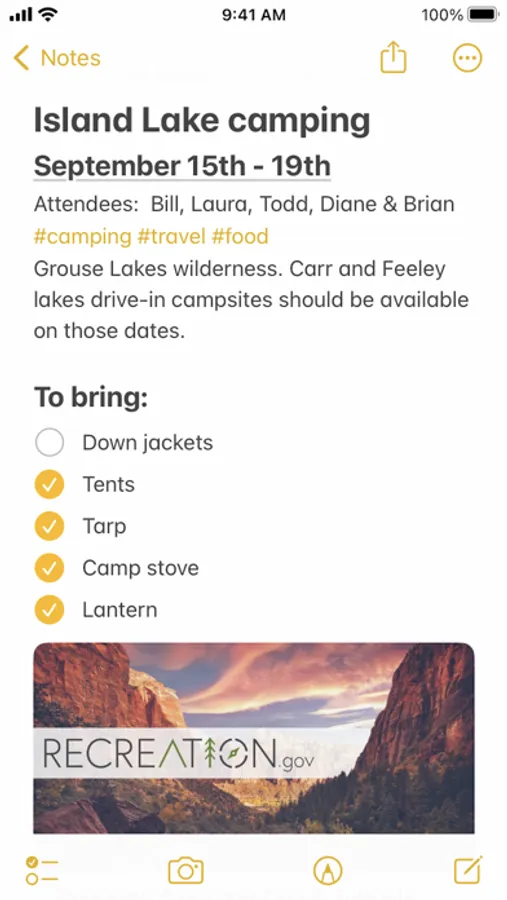
Notes is the best place to jot down quick thoughts or to save longer notes filled with checklists, images, web links, scanned documents, handwritten notes, or sketches. And with iCloud, it's easy to keep all your devices in sync, so you’ll always have your notes with you.
Features
Powerful note-taking
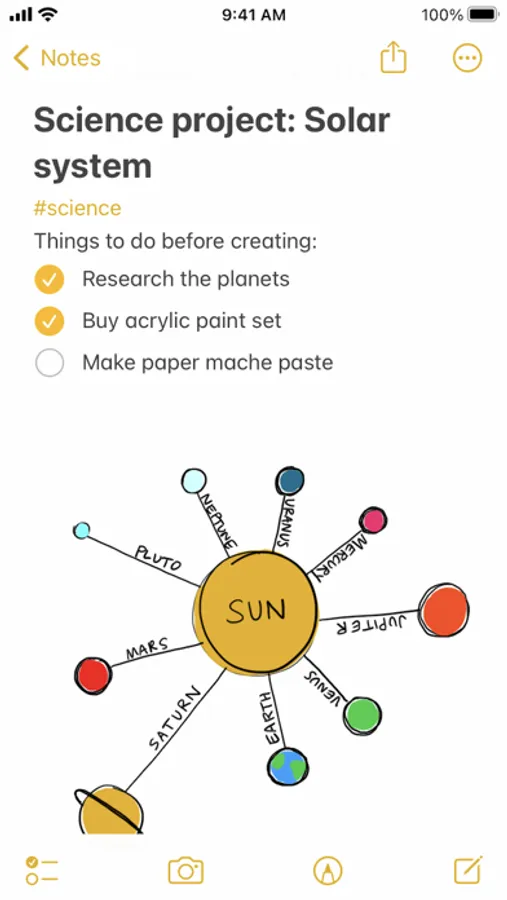
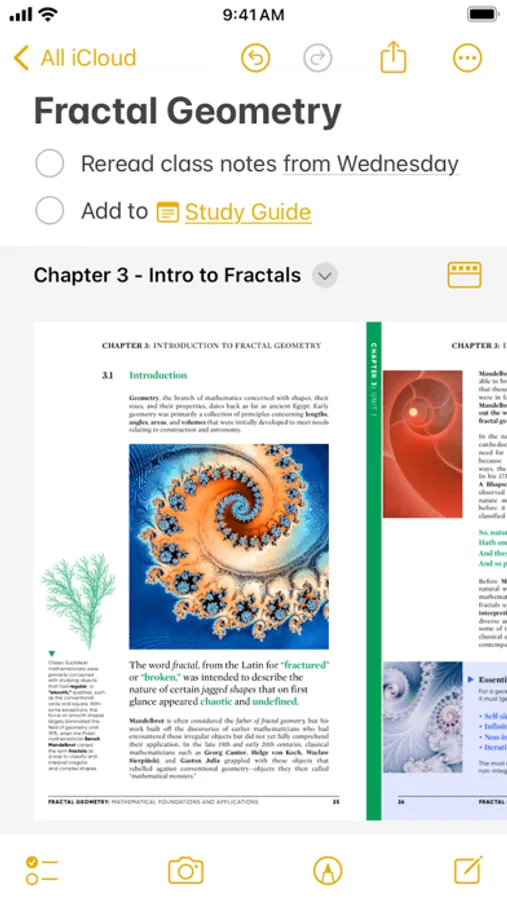
• Add attachments - PDFs, photos, maps, web links, and more.
• Record and transcribe audio directly into a note.
• Scan paper documents with the built-in document scanner.
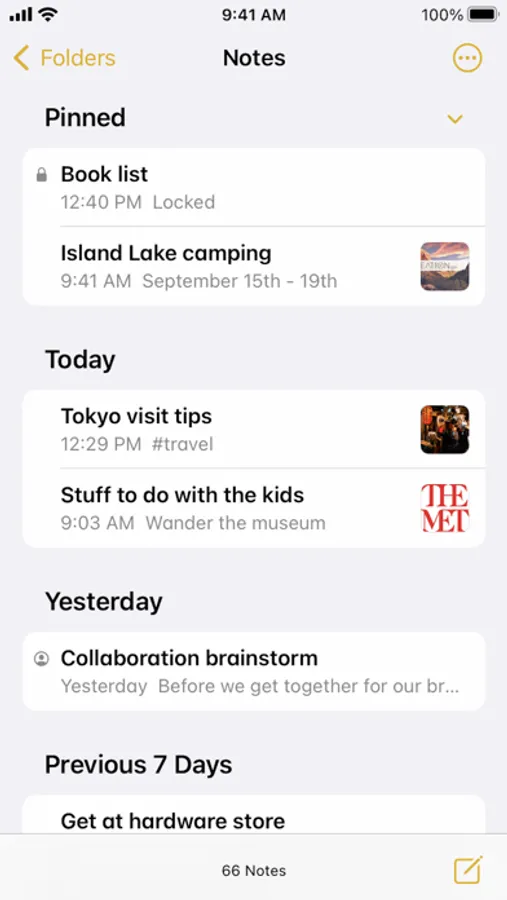
• Secure sensitive or personal data in a locked note.
• Create checklists. Make a grocery list, a wish list, or a to-do list, then tap to check off items as you go.
• Apply different text styles, such as heading or body, bulleted lists, highlighting, and more.
• Tap next to section headers to reveal a chevron to collapse text.
• Add tables to quickly organize information.
• Use your finger, or Apple Pencil on a compatible iPad, to sketch right in your note or an inline PDF. Choose from a variety of brush styles and colors, and add lines and grids to a note for easier writing and drawing.
• Take a Quick Note without opening the app - add Quick Note to your Control Center, swipe up from the bottom right corner with an Apple Pencil on iPad, or use Fn-Q on a keyboard.
Organize and search
• Search for text in notes, your handwriting, and even inside scanned documents and photos like receipts or bills.
• Link from one note to another to connect ideas, content, or any information. Try typing >> for a shortcut to add links while writing in your note.
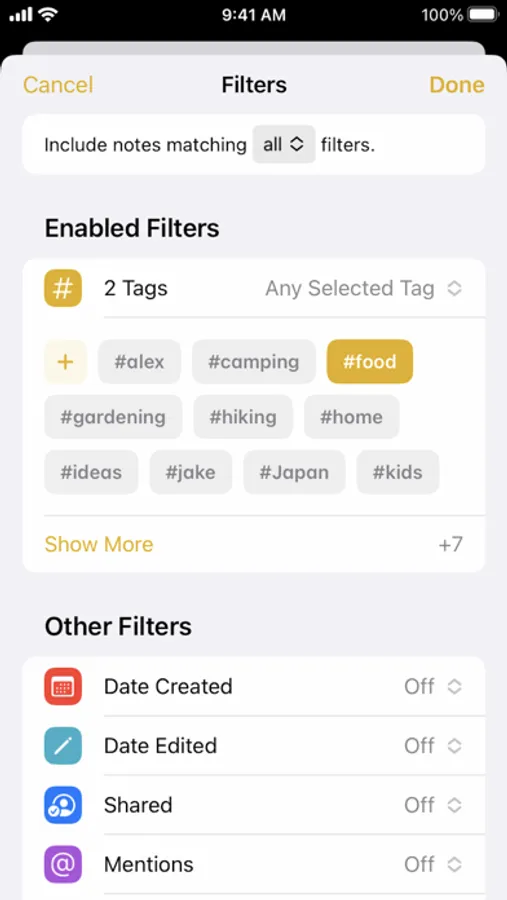
• Keep your notes in folders and subfolders, or add tags to categorize them. Type or handwrite tags directly in your note - like #cooking or #expenses.
• Automatically organize notes in a Smart Folder based on filters. Create rules to filter for Date Created, Checklists, Attachments, and more.
Collaborate
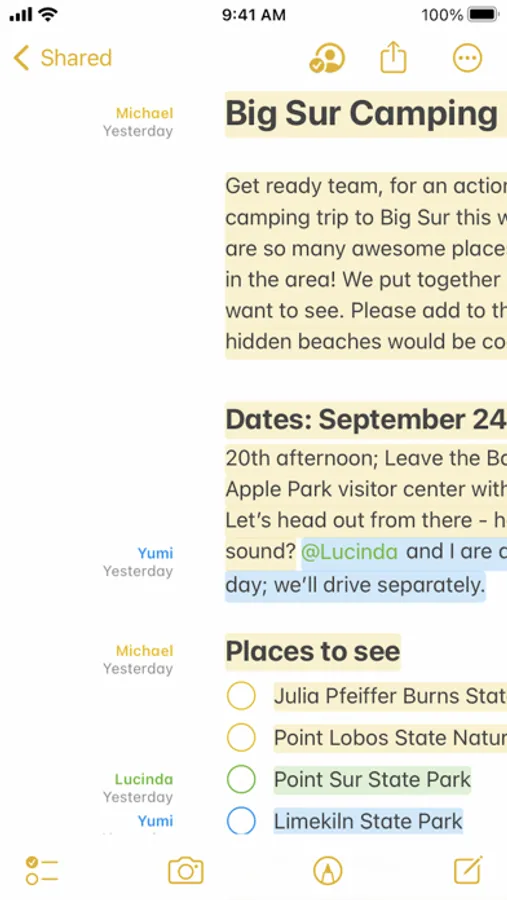
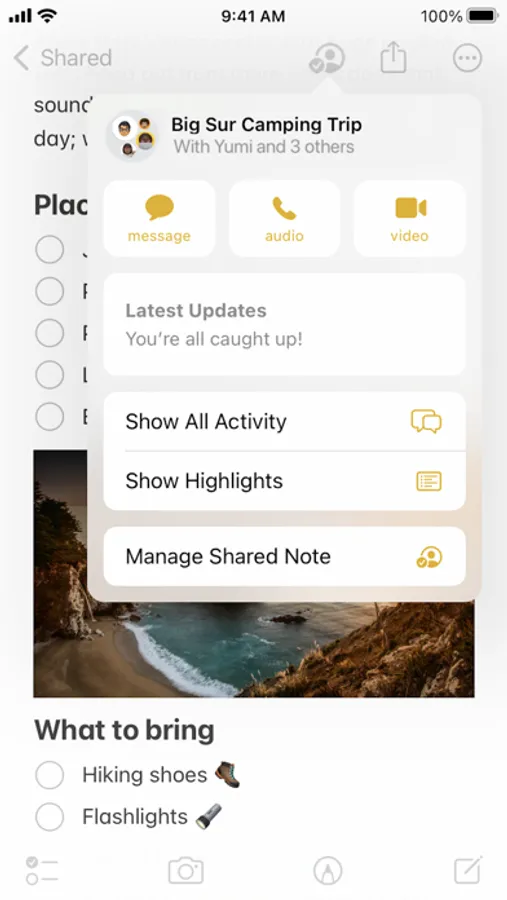
• Collaborate on entire shared folders or on specific shared notes.
• Mention friends to notify them of important updates and link them directly to a shared note.
• See what others added into a shared note while you were away with Activity view, a day-to-day list summary of activity from each collaborator.
Notes for Apple Watch
• View all of your iCloud notes right from your wrist; you can also pin notes, complete checklist items, or create new notes with dictation or Siri.
Certain features are available only in select languages and regions.
Features
Powerful note-taking
• Add attachments - PDFs, photos, maps, web links, and more.
• Record and transcribe audio directly into a note.
• Scan paper documents with the built-in document scanner.
• Secure sensitive or personal data in a locked note.
• Create checklists. Make a grocery list, a wish list, or a to-do list, then tap to check off items as you go.
• Apply different text styles, such as heading or body, bulleted lists, highlighting, and more.
• Tap next to section headers to reveal a chevron to collapse text.
• Add tables to quickly organize information.
• Use your finger, or Apple Pencil on a compatible iPad, to sketch right in your note or an inline PDF. Choose from a variety of brush styles and colors, and add lines and grids to a note for easier writing and drawing.
• Take a Quick Note without opening the app - add Quick Note to your Control Center, swipe up from the bottom right corner with an Apple Pencil on iPad, or use Fn-Q on a keyboard.
Organize and search
• Search for text in notes, your handwriting, and even inside scanned documents and photos like receipts or bills.
• Link from one note to another to connect ideas, content, or any information. Try typing >> for a shortcut to add links while writing in your note.
• Keep your notes in folders and subfolders, or add tags to categorize them. Type or handwrite tags directly in your note - like #cooking or #expenses.
• Automatically organize notes in a Smart Folder based on filters. Create rules to filter for Date Created, Checklists, Attachments, and more.
Collaborate
• Collaborate on entire shared folders or on specific shared notes.
• Mention friends to notify them of important updates and link them directly to a shared note.
• See what others added into a shared note while you were away with Activity view, a day-to-day list summary of activity from each collaborator.
Notes for Apple Watch
• View all of your iCloud notes right from your wrist; you can also pin notes, complete checklist items, or create new notes with dictation or Siri.
Certain features are available only in select languages and regions.
Notes Screenshots
Tap to Rate:
Reviews for Notes
Mr. T #2:
Write:
Note pads is a place to keep your thoughts.
BigChuckMeisterGGG
It’s too slow
Plain and simple.