Sentence 1: With this security client, you can establish encrypted network connections and manage VPN access on iOS devices. Sentence 2: Includes support for IPsec IKEv2, DTLS, and application connectivity optimization.
AppRecs review analysis
AppRecs rating 4.0. Trustworthiness 68 out of 100. Review manipulation risk 22 out of 100. Based on a review sample analyzed.
★★★★☆
4.0
AppRecs Rating
Ratings breakdown
5 star
58%
4 star
12%
3 star
7%
2 star
6%
1 star
17%
What to know
✓
Low review manipulation risk
22% review manipulation risk
✓
Good user ratings
70% positive sampled reviews
✓
Authentic reviews
Natural distribution, no red flags
About Cisco Secure Client
This is the Cisco Secure Client (including AnyConnect VPN) application for Apple iOS.
Please report any questions to ac-mobile-feedback@cisco.com.
Please consult with your EMM/MDM vendor on configuration changes required to configure this new version if you are not setting it up manually. Samples at: https://community.cisco.com/t5/security-blogs/anyconnect-apple-ios-transition-to-apple-s-latest-vpn-framework/ba-p/3098264
LICENSING AND INFRASTRUCTURE REQUIREMENTS:
You must have an active AnyConnect Plus, Apex or VPN Only term/contract to utilize this software. Use is no longer permitted for older Essentials/Premium with Mobile licensing. AnyConnect may never be used with non-Cisco servers.
Trial AnyConnect Apex (ASA) licenses are available for administrators at www.cisco.com/go/license
AnyConnect for iOS requires Cisco Adaptive Security Appliance (ASA) Boot image 8.0(4) or later.
Per App VPN requires ASA 9.3(2) or later (5500-X/ASAv only) with Plus, Apex or VPN Only licensing and a minimum Apple iOS version of 10.x.
For additional licensing questions, please contact ac-mobile-license-request (AT) cisco.com and include a copy of "show version" from your Cisco ASA.
Ordering and Licensing Guide:
https://www.cisco.com/c/en/us/products/collateral/security/anyconnect-secure-mobility-client/secure-client-og.html
Cisco Secure Client (including AnyConnect VPN) provides reliable and easy-to-deploy encrypted network connectivity from any Apple iOS by delivering persistent corporate access for users on the go. Whether providing access to business email, a virtual desktop session, or most other iOS applications, AnyConnect enables business-critical application connectivity. Through the use of Datagram Transport Layer Security (DTLS), TCP-based applications and latency-sensitive traffic (such as voice over IP [VoIP]) are provided an optimized communication path to corporate resources.
Additionally, the Cisco Secure Client support IPsec IKEv2 with Next Generation Encryption.
Features:
- Automatically adapts its tunneling to the most efficient method possible based on network constraints, using TLS and DTLS.
- DTLS provides an optimized connection for TCP-based application access and latency-sensitive traffic, such as VoIP traffic
- Network roaming capability allows connectivity to resume seamlessly after IP address change, loss of connectivity, or device standby
- Wide Range of Authentication Options: RADIUS, RSA SecurID, Active Directory/Kerberos, Digital Certificates, LDAP, multifactor authentication
- Supports certificate deployment using Apple iOS and AnyConnect integrated SCEP
- Compatible with Apple iOS Connect On Demand VPN capability for automatic VPN connections when required by an application
- Policies can be preconfigured or configured locally, and can be automatically updated from the VPN headend
- Access to internal IPv4 and IPv6 network resources
- Administrator-controlled split / full tunneling network access policy
- Per App VPN (TCP and UDP) - MDM controlled
If you are an end-user and have any issues or concerns, please contact your organization’s support department. If you are a System Administrator having difficulties configuring or utilizing the Application, please contact your designated support point of contact.
Release Notes:
https://www.cisco.com/c/en/us/support/security/anyconnect-secure-mobility-client/products-release-notes-list.html
User Guide:
https://www.cisco.com/c/en/us/support/security/anyconnect-secure-mobility-client/products-user-guide-list.html
End user license:
https://www.cisco.com/c/dam/en_us/about/doing_business/legal/seula/anyconnect-SEULA-v4x.pdf
Please report any questions to ac-mobile-feedback@cisco.com.
Please consult with your EMM/MDM vendor on configuration changes required to configure this new version if you are not setting it up manually. Samples at: https://community.cisco.com/t5/security-blogs/anyconnect-apple-ios-transition-to-apple-s-latest-vpn-framework/ba-p/3098264
LICENSING AND INFRASTRUCTURE REQUIREMENTS:
You must have an active AnyConnect Plus, Apex or VPN Only term/contract to utilize this software. Use is no longer permitted for older Essentials/Premium with Mobile licensing. AnyConnect may never be used with non-Cisco servers.
Trial AnyConnect Apex (ASA) licenses are available for administrators at www.cisco.com/go/license
AnyConnect for iOS requires Cisco Adaptive Security Appliance (ASA) Boot image 8.0(4) or later.
Per App VPN requires ASA 9.3(2) or later (5500-X/ASAv only) with Plus, Apex or VPN Only licensing and a minimum Apple iOS version of 10.x.
For additional licensing questions, please contact ac-mobile-license-request (AT) cisco.com and include a copy of "show version" from your Cisco ASA.
Ordering and Licensing Guide:
https://www.cisco.com/c/en/us/products/collateral/security/anyconnect-secure-mobility-client/secure-client-og.html
Cisco Secure Client (including AnyConnect VPN) provides reliable and easy-to-deploy encrypted network connectivity from any Apple iOS by delivering persistent corporate access for users on the go. Whether providing access to business email, a virtual desktop session, or most other iOS applications, AnyConnect enables business-critical application connectivity. Through the use of Datagram Transport Layer Security (DTLS), TCP-based applications and latency-sensitive traffic (such as voice over IP [VoIP]) are provided an optimized communication path to corporate resources.
Additionally, the Cisco Secure Client support IPsec IKEv2 with Next Generation Encryption.
Features:
- Automatically adapts its tunneling to the most efficient method possible based on network constraints, using TLS and DTLS.
- DTLS provides an optimized connection for TCP-based application access and latency-sensitive traffic, such as VoIP traffic
- Network roaming capability allows connectivity to resume seamlessly after IP address change, loss of connectivity, or device standby
- Wide Range of Authentication Options: RADIUS, RSA SecurID, Active Directory/Kerberos, Digital Certificates, LDAP, multifactor authentication
- Supports certificate deployment using Apple iOS and AnyConnect integrated SCEP
- Compatible with Apple iOS Connect On Demand VPN capability for automatic VPN connections when required by an application
- Policies can be preconfigured or configured locally, and can be automatically updated from the VPN headend
- Access to internal IPv4 and IPv6 network resources
- Administrator-controlled split / full tunneling network access policy
- Per App VPN (TCP and UDP) - MDM controlled
If you are an end-user and have any issues or concerns, please contact your organization’s support department. If you are a System Administrator having difficulties configuring or utilizing the Application, please contact your designated support point of contact.
Release Notes:
https://www.cisco.com/c/en/us/support/security/anyconnect-secure-mobility-client/products-release-notes-list.html
User Guide:
https://www.cisco.com/c/en/us/support/security/anyconnect-secure-mobility-client/products-user-guide-list.html
End user license:
https://www.cisco.com/c/dam/en_us/about/doing_business/legal/seula/anyconnect-SEULA-v4x.pdf
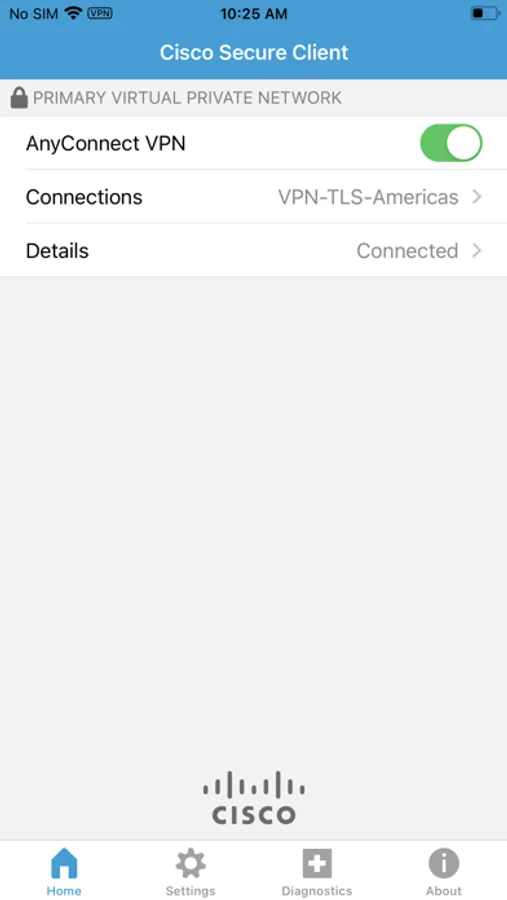
Cisco Secure Client Screenshots
Tap to Rate:
Reviews for Cisco Secure Client
mohammad792000
Save passport
The android version is capable of saving the passport. Please add it.
Alireza Shaemi
working perfectly on macOS
Working smooth, no bug, fast on macOS