In this voice recording app, you can capture, edit, and share audio notes or musical ideas using various recording options and editing tools. Includes features for trimming, replacing, transcribing, and layering vocals over instrumentals.
AppRecs review analysis
AppRecs rating 4.5. Trustworthiness 69 out of 100. Review manipulation risk 35 out of 100. Based on a review sample analyzed.
★★★★☆
4.5
AppRecs Rating
Ratings breakdown
5 star
90%
4 star
6%
3 star
2%
2 star
1%
1 star
1%
What to know
✓
High user satisfaction
90% of sampled ratings are 5 stars
About Voice Memos
Voice Memos turns your iPhone, iPad, or Apple Watch into a portable audio recorder, making it easy to capture and share personal notes, song ideas, family moments, classroom lectures, and more. Editing tools like trim, replace, and the new “Save As” feature let you fine-tune your recordings without altering the original. The transcription feature converts speech into text, simplifying the process of finding and referencing specific content. And the new feature to record a vocal layer on top of an existing instrumental recording* without the need for headphones making it easy to capture song ideas on the go. Users can then separate and edit the vocal and instrumental layers independently to continue expanding on those ideas. And with iCloud support, you can capture audio on the go with your iOS device, then use your Mac to do even more with your recordings.
Features
Record
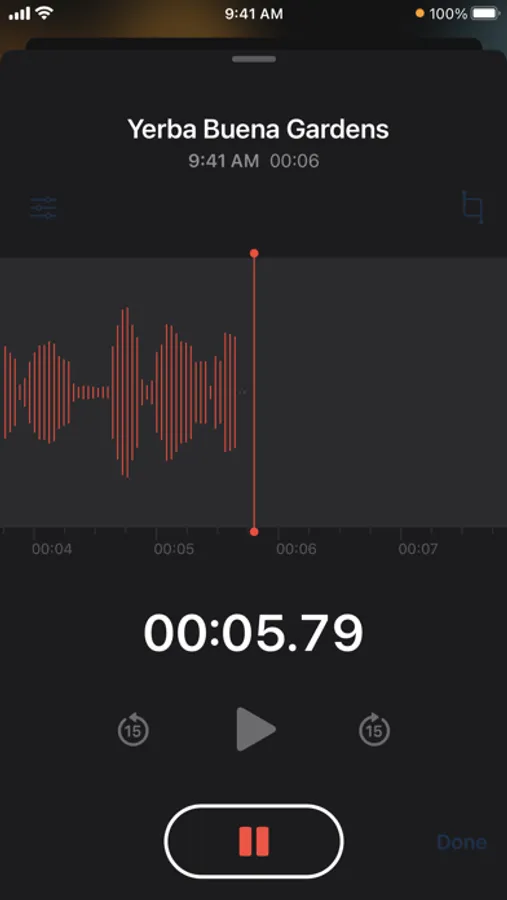
• Record using the built-in microphone, a Bluetooth headset, or a compatible external microphone.
• Choose uncompressed audio for maximum sound fidelity, ensuring the highest quality recordings.
• Opt for compressed audio to save storage space and record longer sessions.
• Automatically name recordings based on your location.
• Record a vocal layer* over an instrumental track without headphones.
• Stereo recording adds greater depth and dimension to your audio**.
• iCloud support keeps your recordings and edits in sync across all your devices, including iPhone, iPad, Apple Watch, Mac, and Vision Pro.
Edit
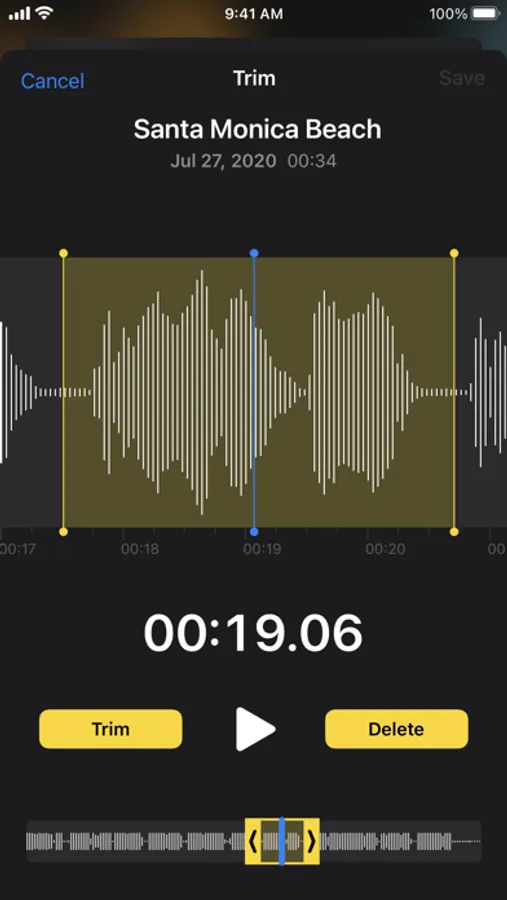
• Pinch-to-zoom for more precision when editing.
• Trim your recordings to save just the portion you want.
• Replace and resume to fine-tune your recordings.
• Save As lets you make edits and save them as a new recording without altering the original file.
• Separate and independently edit the vocal and instrumental takes for layered recordings*.
• Transcripts automatically convert speech into text for easy reference***.
• Enhance Recording reduces background noise and room reverberation with a single tap.
Organize
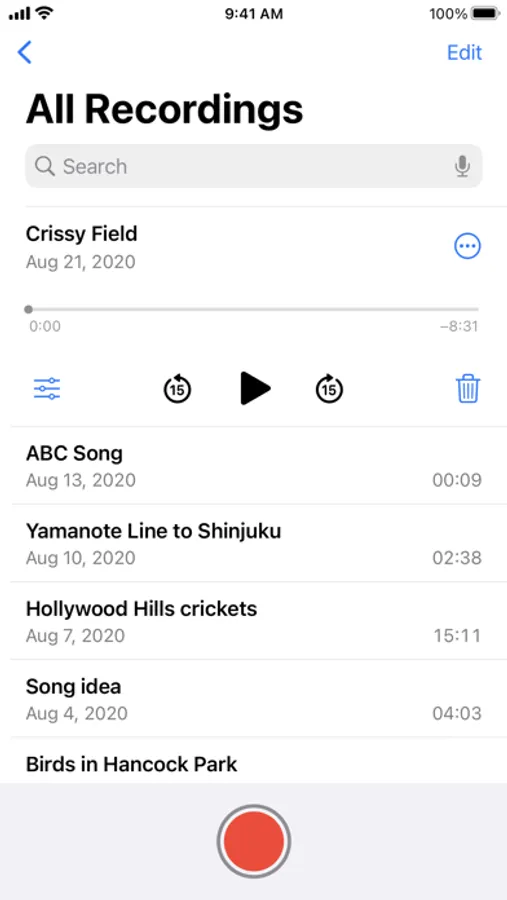
• Quickly find recordings with the search feature.
• Folders make it easy to organize your recordings.
• Mark recordings as Favorites so you can quickly access them later.
Listen and share
• Speed up or slow down playback of your recordings, or jump 15 seconds forward or back.
• Skip Silence analyzes your recordings and automatically skips over gaps in your audio.
• Share multiple recordings at once via AirDrop, Mail, Messages, and more.
• Import vocal layer* recordings into Logic Pro as a two-track project for advanced editing and production.
* Adding a vocal layer on top of a Voice Memos recording is available only on the iPhone 16 Pro models.
** Stereo recording requires Apple devices equipped with stereo microphones and iOS 18 or later.
*** Audio transcription is available on iPhone 12 and later in English (Australia), English (Canada), English (Ireland), English (New Zealand), English (South Africa), English (UK), and English (US).
Features
Record
• Record using the built-in microphone, a Bluetooth headset, or a compatible external microphone.
• Choose uncompressed audio for maximum sound fidelity, ensuring the highest quality recordings.
• Opt for compressed audio to save storage space and record longer sessions.
• Automatically name recordings based on your location.
• Record a vocal layer* over an instrumental track without headphones.
• Stereo recording adds greater depth and dimension to your audio**.
• iCloud support keeps your recordings and edits in sync across all your devices, including iPhone, iPad, Apple Watch, Mac, and Vision Pro.
Edit
• Pinch-to-zoom for more precision when editing.
• Trim your recordings to save just the portion you want.
• Replace and resume to fine-tune your recordings.
• Save As lets you make edits and save them as a new recording without altering the original file.
• Separate and independently edit the vocal and instrumental takes for layered recordings*.
• Transcripts automatically convert speech into text for easy reference***.
• Enhance Recording reduces background noise and room reverberation with a single tap.
Organize
• Quickly find recordings with the search feature.
• Folders make it easy to organize your recordings.
• Mark recordings as Favorites so you can quickly access them later.
Listen and share
• Speed up or slow down playback of your recordings, or jump 15 seconds forward or back.
• Skip Silence analyzes your recordings and automatically skips over gaps in your audio.
• Share multiple recordings at once via AirDrop, Mail, Messages, and more.
• Import vocal layer* recordings into Logic Pro as a two-track project for advanced editing and production.
* Adding a vocal layer on top of a Voice Memos recording is available only on the iPhone 16 Pro models.
** Stereo recording requires Apple devices equipped with stereo microphones and iOS 18 or later.
*** Audio transcription is available on iPhone 12 and later in English (Australia), English (Canada), English (Ireland), English (New Zealand), English (South Africa), English (UK), and English (US).
Voice Memos Screenshots
Tap to Rate:
Reviews for Voice Memos
Doge king1
Hi
Nicker
please let me get back to work
Vm
Very handy